Duration
- 3 months
Modernized a legacy Precima scorecard into the NIQ design system while prototyping comparison features that helped clients evaluate supplier performance more clearly.

Lead Product Designer
Research, UX, UI, Prototyping, Testing
Web (Desktop-first)
Used by regional vendor and retail teams during recurring performance reviews
Designed to support standardized supplier evaluation across multiple regions
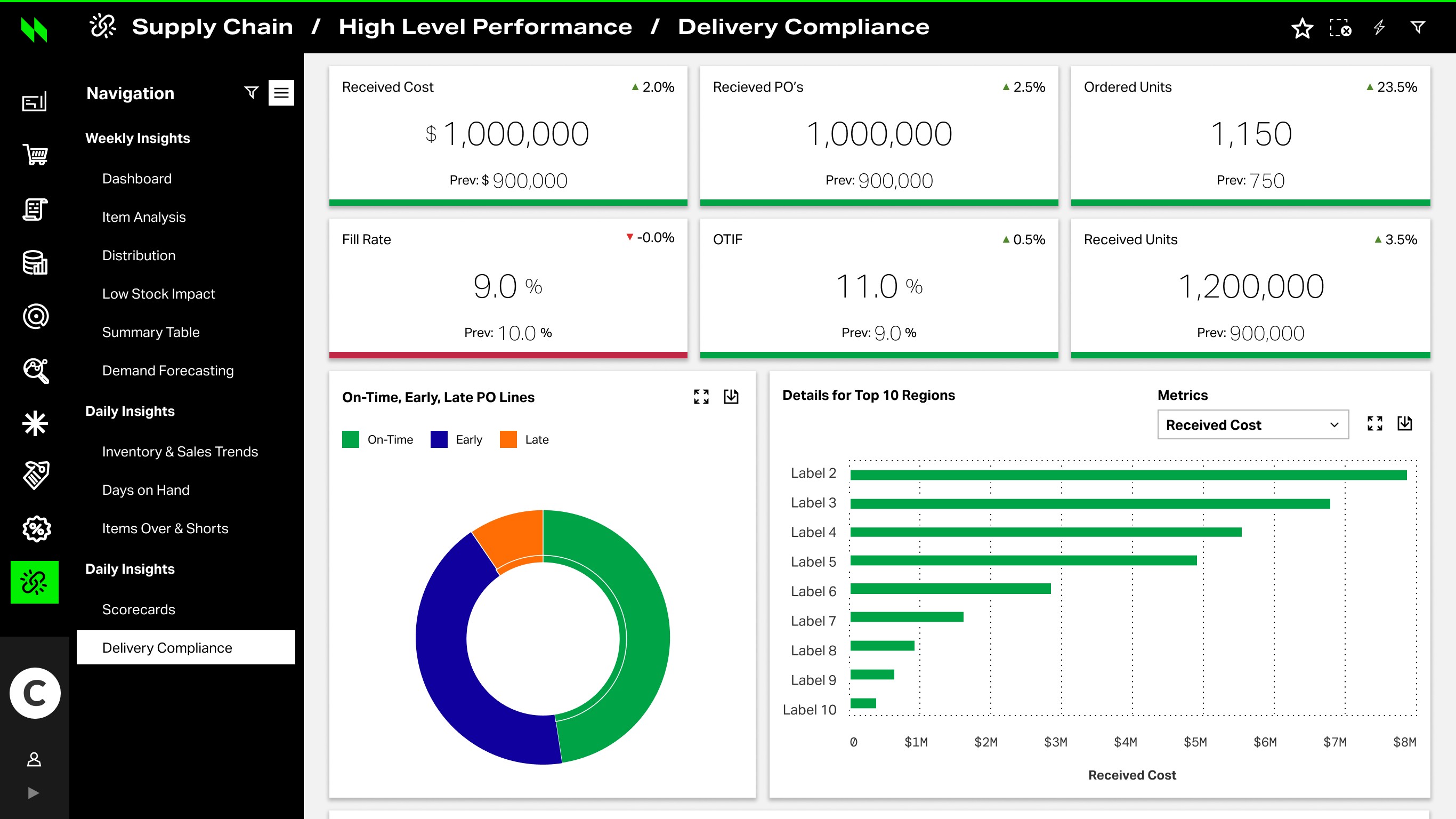
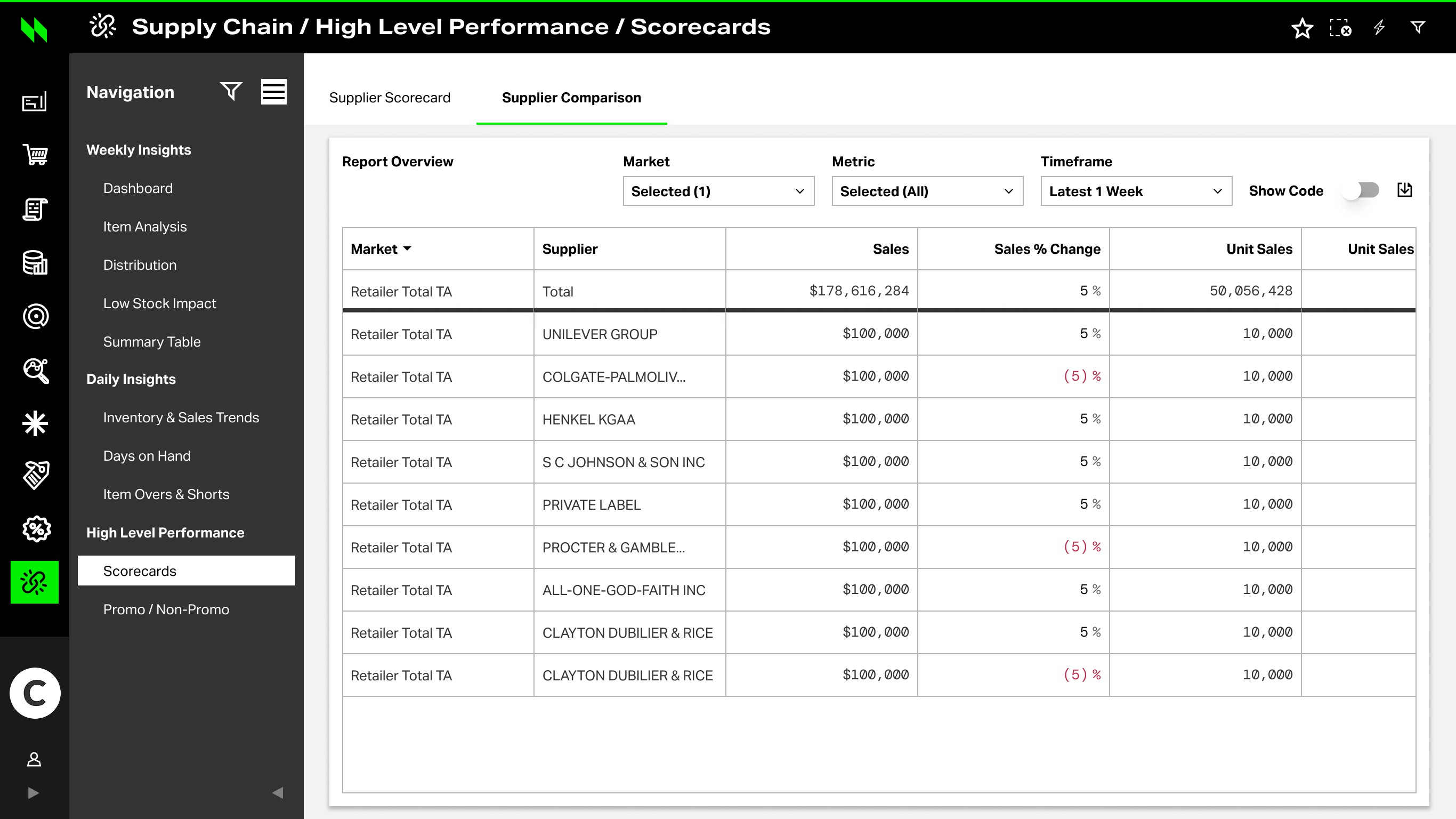
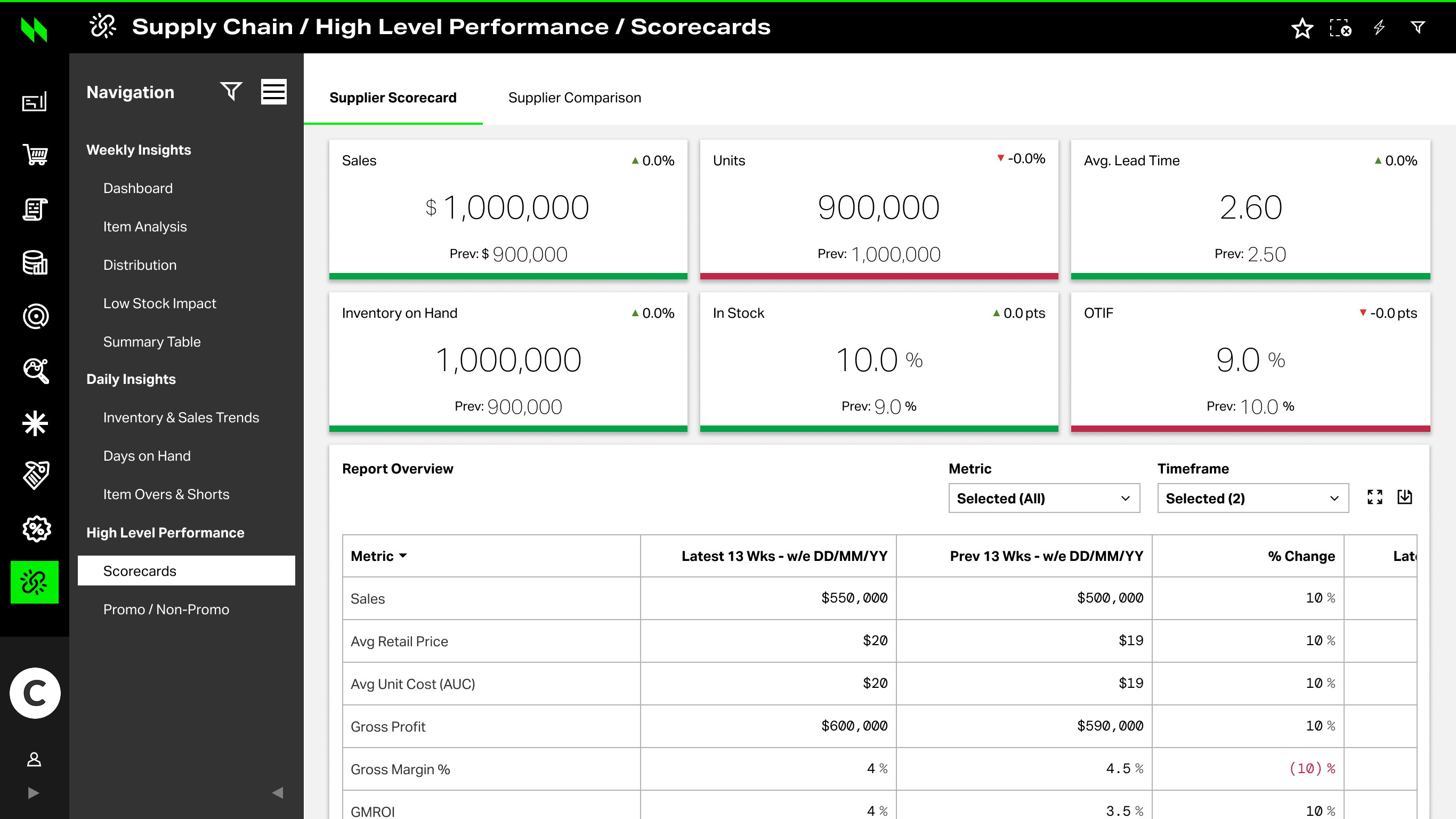
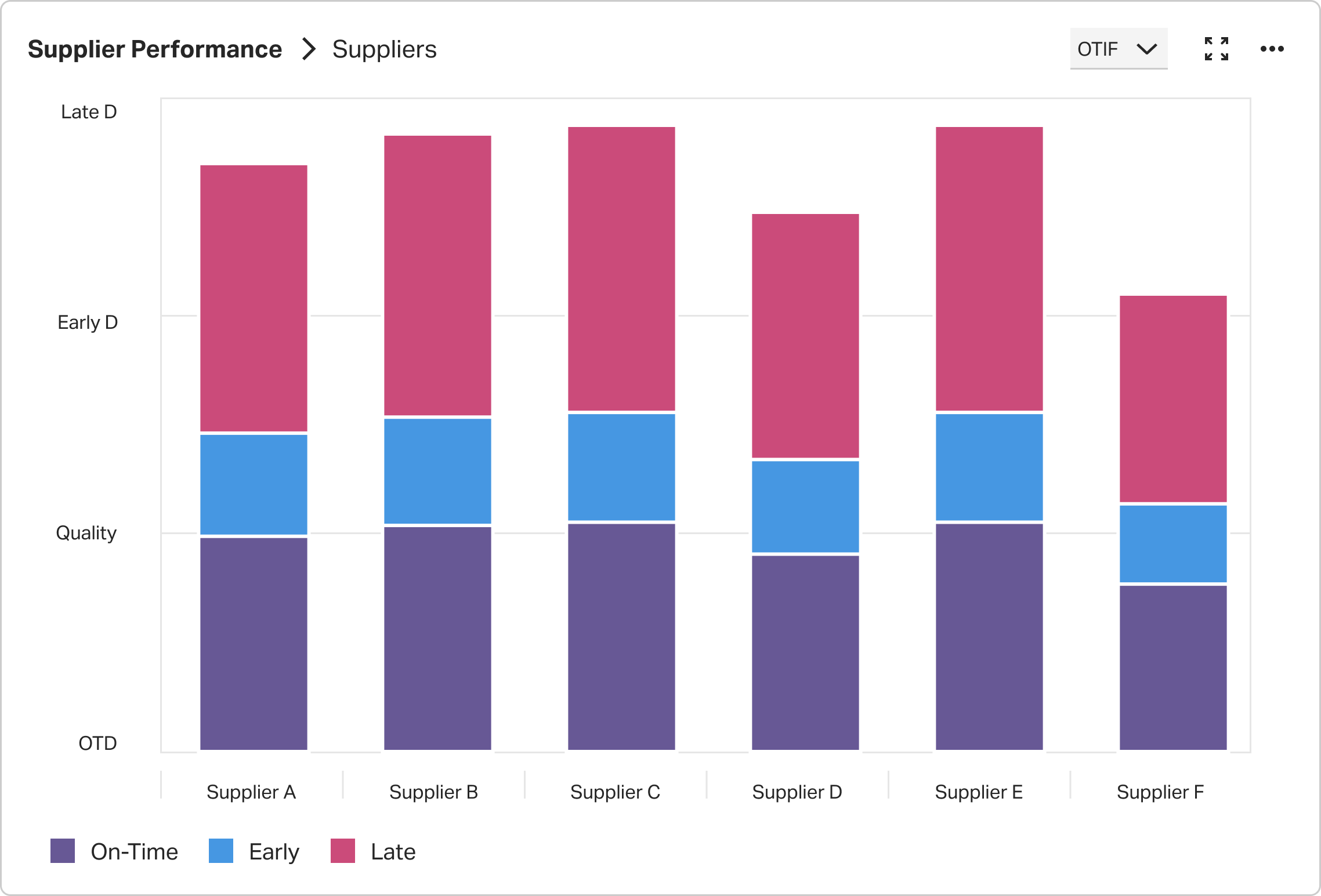
The supplier scorecard already existed in the older Precima environment, but its structure and presentation no longer matched the direction of NIQ’s newer design standards. At the same time, business stakeholders wanted to demonstrate more advanced comparison functionality to clients — including side-by-side chart comparison and clearer sparkline labeling.
The challenge was therefore twofold: redesign the legacy scorecard into a more consistent NIQ experience, and prototype new comparison patterns that could better support client review conversations.
Supply Chain / Reports / Catalogue
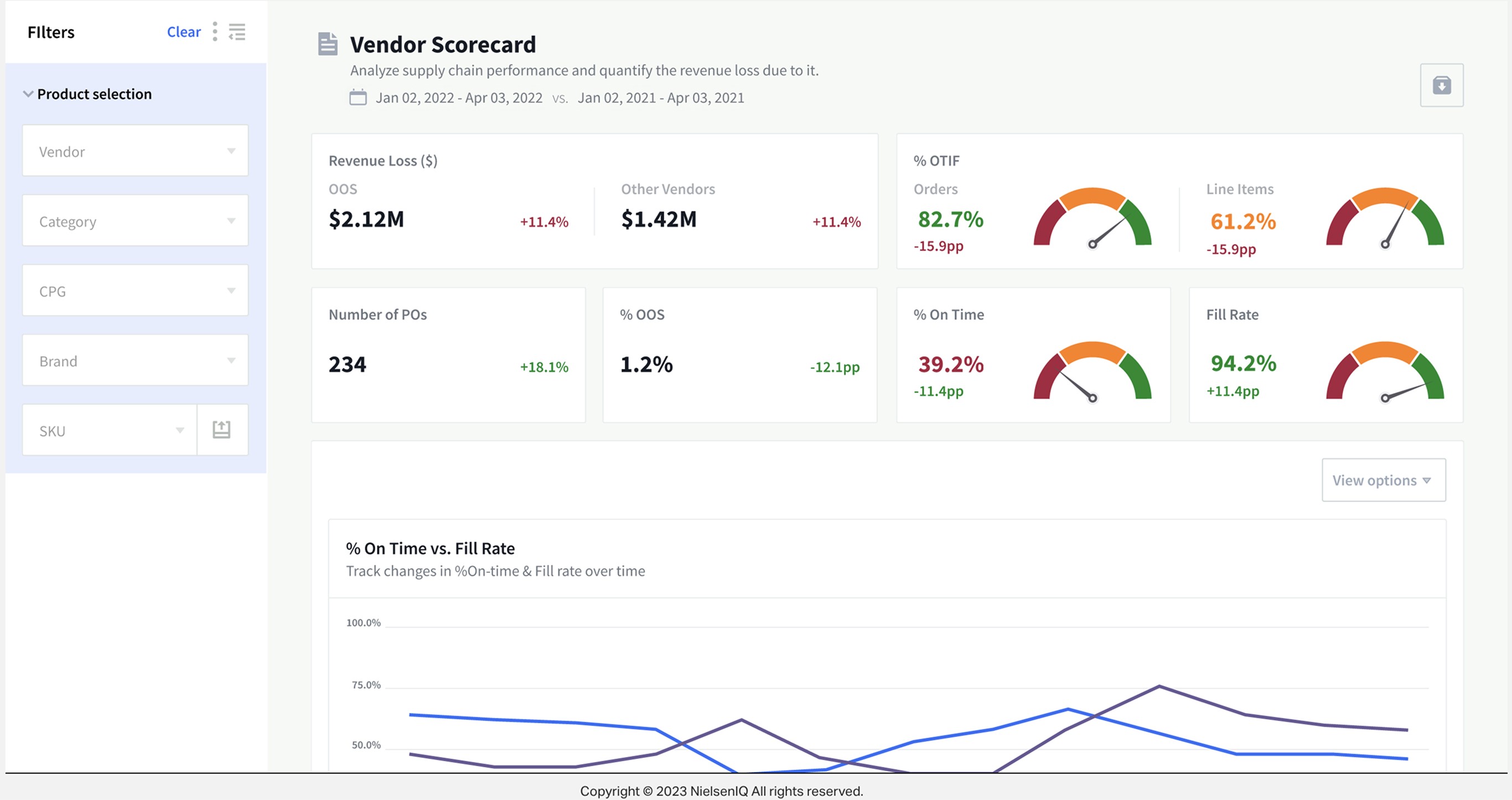
My task was to redesign the legacy supplier scorecard using NIQ design standards and create a prototype that demonstrated comparison functionality for clients — including chart comparison patterns and sparkline label interactions.
The goal was to make the scorecard feel more modern, more consistent, and more effective for performance review conversations.
Bring the legacy scorecard into NIQ design patterns and visual standards.
Support side-by-side chart comparison and clearer metric interpretation.
Use interaction concepts like sparkline labels to communicate future product value.
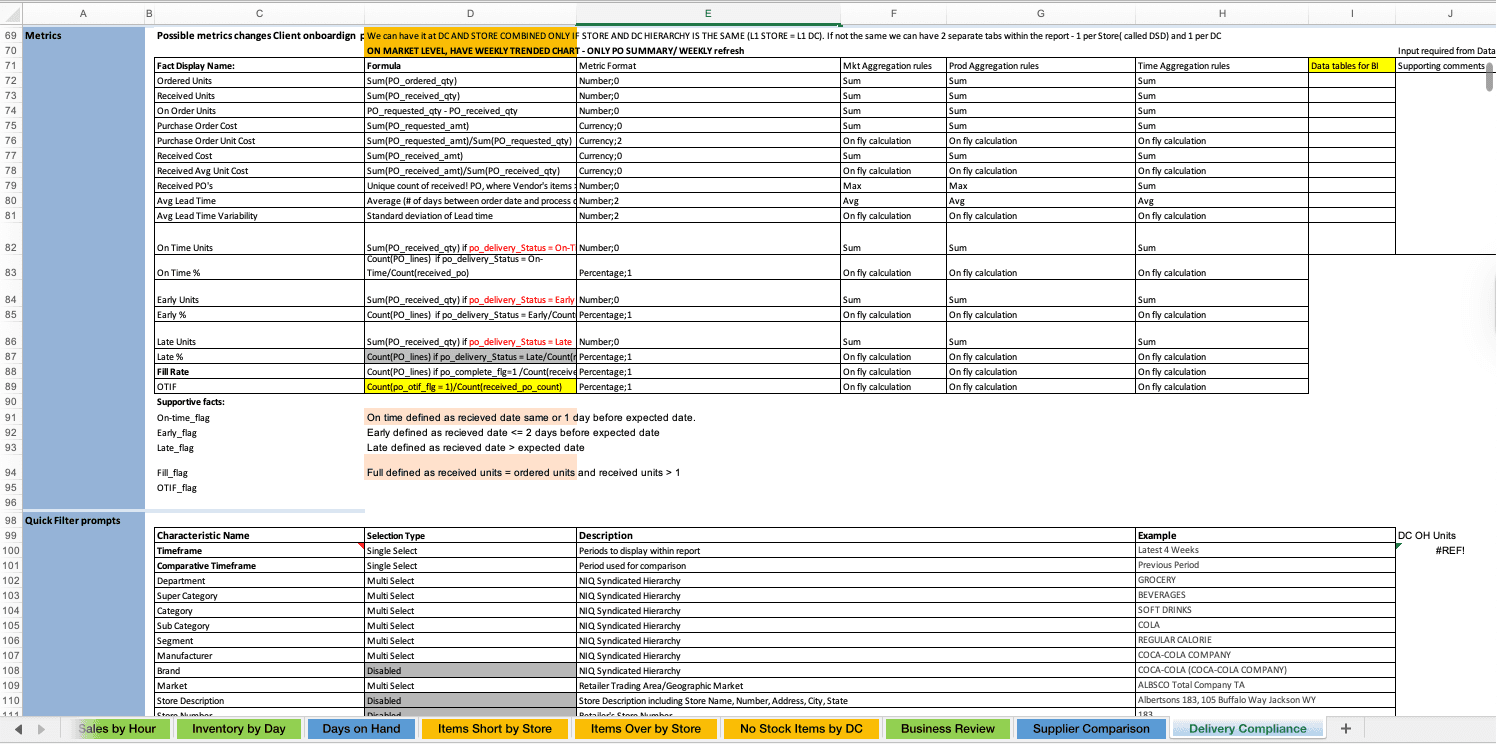
Business requirements and KPI logic
Principle → interface behavior → proof
Bring the experience into NIQ standards — evolve beyond Precima patterns.
Interface behavior
Shared KPI chrome, spacing, and NIQ Discover visual language.
NIQ · KPI summary
OTIF
96%
Fill
94%
Compl.
OK
Risk
2
Make supplier performance easier to compare period-over-period.
Interface behavior
Inline prior / YoY / peer-set comparison before deeper drill.
Period comparison
Prototype for clearer client conversations and QBR packaging.
Interface behavior
Evidence packet: KPI context + filter state + next action.
Review packet
To redesign the scorecard effectively, I looked beyond the interface itself. I reviewed the legacy reporting structure, business requirements, metric definitions, and workflow patterns to understand how users moved from high-level KPI monitoring into comparison, investigation, and detailed validation.
The goal was not simply to modernize the UI, but to clarify how dense supplier-performance data should be structured for faster review, deeper comparison, and more confident decision-making.
The scorecard needed to support three behaviors: first-time orientation, repeat monitoring, and deep investigation.
Rather than treating every user the same, I structured the experience around how people actually moved through the report. New users needed a clear path from KPI summary to deeper evidence. Returning users needed to quickly check what changed. Power users needed faster filtering, richer comparison, and detailed validation.
This led to a layered information architecture built around four core views: Overview, Performance, Trends, and Compliance Details. Together, these views supported a consistent progression from high-level scanning to focused comparison, then into evidence-backed investigation.
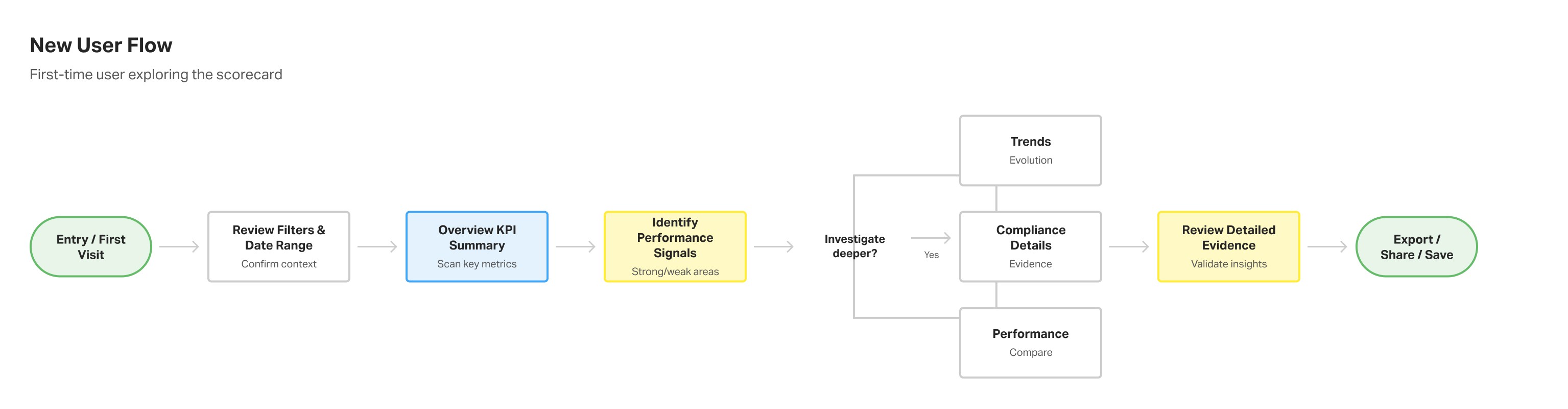
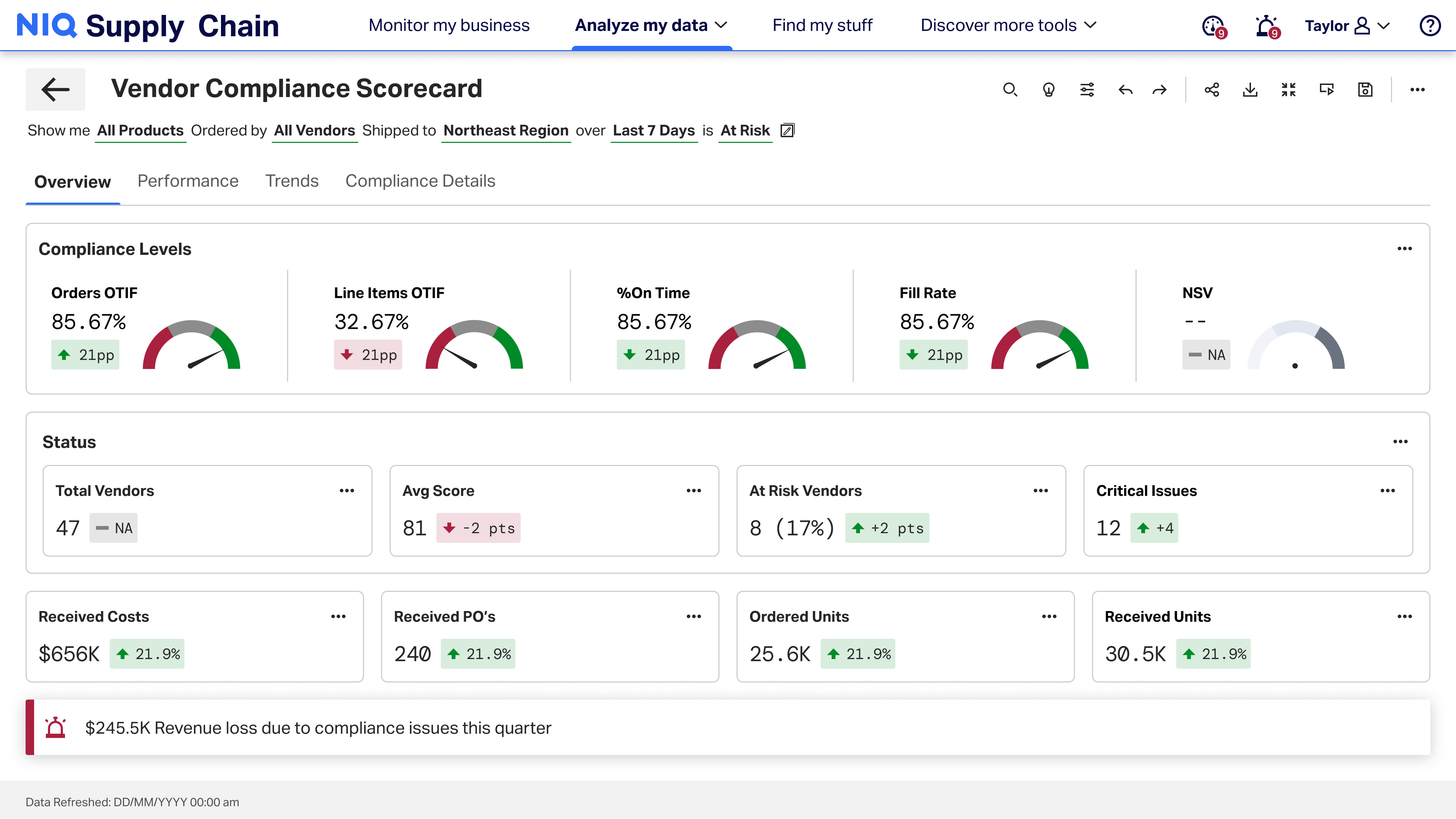
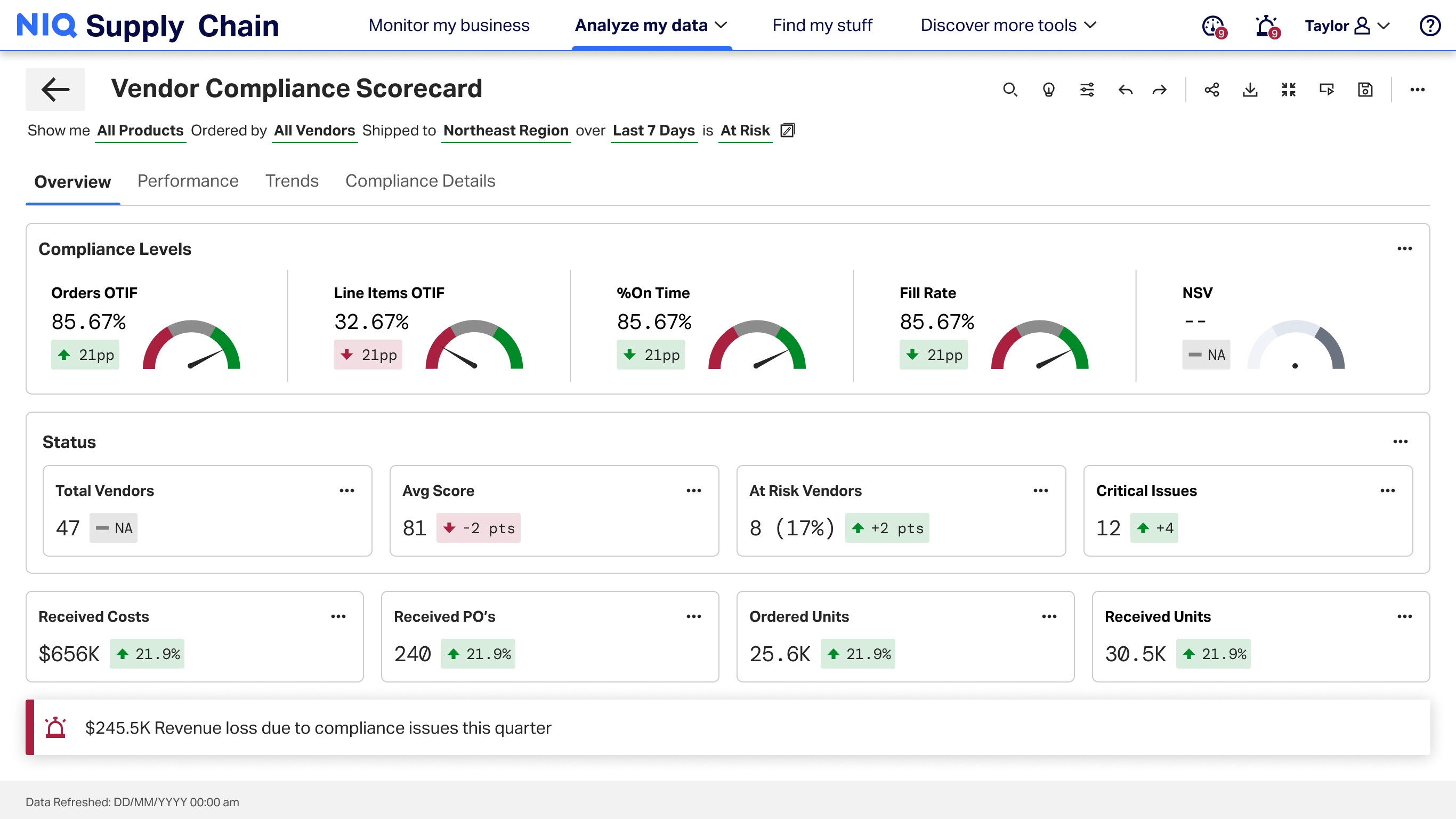
Designed to help first-time users understand the report structure, review active filters, scan top-level KPIs, and move into supporting evidence only when needed.
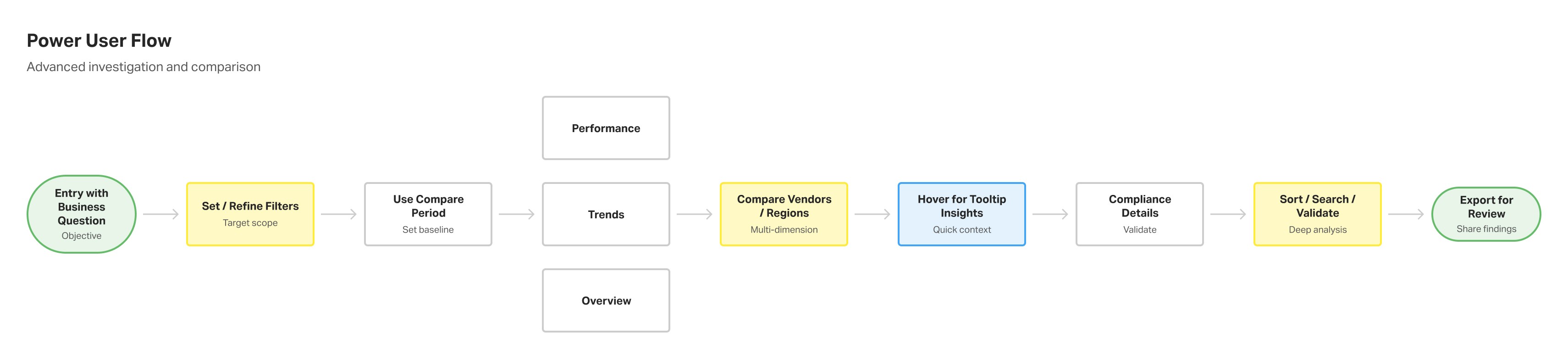
Optimized for deeper analysis through faster filter refinement, multi-dimensional comparison, tooltip-based interpretation, and detailed validation in compliance views.

Built for repeat monitoring, helping users resume context quickly, compare periods, review key changes, and validate whether follow-up action was needed.
The architecture was designed to support different levels of familiarity while keeping the reporting flow consistent: scan → compare → investigate → validate.
The redesign needed to support more than a visual refresh. It had to organize executive KPI summaries, comparison analysis, trend evaluation, and detailed validation into a structure that felt clear, layered, and review-ready.
Core decisions
A
Surfaced high-level signals like OSA rate, missed sales, flags, value sales, and operational health.
B
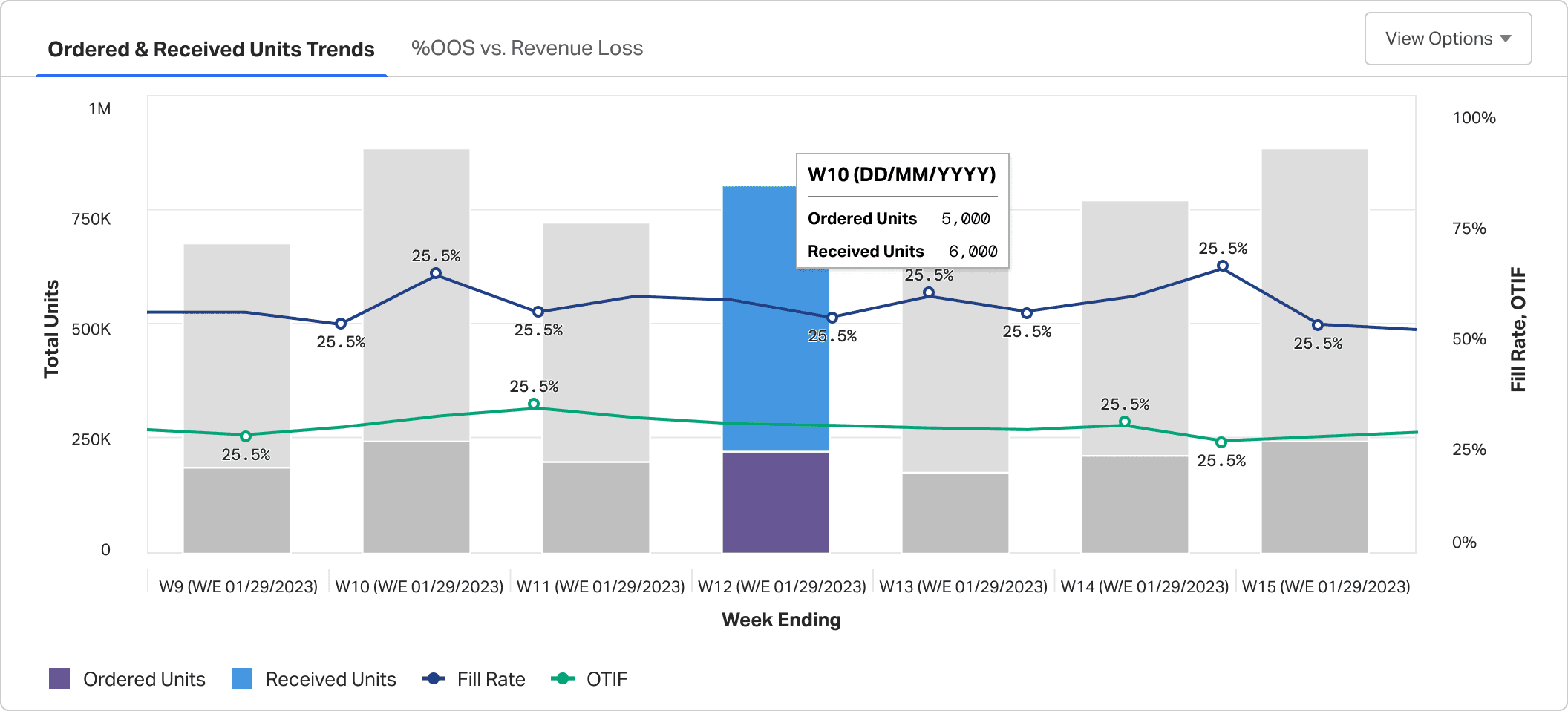
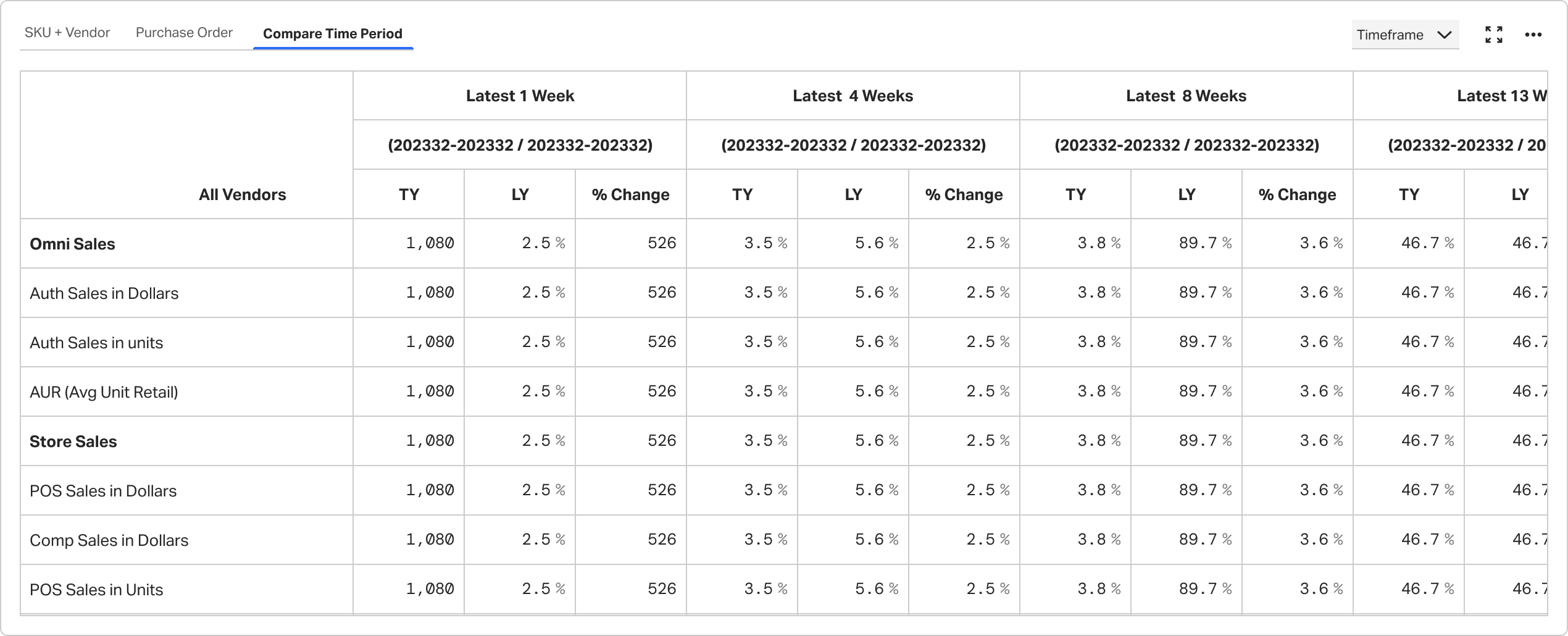
Supported current vs previous period review, standard vs promo analysis, and comparison across performance dimensions.
C
Connected summary signals to geo analysis, compliance details, root causes, and tabular evidence.
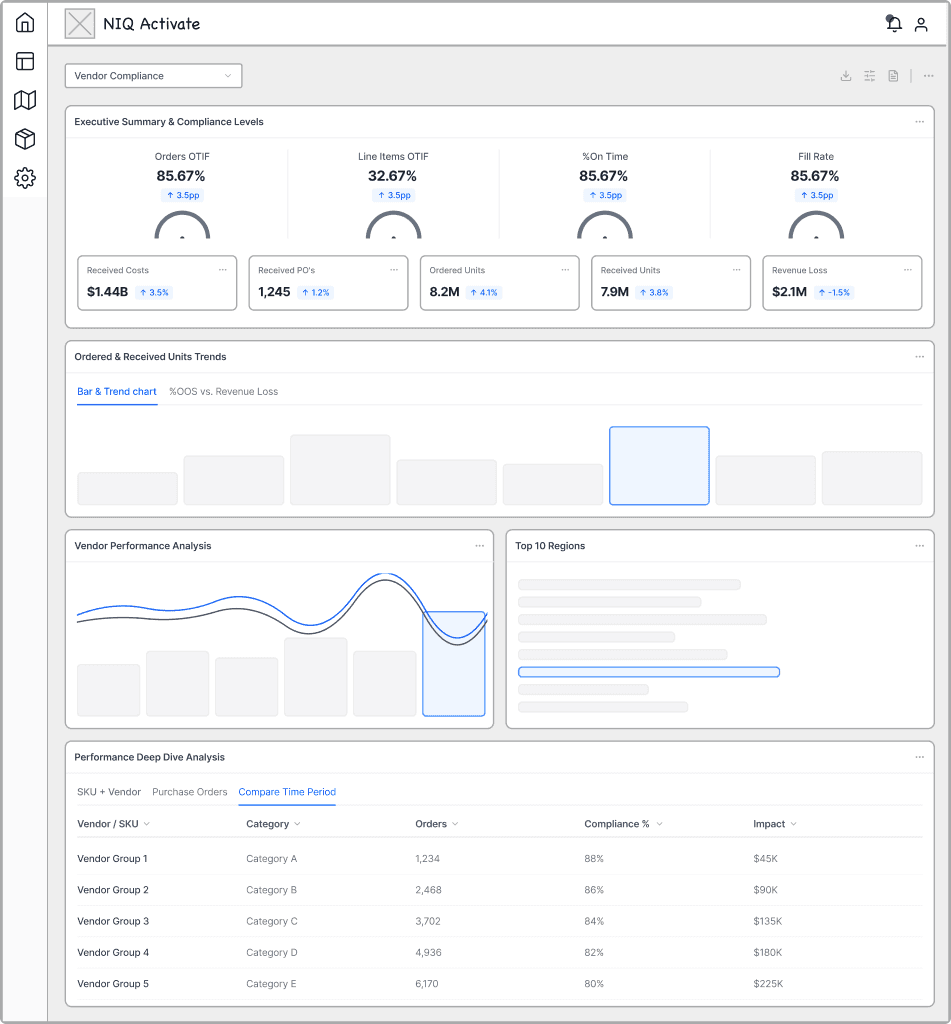
Before moving into high-fidelity reporting screens, I explored how the scorecard should be structured at a lower level — from KPI grouping and chart hierarchy to comparison layouts and detailed evidence views.
These concepts helped test how users would move between summary signals, trend analysis, and tabular validation. The goal was to find a structure that felt modular, scalable, and easier to interpret before refining it into the final NIQ Discover-style reporting experience.
Strongest emphasis on executive KPI summary at the top, optimized for quick orientation.
After exploring multiple directions, I converged on a more balanced reporting model that combined the strengths of each concept without overcommitting to any single one.
The KPI-first concept improved top-level orientation, but pushed deeper comparison too far down. The comparison-first concept made trend analysis stronger, but weakened quick scanability. The investigation-first concept brought evidence forward, but felt too deep too early for first-pass review. The modular reporting direction provided the strongest foundation because it created a more scalable structure across summary, comparison, and detailed validation.
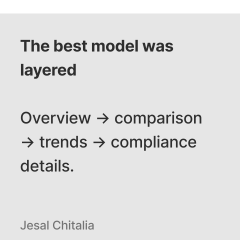
The final direction moved toward a layered reporting flow: orient first, compare second, investigate third, and validate with detailed evidence last. This structure aligned better with how users actually consumed the scorecard — starting with high-level health signals, then moving into period comparison, trend interpretation, and deeper drilldown only when needed.
Executive summary stayed first — orientation before analysis.

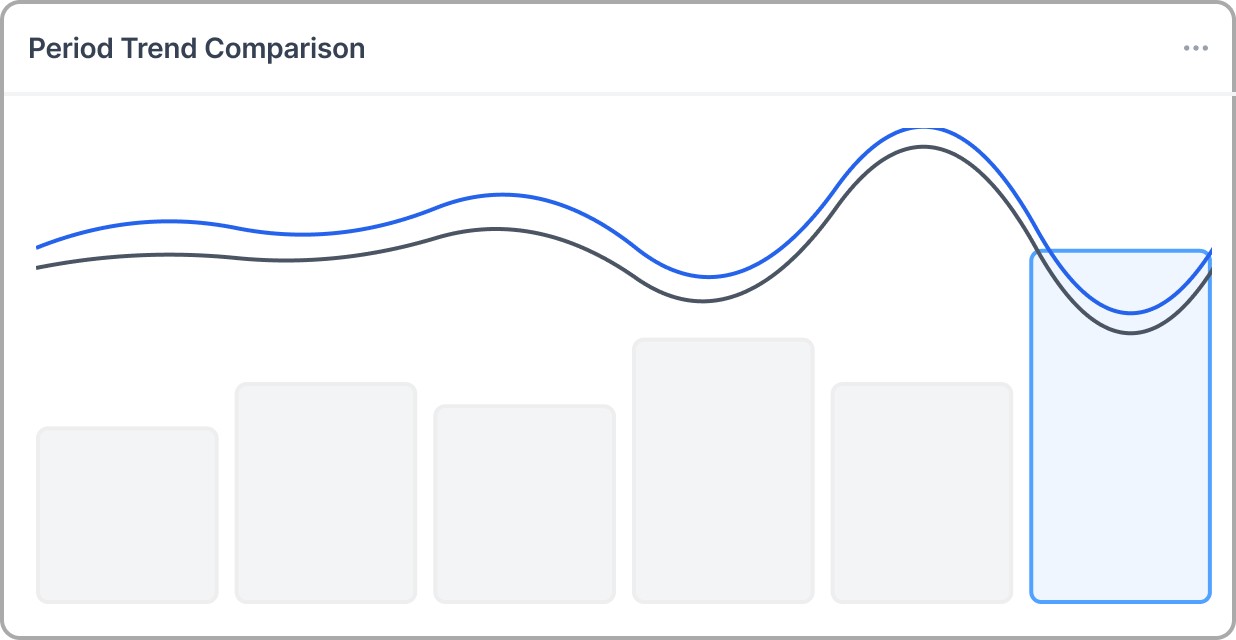
Trend and period analysis moved higher in the workflow.
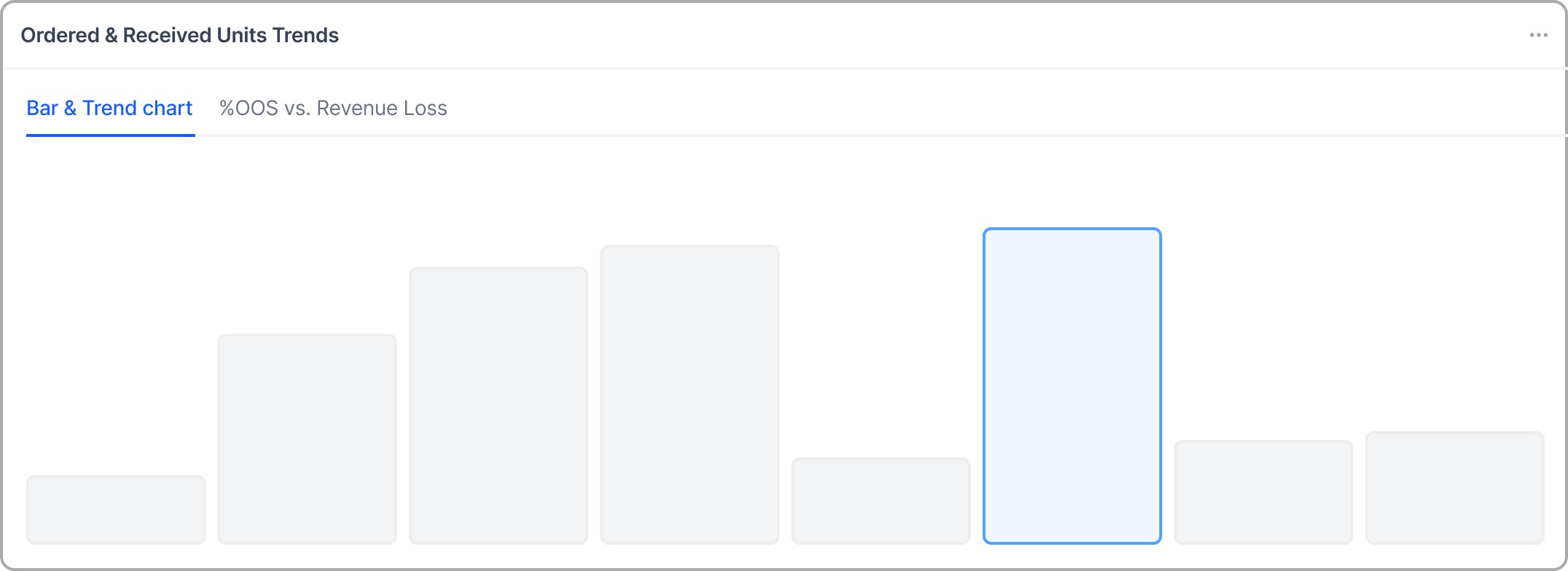
Evidence stayed reachable without owning the first screen.
The system spine that made summary → compare → investigate scalable.
The final direction translated the scorecard into a more structured NIQ Discover-style reporting experience — balancing executive KPI visibility, comparison workflows, trend analysis, and detailed evidence views within one system.
Surfaced top-level performance signals such as OSA rate, missed sales, flags, and value sales for faster orientation.
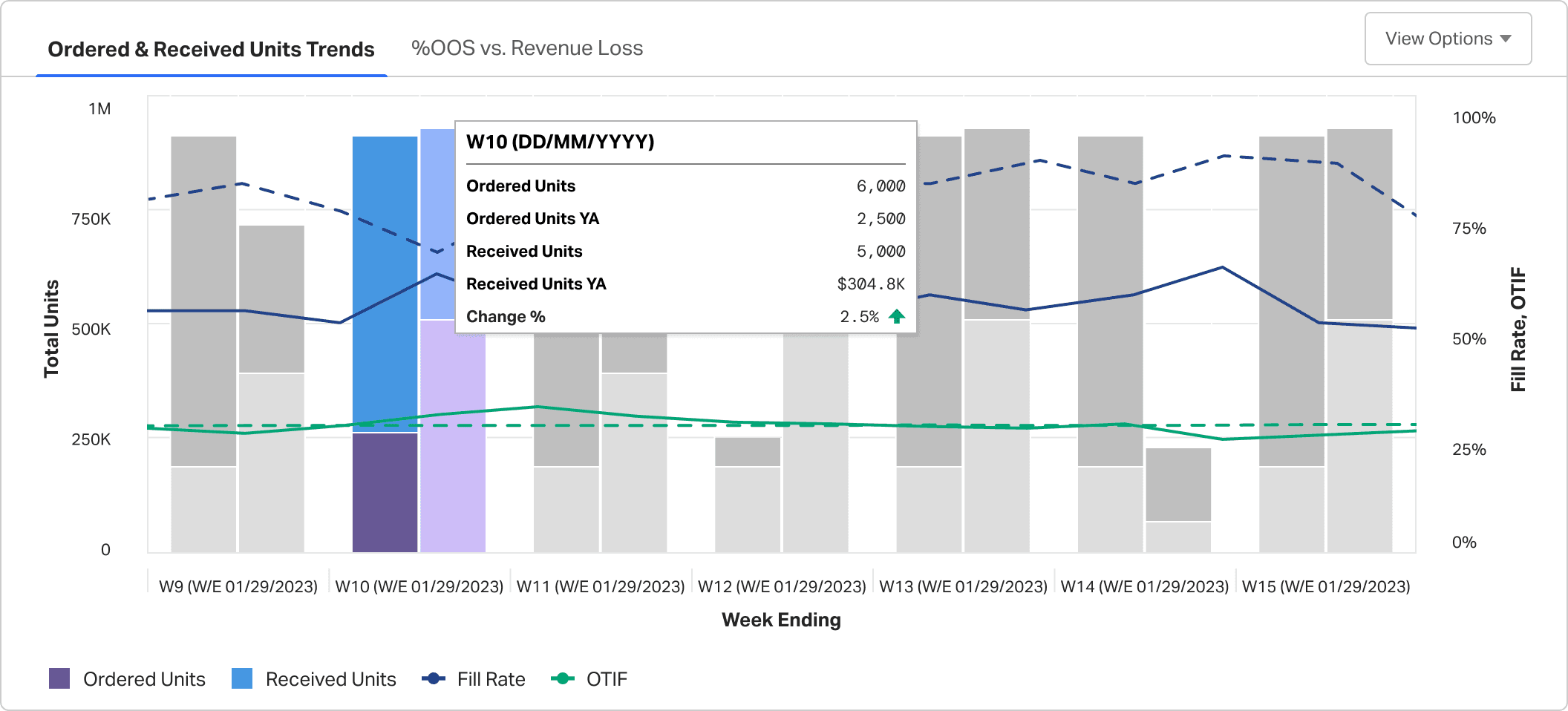
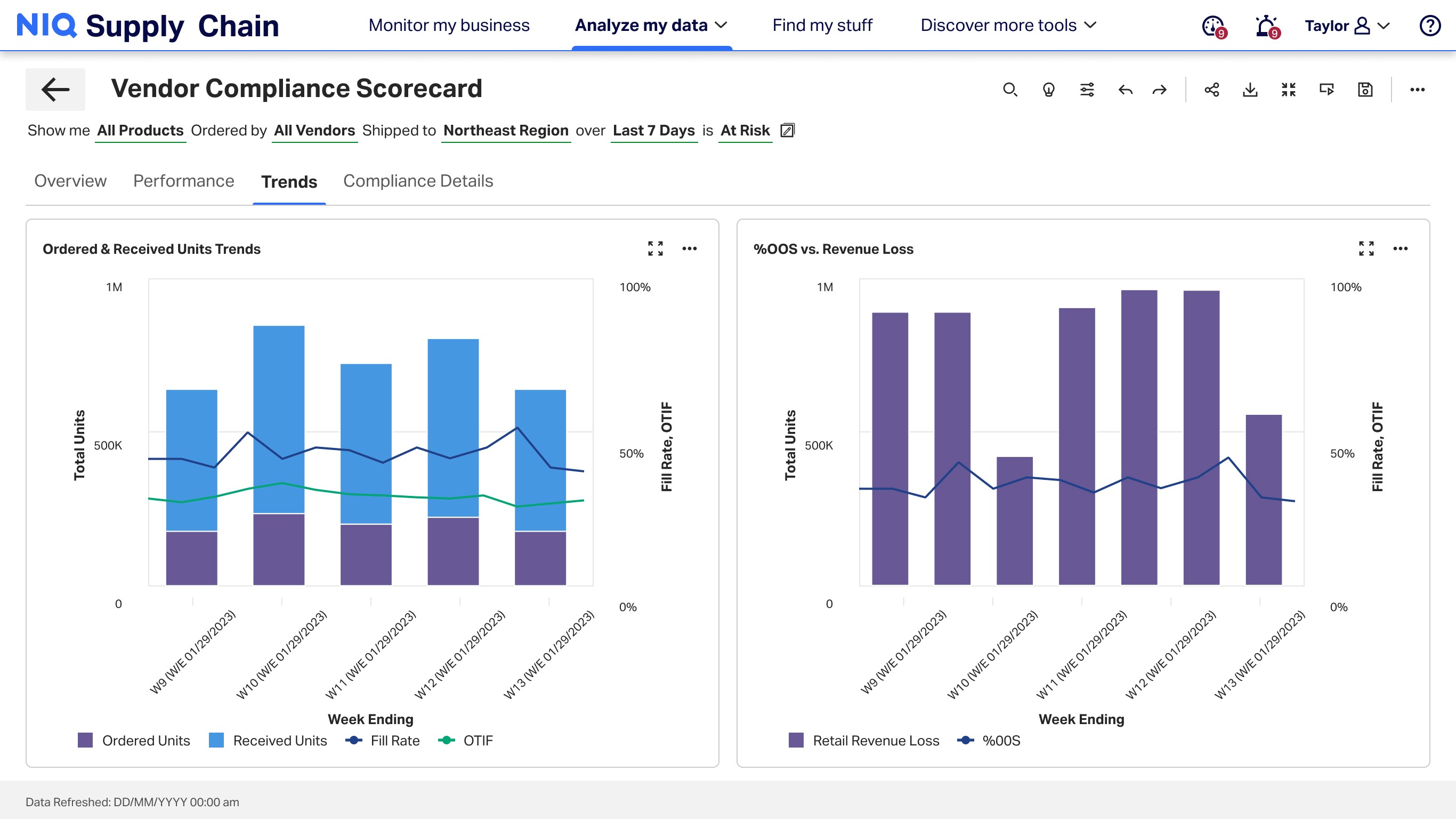
Supported comparison across periods and performance dimensions, helping users understand what changed and where deeper investigation was needed.
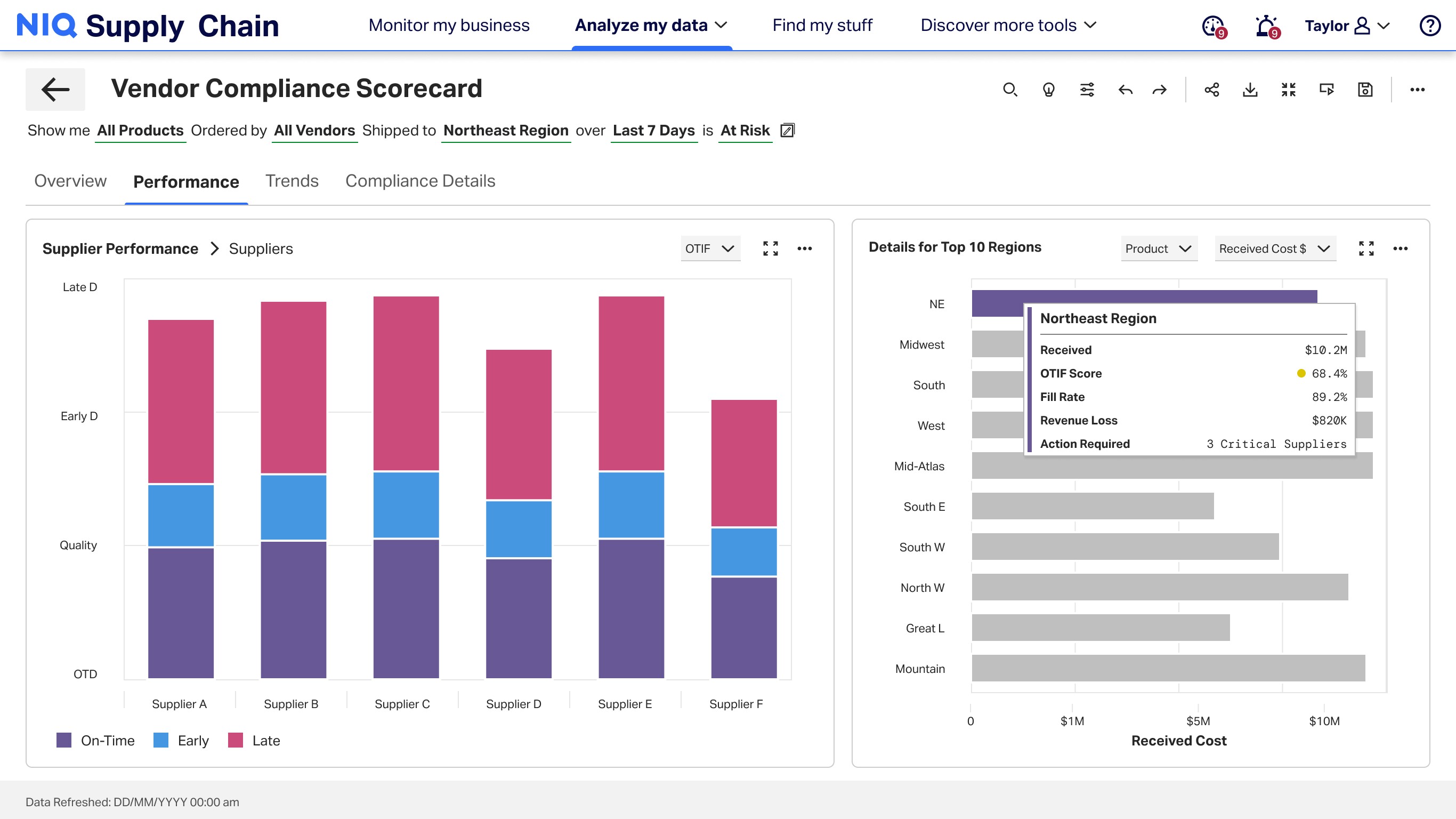
Supported comparison across periods and performance dimensions, helping users understand what changed and where deeper investigation was needed.
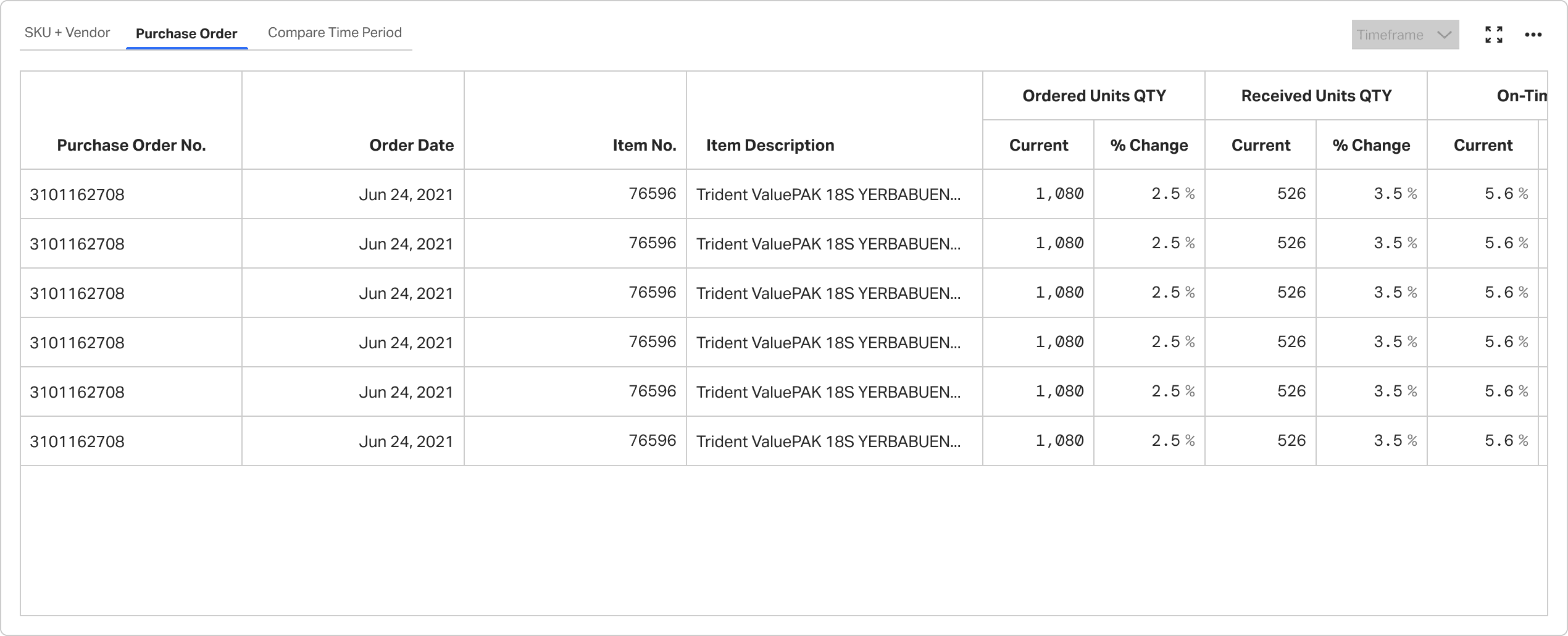
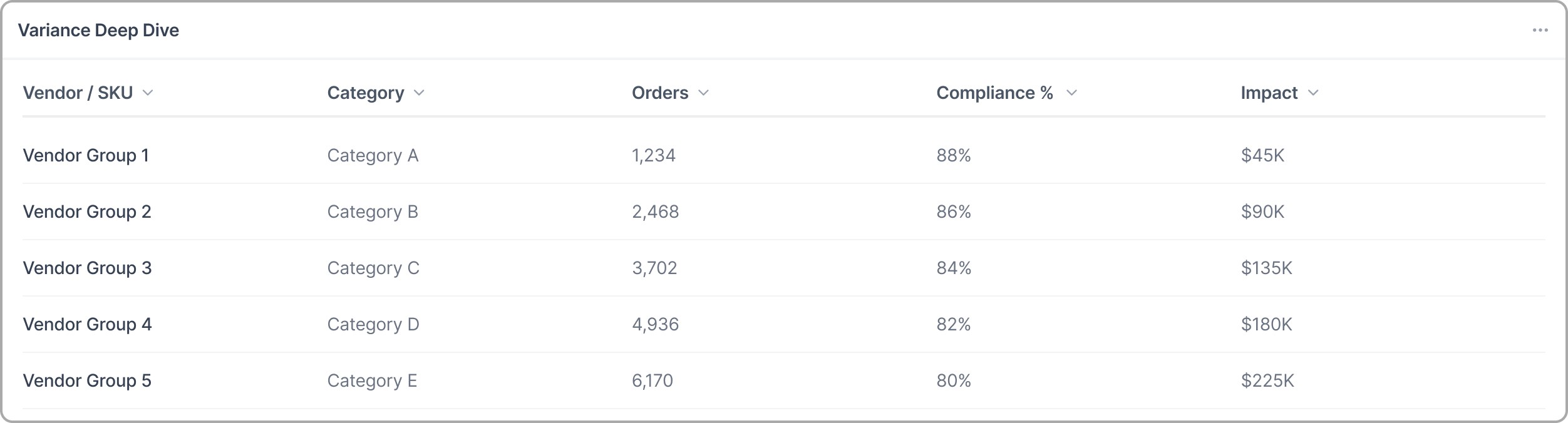
Enabled evidence-backed validation through detailed records, sorting, filtering, and drilldown-ready tables.
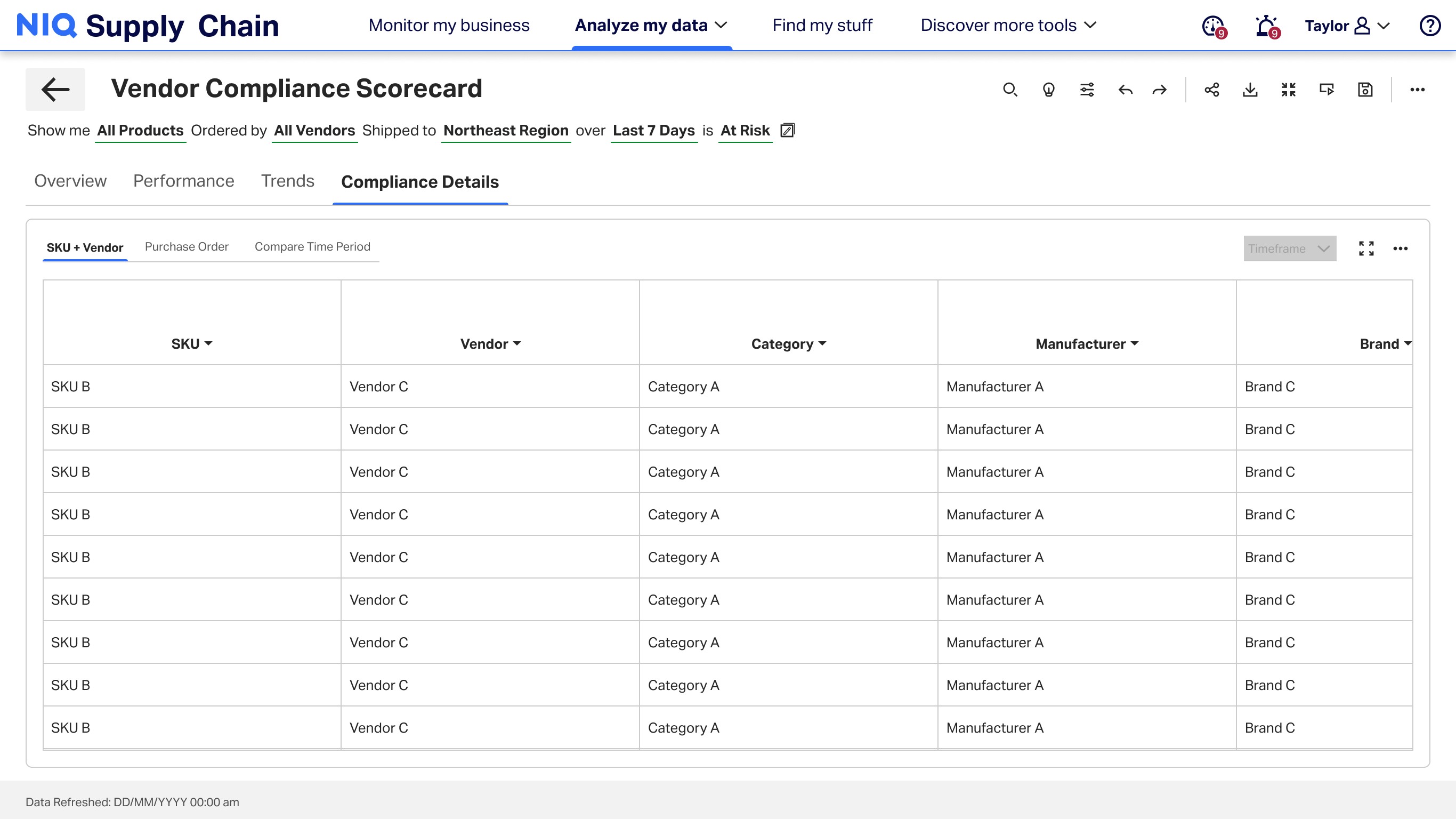
The redesign created a more structured reporting workflow across summary, comparison, and validation. Rather than functioning as a single dashboard, the scorecard supported recurring supplier-performance reviews with clearer scanability, stronger comparison, and deeper investigation.
4+
Regional teams
Adoption
Adopted across recurring vendor review workflows, helping standardize how performance was monitored.
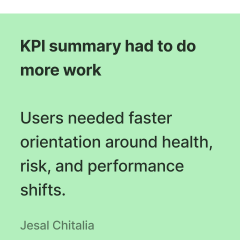
The final direction was shaped through iterative review and feedback on how the scorecard supported real reporting behaviors. The strongest signals were consistent: users needed faster top-level orientation, comparison had to become more visible, and detailed tables still needed to remain accessible for validation.
Rather than validating a single screen in isolation, the focus was on whether the overall reporting flow worked — from KPI summary, to comparison, to evidence-backed follow-up.
The evolving structure made the scorecard easier to scan at the top level while still supporting deeper analytical follow-up.
Top-level scan got faster without skipping real work.

Comparison had to sit higher in the reporting flow.
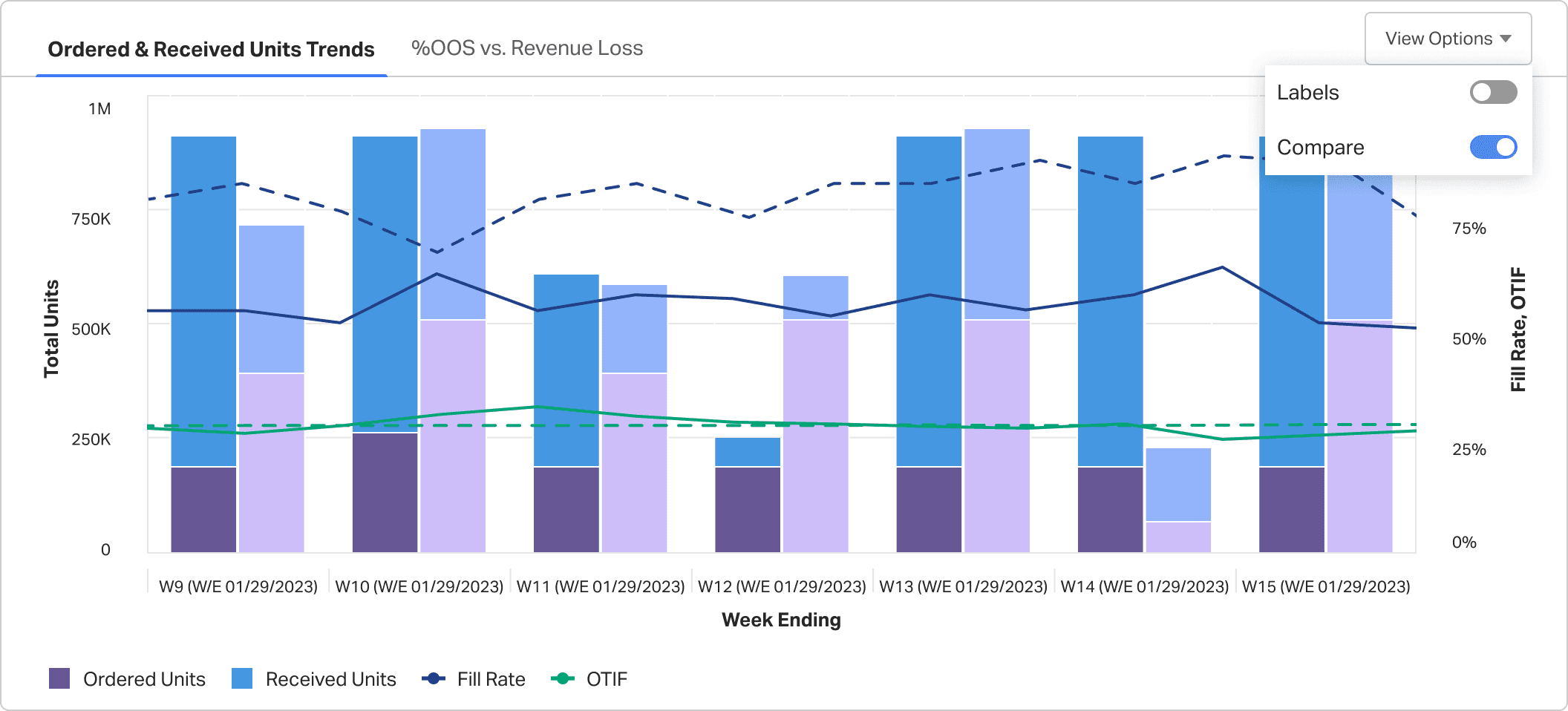
Detailed evidence still closed the loop.
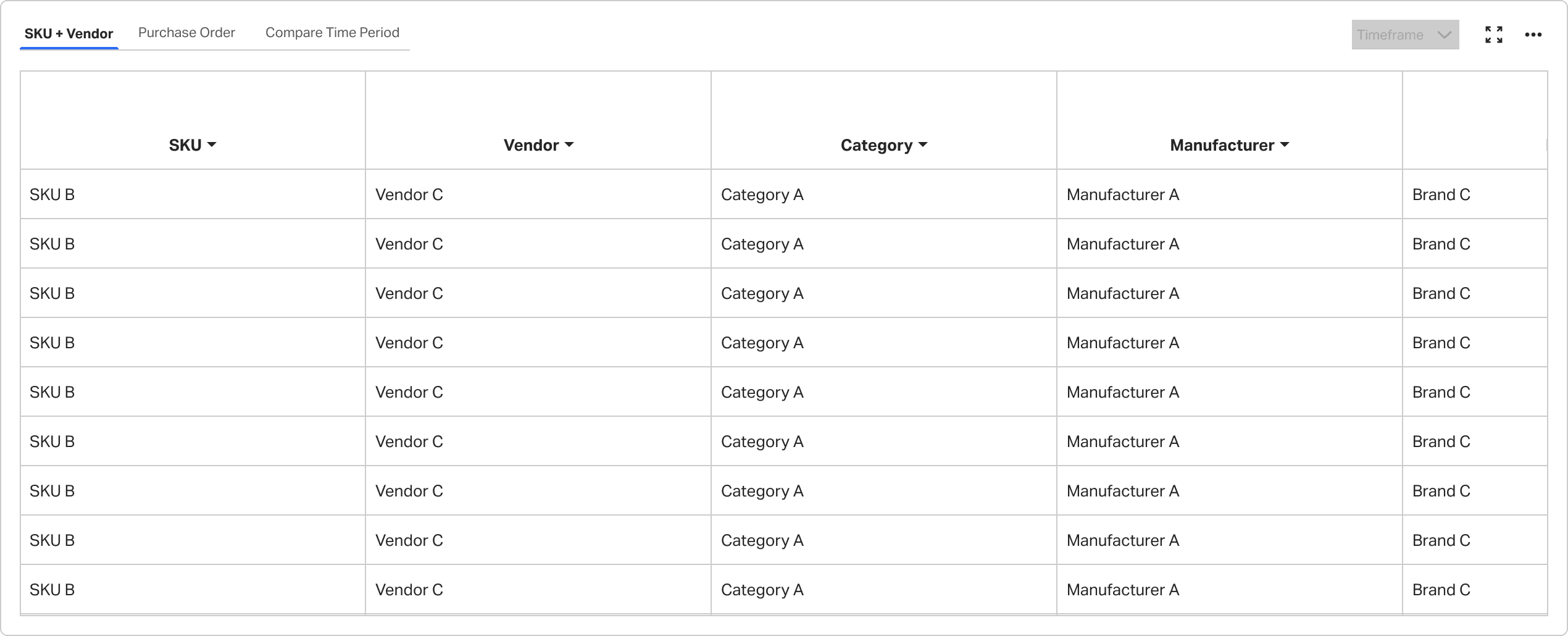
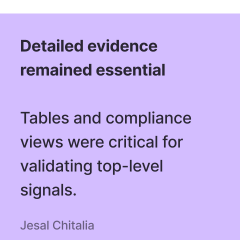
Detailed views remained essential for validating performance shifts, so the final structure kept evidence accessible without making the overview too dense.
Summary → compare → validate → align
The vendor scorecard follows one decision path — from KPI summary through comparison, evidence validation, and stakeholder alignment.
DecisionStart on the KPI health layer — orient on compliance status, critical flags, and regional performance before deeper comparison.
DecisionShift into period-over-period comparison — surface trend changes early so users interpret direction before committing to investigation.
DecisionDrill into validation detail — keep audit-ready evidence accessible so supplier and retailer teams trust the same source of truth.
DecisionExport findings for QBR or escalation — package KPI context, comparison shifts, and supporting evidence in one review-ready artifact.
What this work changed in my practice
Redesigning the vendor compliance scorecard reinforced how layered reporting, comparison timing, and accessible evidence shape trust in supplier performance workflows.
In complex B2B tools, clarity comes less from removing complexity and more from structuring hierarchy logic, permissions, and analytical continuity well.
Defaulting to items needing attention now — stockout risk, velocity anomalies, DC concentration — reduced time-to-diagnosis versus legacy full-table entry.
Preserving product, store, DC, and period context across tabs stopped analysts from rebuilding the investigation path on every click.
Confidence states, escalation paths, and exportable snapshots matter as much as the charts — operational trust is designed, not assumed.