Duration
- 3 months
How I designed a command-center interface that reduced issue-detection time by 60% and prevented $2.1M in stockout losses for Walmart planning workflows.
Lead Product Designer
Research, UX, UI, Prototyping, Testing
Web (Desktop-first)
300+ daily active planners
$2B+ across 150+ DCs
Retail supply chain planners at Walmart managed billions in inventory across 150+ distribution centers and 4,000+ stores.
Yet they struggled with a critical problem: they couldn't see the risks until it was too late.
Risk lived in spreadsheets across Systems A–E — rebuilt every week before it hit the platform.
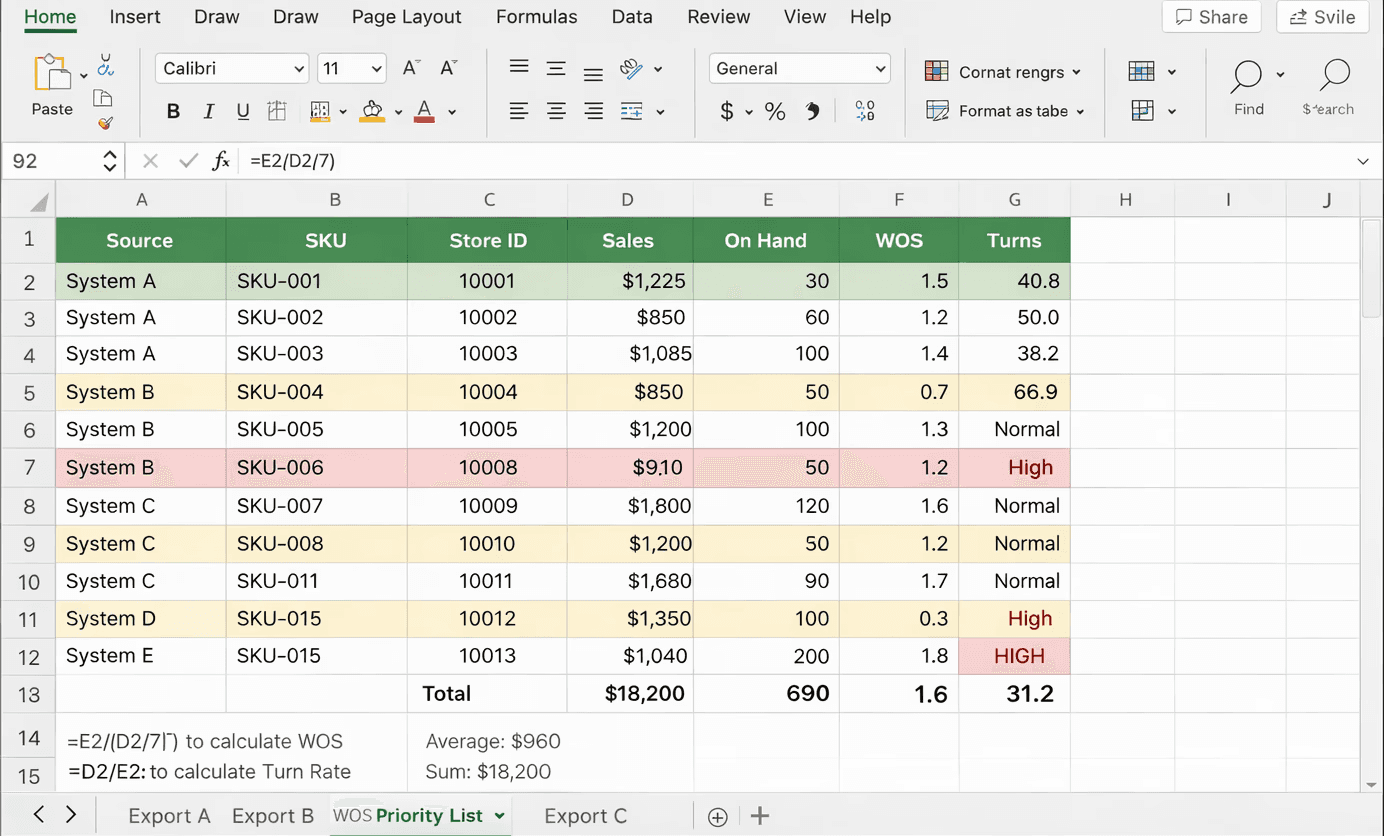
Planners rebuilt risk outside the weekly review — conditional fills instead of a shared exception queue.
The dashboard existed — attention still jumped across nav, KPIs, map, and tables before a clear next action.


KPIs, map, and tables competed for attention — exception paths arrived after the hunt.
I spend 4 hours a day just trying to find which SKUs need attention. By the time I figure it out, it's often too late. I need the system to tell me what matters and why it matters—not show me 10,000 rows of data.
3 separate legacy systems + Excel reports requiring manual data reconciliation. Planners opened multiple tools just to answer one question: which SKUs need attention today?
Issues surfaced days after they became critical. By the time a stockout appeared in reports, it had already cost the business thousands in lost sales.
No explanation for why a SKU was flagged. Planners didn't trust automated alerts because the system never showed its reasoning — it was a black box.
Thousands of rows with no prioritization logic. Everything looked equally urgent, so nothing felt urgent — more time finding problems than solving them.
Empty shelves = lost sales
Outages cascaded across DCs before anyone owned the SKU exception.
Capital tied up + operational waste
Buffer inventory rose because planners couldn’t see true weeks of supply.
Supply chain disruptions
Late insight turned local misses into multi-DC recovery work — the cost lived outside any one report.
Average daily time hunting critical SKUs across 3 systems.
6 Sources
45% Adoption
24+ Hours lag
The real job: finding the right problems to solve first.
Responsibilities
Metrics Tracked
A Typical Day
Four calendar moments from Monday triage to the actions that stick overnight — framed in Inventory Efficiency report language, not a borrowed SCP module.
To solve this problem, the design needed to shift the tool from reporting data to directing decisions.
We defined three success criteria.
Reduce the time it takes to identify a critical stock risk from hours to minutes.
Time-to-Detect
Enable planners to trust system insights without needing to manually validate raw data.
Trust
Make the tool the planner's primary workspace, replacing the daily spreadsheet ritual.
Daily Active
Systems Thinking in Action
What I did
Mapped planners, buyers, DC ops, and leadership to see who owned each decision handoff.
Traced WOS, forecast, transfers, and assortment feeds that fragmented every investigation.
Sat with planners through morning triage — spreadsheet ritual, tools, and exception loops.
Reviewed audit trails to find where context dropped between heatmap, queue, and transfer.
Current-state sprawl collapses into an exception-first path — triage, localize, validate, act — without leaving the platform.
One exception-first path · Triage → Localize → Root cause → Validate → Act · context preserved end-to-end
Workflow friction → guided path. These are section proof points — not hero impact metrics.
Fragmented before
Reports · systems — context rebuilt on every hop
No saved state
Decision happened outside the platform
Exception-first
See risk before the table — drill instead of hunt
Closed loop, same session
Root cause → validate → act in one workflow
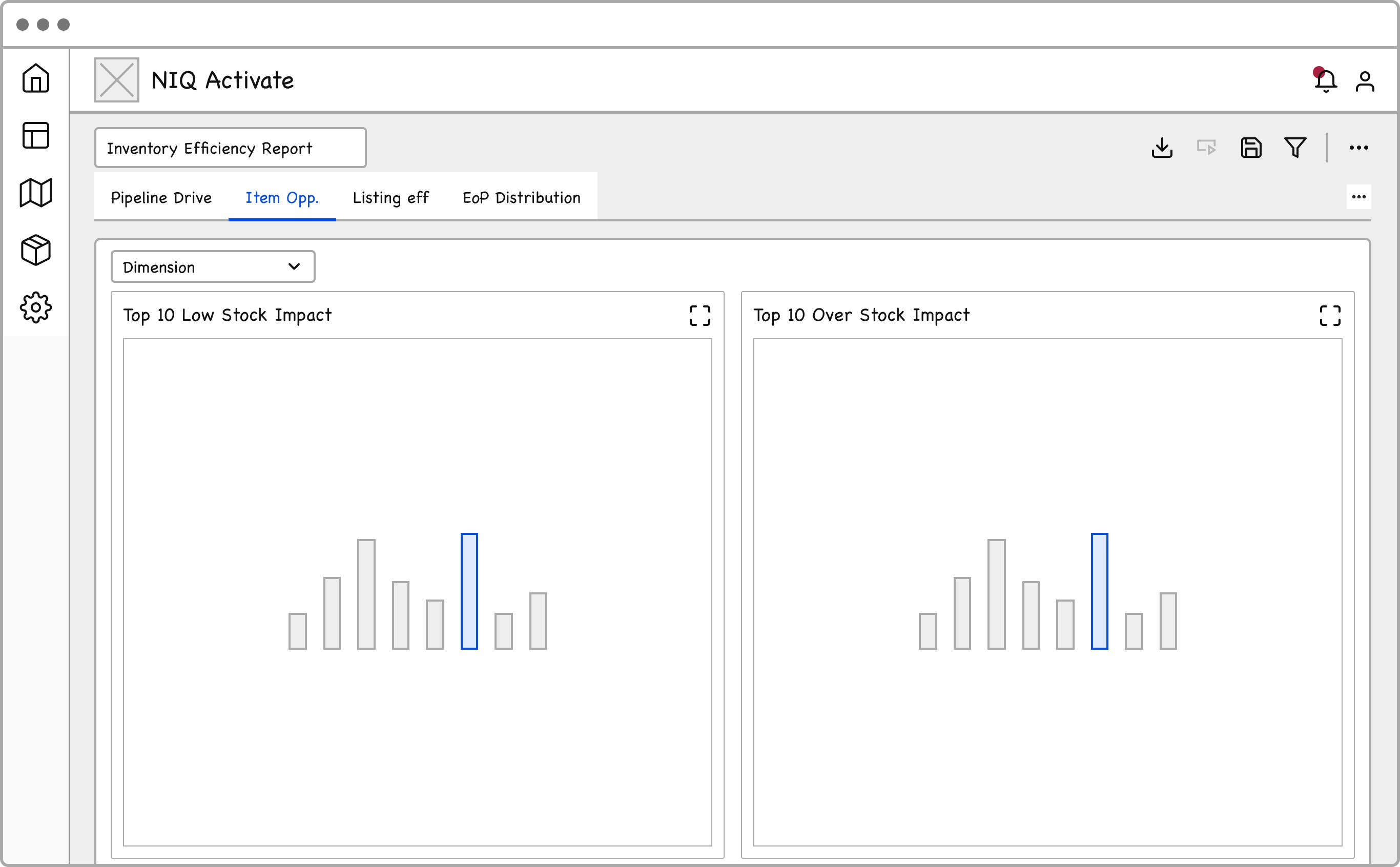
Annotated distribution planning board from the Miro workshop — sticky decisions, KPI modules, and chart zones that shaped the report.

Core decisions
A
Open on SKUs at High/Medium risk — the full catalog waits one intentional drill away.
B
Surface highest revenue-impact and exposure items first so triage beats alphabetical hunting.
C
Explainable Red / Amber / Green classification keeps severity readable without a rebuild.
D
Scan → understand → act stays one path — context (SKU · DC · period) never drops between views.
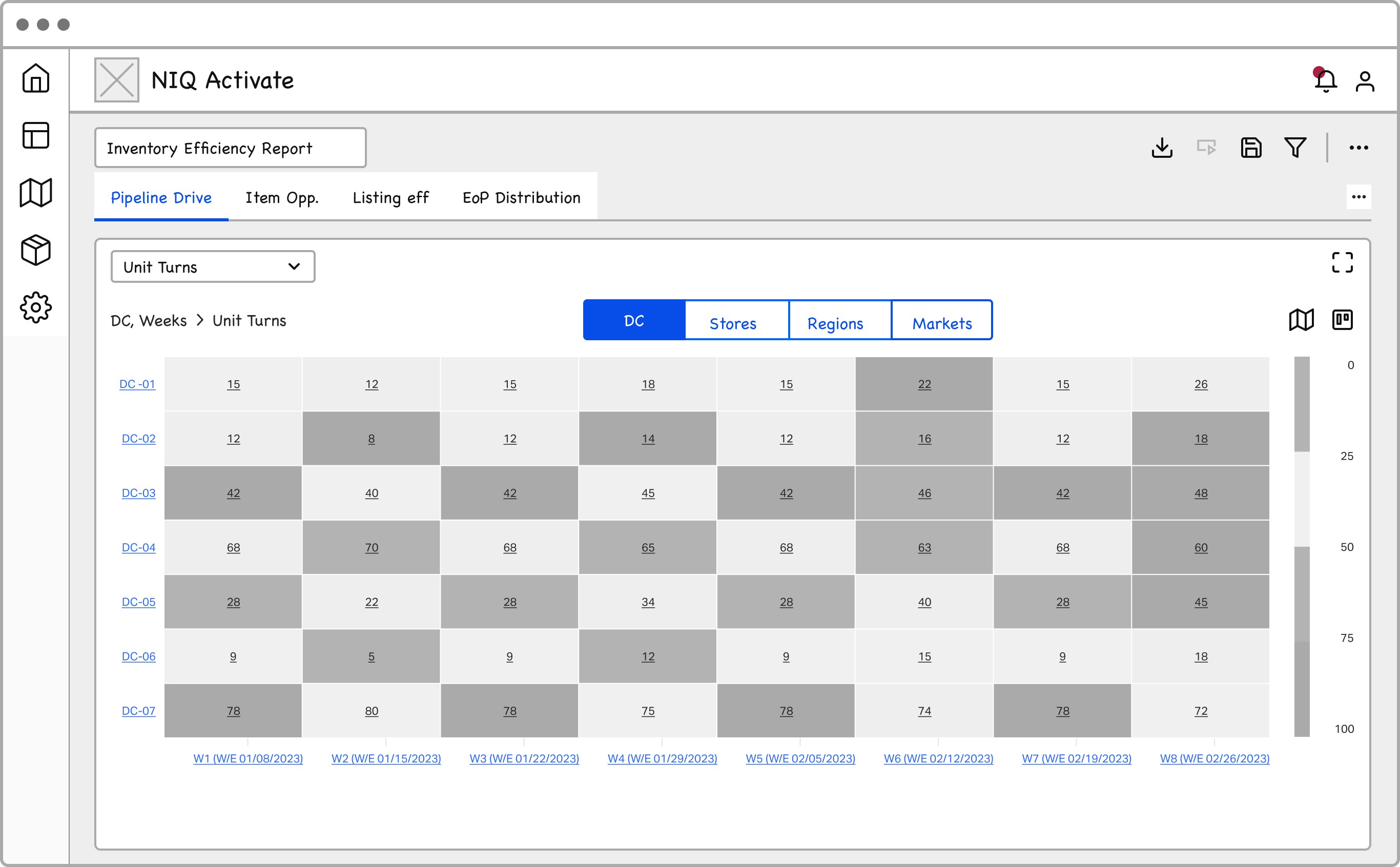
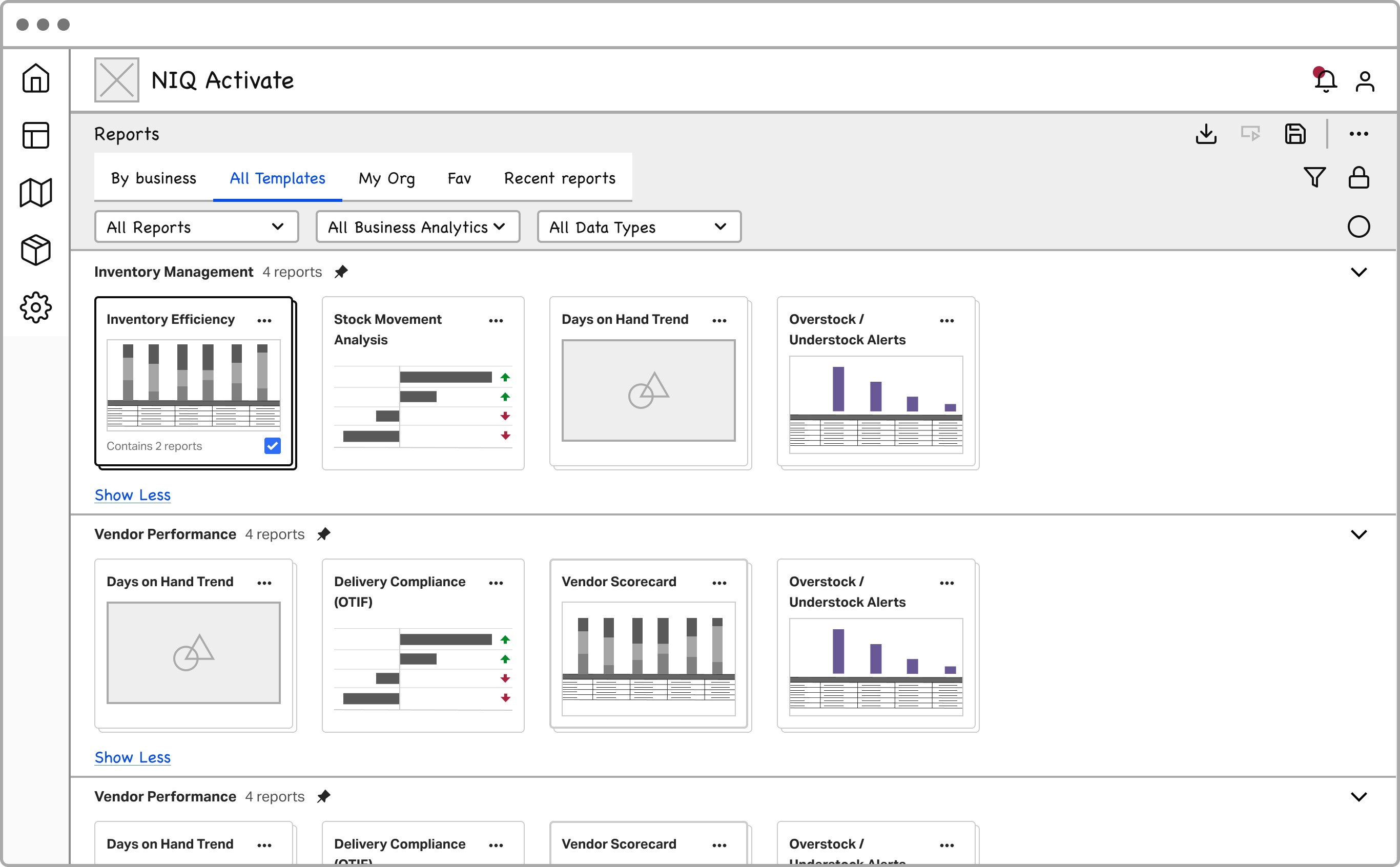
From the reports catalogue into a chart-and-table report — fast scan from a familiar export mental model.


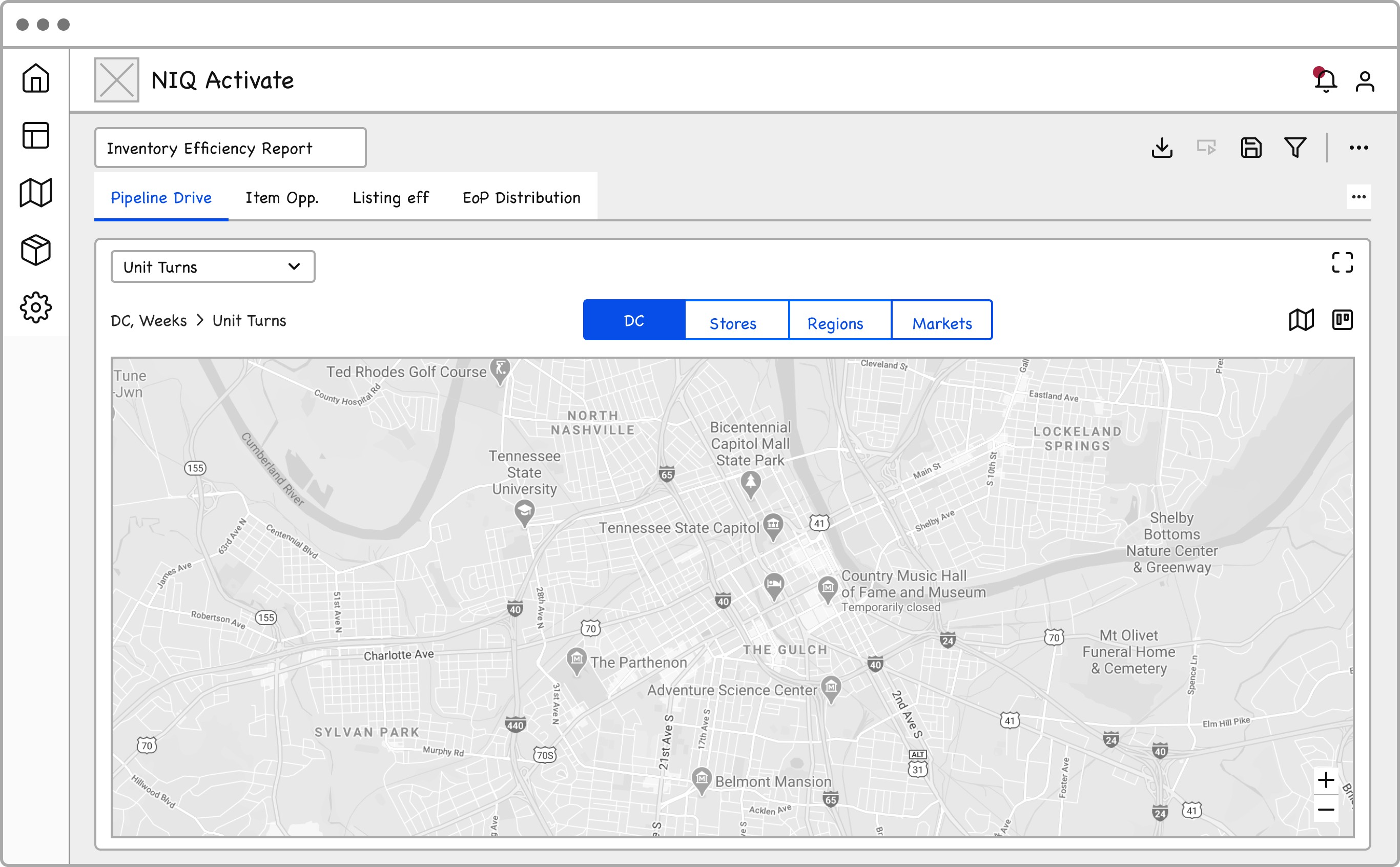
Same report spine with geo map or heatmap mid-board so planners navigate risk by place and time.


Catalogue opens into a KPI-led report so planners orient on health before opening inventory risk.

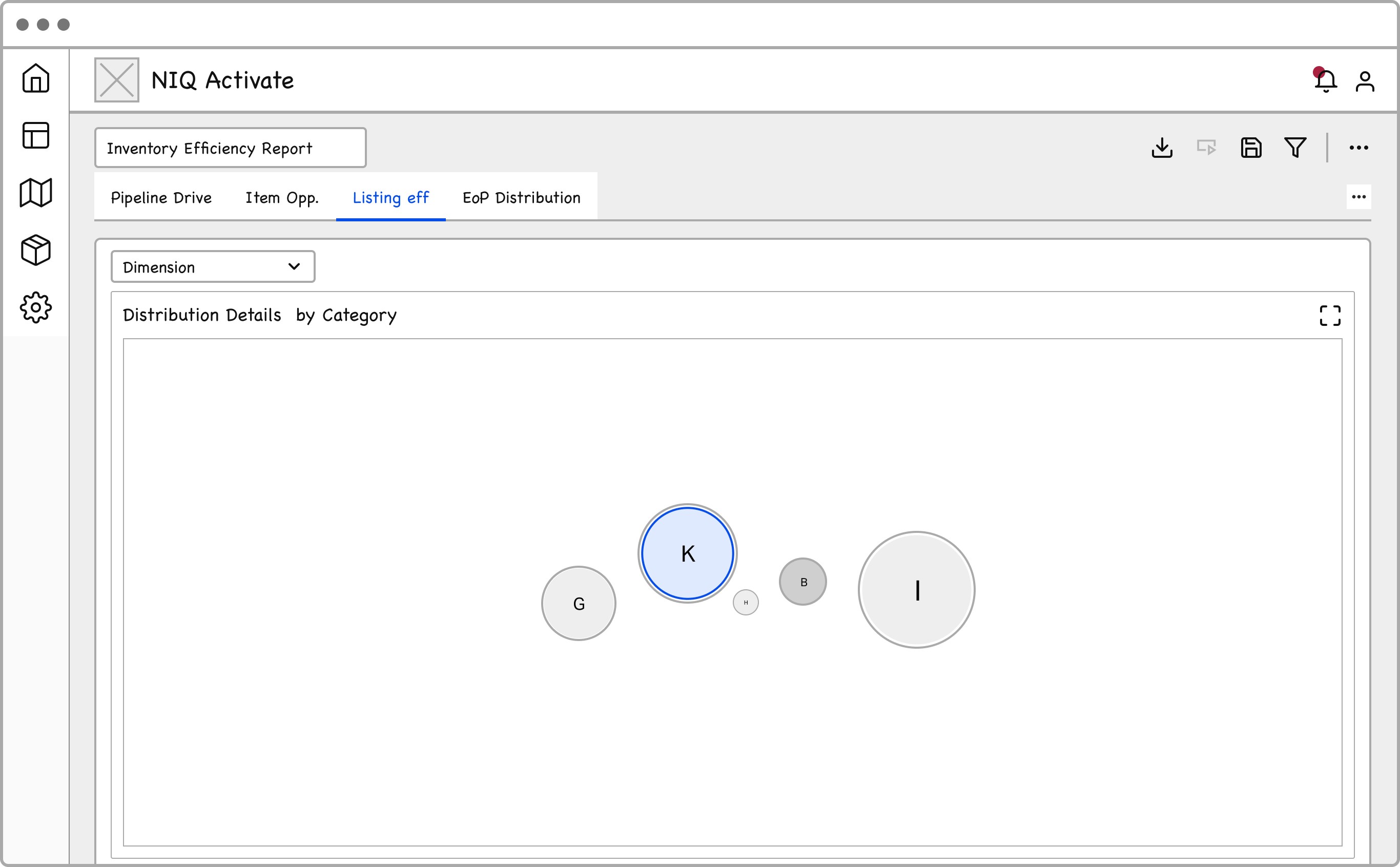
We combined the high-level scannability of a heatmap with the analytical power of detailed investigation views. Inventory issues are rarely spatial.
Layer 01
See concentration of High/Medium risk across store–DC cells before opening any row.
Layer 02
Top SKUs ranked by exposure — triage list replaces spreadsheet hunting.
Layer 03
Full inventory evidence waits one drill down — available when validating, not when scanning.
Core Framework
Hover each pillar to play its proof — exposure fill, why-trace, or role-depth path.
Rank exceptions by likelihood and business exposure so planners start on the risks most worth their time.
Show the drivers behind every flag — velocity, DC concentration, forecast drift — without a raw-data rebuild.
Progressive disclosure lets roles scan, investigate, and act without losing product, DC, or period context.
Input: DC/Store network + weekly signals
Core mechanic: Exception-first heatmap + explainability
Output: Prioritized actions + audit-ready validation
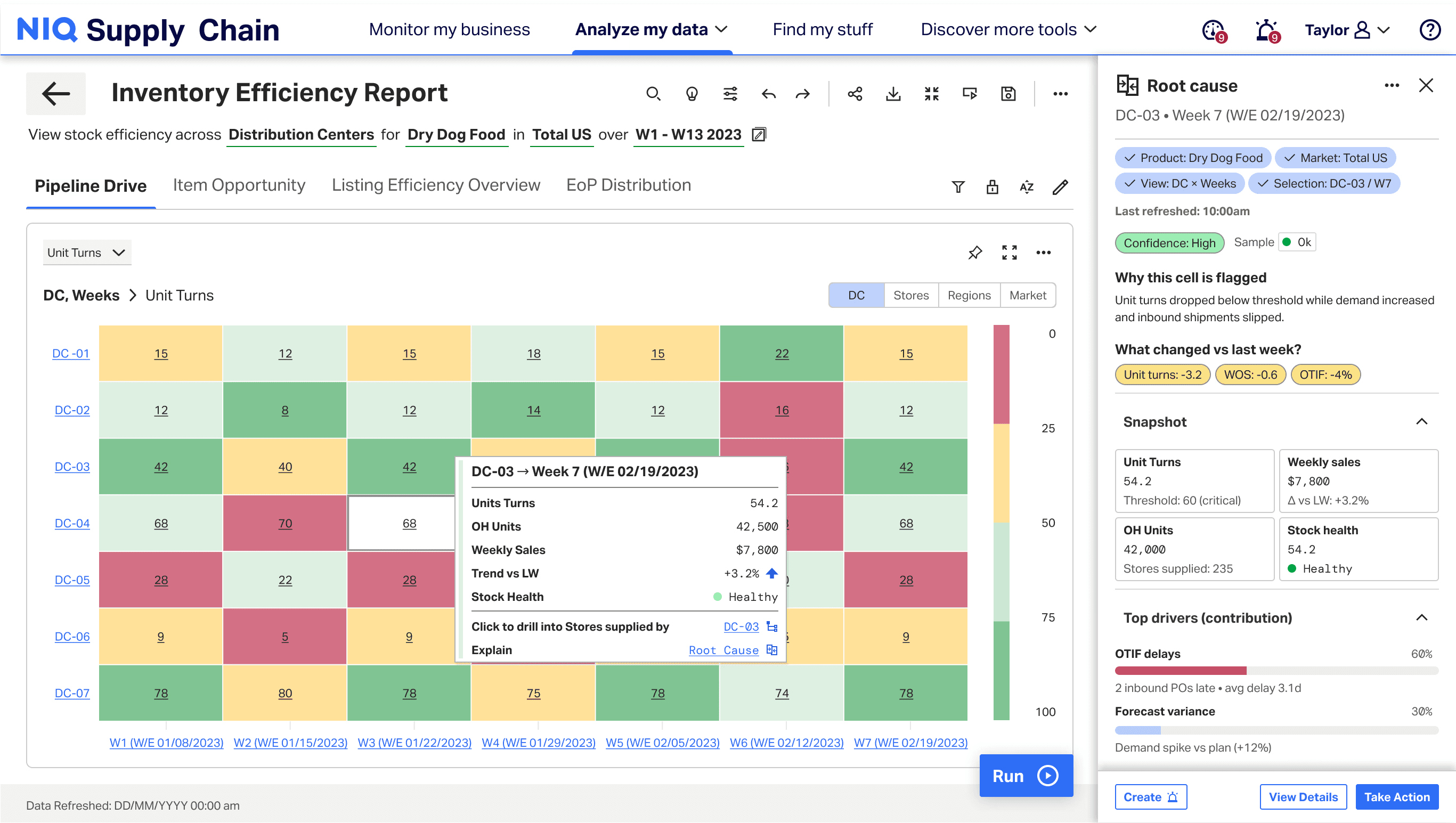
The workflow begins with an exception-first heatmap that surfaces inventory anomalies across distribution centers and time periods.
Instead of scanning dense tables, planners can quickly identify unusual patterns, inspect individual cells via hover, and move directly into deeper investigation when something looks off.
This allows users to shift from manual data hunting to rapid anomaly detection.
01
Scan
Heatmap
02
Investigate
Tooltip + Drilldown
03
Explain
Root Cause
04
Act
Alerts + Actions
05
Validate
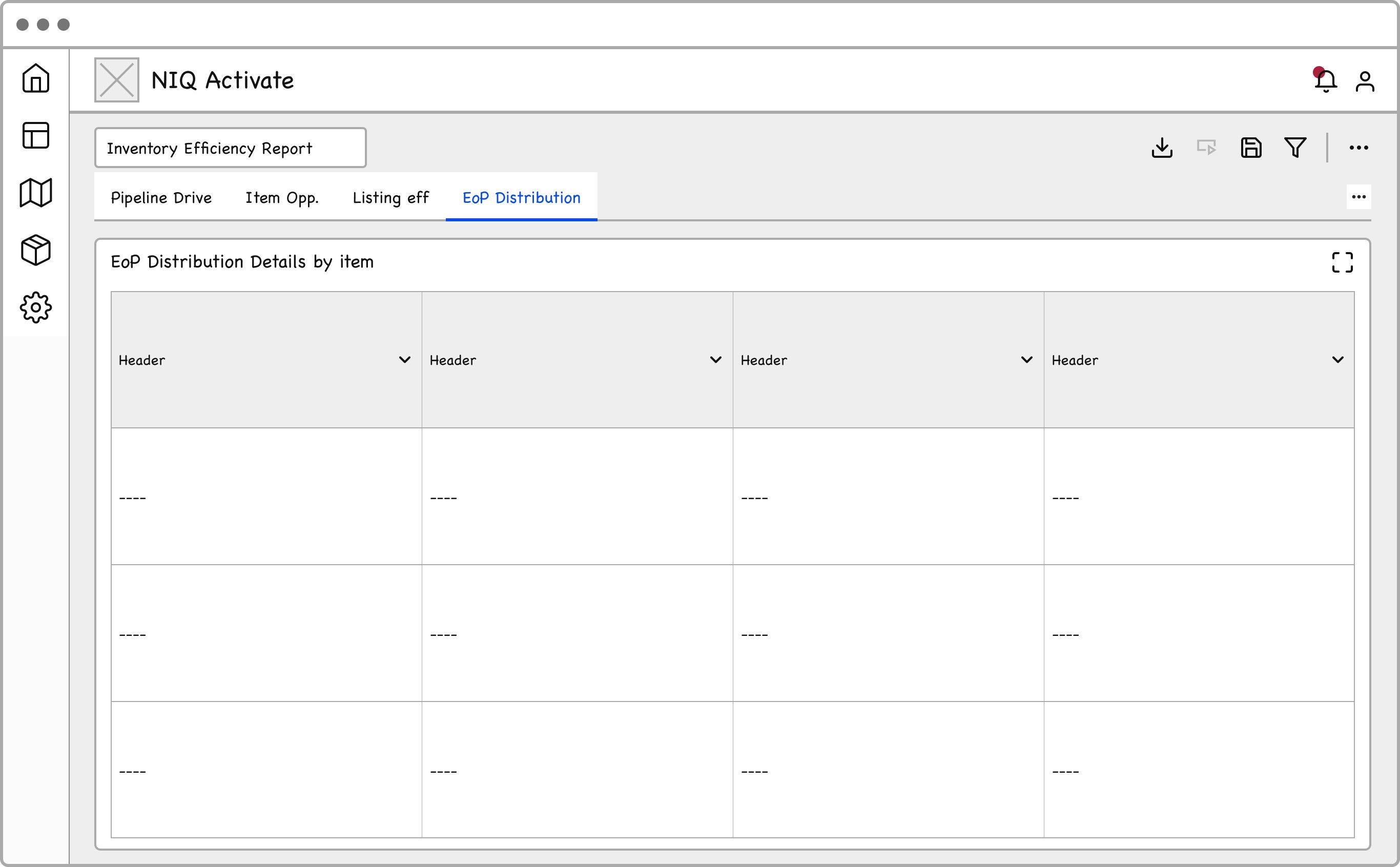
Table
Once an anomaly is identified, planners can open the root-cause panel without leaving the view.
The panel aggregates multiple signals — including OTIF performance, forecast variance, sales velocity, and inventory levels — to explain the drivers behind the risk.
This removes the need to switch between multiple reporting tools and allows planners to diagnose problems directly within the workflow.
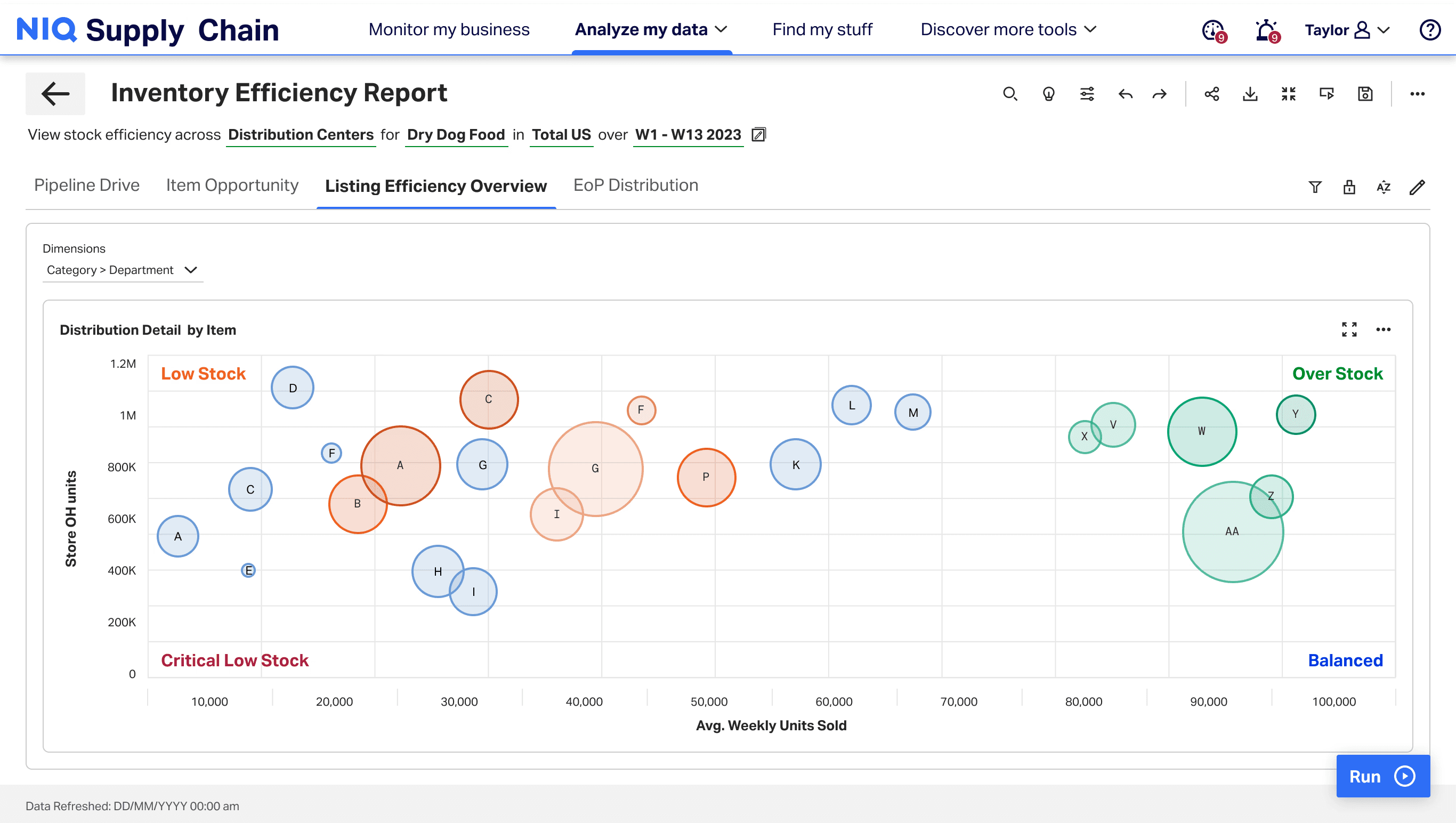
Once the planner understands the problem, the system supports action directly within the same workflow.
Rather than exporting data or switching tools, planners can evaluate item performance, adjust decisions, and prioritize corrective actions while maintaining the full analytical context.
This reduces workflow fragmentation and allows planners to move from analysis to action more quickly.
Method → findings → change log
Five moderated sessions on the Figma hi-fi. Task: identify and fix three inventory risks. Evidence drove the labels, filters, and approval path — not chrome.
Sessions
5 moderated
Prototype
Figma hi-fi
Task
Identify & Fix 3 Risks
Task success
100%
Time on task
−60%
4/5 planners stalled on “EOP” and “velocity anomaly” before scanning the risk queue.
Renamed labels to plain language + inline glossary tooltips on first hover.
3/5 scrolled the full inventory table without applying Region or Category filters.
Pinned filter bar above the heatmap and added empty-state guidance when no lens is set.
Users hesitated on transfer approve — “what if I’m wrong?” blocked completion.
Added impact preview + confidence state before confirm; soft default to Review.
The pilot launched in Q4 and immediately transformed how the inventory team operated.
I used to dread Monday mornings. Now I can clear my risk queue before my first coffee. It's not just faster; it's less stressful.
Issue detection
48 hrs< 1 hr
98% faster
Stockout risk
$3.5M proj$1.4M
$2.1M saved
Tool sprawl
4–5 tools1 tool
Consolidated
Trust score
2.1 / 54.8 / 5
+128% lift
* Pilot sample: 12 users across 2 regions over 6 weeks.
Exception → investigate → approve → resolve
The inventory command center follows one decision path — from exception signal through investigation, transfer approval, and resolution tracking.
DecisionStart on the heatmap and top-10 risk queue — surface only SKUs at High/Medium risk before opening the full inventory table.
DecisionDrill into item detail — velocity trends, DC concentration, and explainable risk scoring reveal why the SKU flagged.
DecisionCompare DC transfer paths and exposure — keep human-in-the-loop approval so planners validate before execution.
DecisionApprove the transfer and track resolution — batched updates refresh status within 15 minutes without destabilizing legacy ERP.
What this work changed in my practice
Redesigning inventory efficiency reporting taught me how operational trust, legacy data constraints, and planner workflows shape every design decision — from exception surfacing to transfer approval.
Early feasibility checks with engineers prevented late rework on data pipelines, hierarchy logic, and the 15-minute batched update model.
Using real data instead of Lorem Ipsum surfaced edge cases — DC concentration, velocity anomalies, and legacy cleanup — that shaped the exception-first heatmap.
Weekly office hours with planners kept the decision workflow grounded in how teams actually investigate stockout risk and approve transfers.
I spent too long on geographic view concepts and underestimated legacy data cleanup — defining metrics baselines earlier would have accelerated alignment.
Next Case Studies
Configurable enterprise report with hierarchy-aware drill-down — helping teams move from KPI scan to child-level explanation across product, store, and DC views.