Supply Chain Performance

How I redesigned a legacy supply-chain reporting workflow into a configurable enterprise report — helping retail teams at Walmart, Rite Aid, and Sobeys analyze performance across product, store, and distribution hierarchies in one place.

Overview

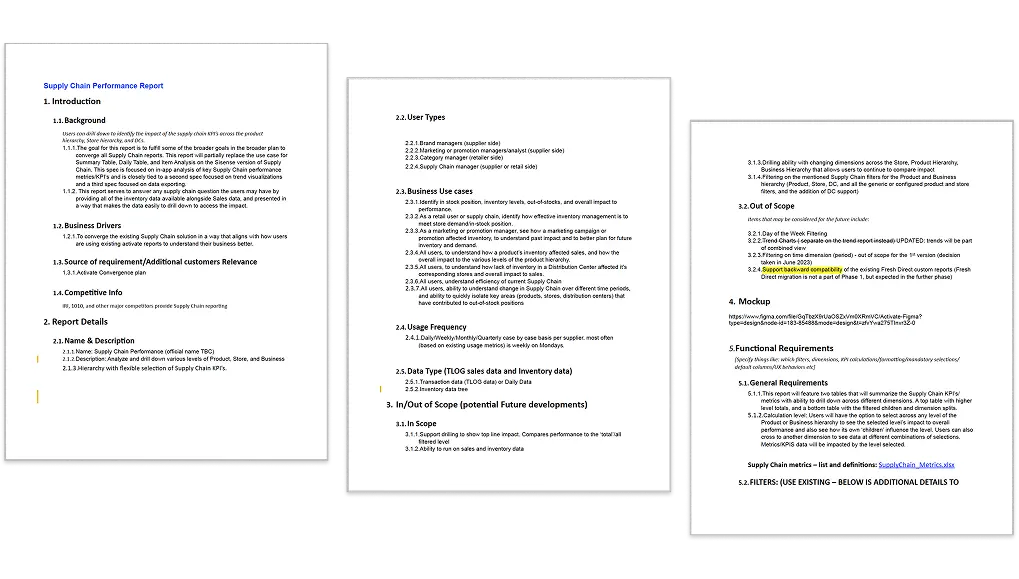
After NIQ's convergence efforts, supply-chain analysis still relied on multiple reports and legacy patterns. Users could answer important questions about in-stock position, inventory health, and sales impact, but only by navigating fragmented tools. This project focused on creating a more unified performance report: one that allowed users to compare top-line impact, drill across product, store, and DC hierarchies, and understand how inventory conditions were affecting sales and operational performance. This aligned closely with the product goal of converging older supply-chain reporting paths into a more modern Activate workflow.

TL;DR

The Problem

Supply-chain users had to piece together inventory and sales performance across multiple reports, making it hard to understand out-of-stocks, store impact, and DC-related issues quickly.

The Insight

The problem was not lack of data. It was lack of one trustworthy workflow that let users move from top-level performance to child-level explanation without losing context.

The Solution

I designed a configurable Supply Chain Performance Report with hierarchy-aware drill-down, aligned KPI structure, and unified sales + inventory analysis.

The Impact

QBR prep moved from 4+ hours to ~90 minutes, issue detection was 60% faster vs. legacy in 2 customer accounts, and 85% of target users adopted the redesigned default in 6 weeks.

TL;DR

The Problem

Supply-chain users had to piece together inventory and sales performance across multiple reports, making it hard to understand out-of-stocks, store impact, and DC-related issues quickly.

The Insight

The problem was not lack of data. It was lack of one trustworthy workflow that let users move from top-level performance to child-level explanation without losing context.

The Solution

I designed a configurable Supply Chain Performance Report with hierarchy-aware drill-down, aligned KPI structure, and unified sales + inventory analysis.

The Impact

QBR prep moved from 4+ hours to ~90 minutes, issue detection was 60% faster vs. legacy in 2 customer accounts, and 85% of target users adopted the redesigned default in 6 weeks.

TL;DR

The Problem

Supply-chain users had to piece together inventory and sales performance across multiple reports, making it hard to understand out-of-stocks, store impact, and DC-related issues quickly.

The Insight

The problem was not lack of data. It was lack of one trustworthy workflow that let users move from top-level performance to child-level explanation without losing context.

The Solution

I designed a configurable Supply Chain Performance Report with hierarchy-aware drill-down, aligned KPI structure, and unified sales + inventory analysis.

The Impact

QBR prep moved from 4+ hours to ~90 minutes, issue detection was 60% faster vs. legacy in 2 customer accounts, and 85% of target users adopted the redesigned default in 6 weeks.

  • 4+ hrs to ~90 min

    QBR prep time-to-insight

    User-reported in usability follow-up across 12 participants.

    Follow-up sessions

  • $2.1M

    Stockout exposure surfaced

    Computed from flagged but unresolved items; validated by 2 enterprise customers.

    Annual exposure estimate

    $2.1M

    Stockout exposure surfaced

    Computed from flagged but unresolved items; validated by 2 enterprise customers.

    Annual exposure estimate

  • 60%

    Faster issue detection

    Measured pre/post against the legacy workflow in 2 customer accounts.

    Legacy comparison

  • 85%

    Target-user adoption

    Adopted the exception-first default within 6 weeks of release.

    NIQ telemetry

  • 4+ hrs to ~90 min

    QBR prep time-to-insight

    User-reported in usability follow-up across 12 participants.

    Follow-up sessions

  • $2.1M

    Stockout exposure surfaced

    Computed from flagged but unresolved items; validated by 2 enterprise customers.

    Annual exposure estimate

  • 60%

    Faster issue detection

    Measured pre/post against the legacy workflow in 2 customer accounts.

    Legacy comparison

  • 85%

    Target-user adoption

    Adopted the exception-first default within 6 weeks of release.

    NIQ telemetry

Duration

  • 1 month

My Role

Lead Product Designer

Team Role

  • 2 Product Managers
  • 2 BI Developers
  • 2 Data Scientists
  • 3 Engineers

Target Audience

  • Inventory planners
  • Retail operations teams
  • Category managers
  • Supplier / brand partners

Scope

Research, UX, UI, information architecture, KPI structuring, prototyping, testing

Tools

  • Figma
  • Excel
  • Highcharts
  • Jira

Industry

  • Retail analytics
  • Supply chain planning
  • Inventory performance

Platform

Web application — Desktop-first enterprise reporting

Users Impacted

Brand managers, promotion analysts, category managers, and supply chain managers across supplier and retailer workflows

Data Coverage

Sales + inventory performance across product hierarchy, store hierarchy, and distribution centers

The Challenge

Fragmented Reports, Hidden Performance

Fragmented Reports, Hidden Performance

The existing Activate platform did not support a unified supply chain view after the acquisition of Precima. Each retailer used fragmented BI tools — Qlik, Sisense, Highcharts — making performance tracking inconsistent and time-consuming.

Users had to piece together inventory and sales performance across multiple disconnected reports to answer what should have been straightforward questions:

where are we underperforming, what child segments are driving the issue, and whether the problem is at product, store, or DC level.

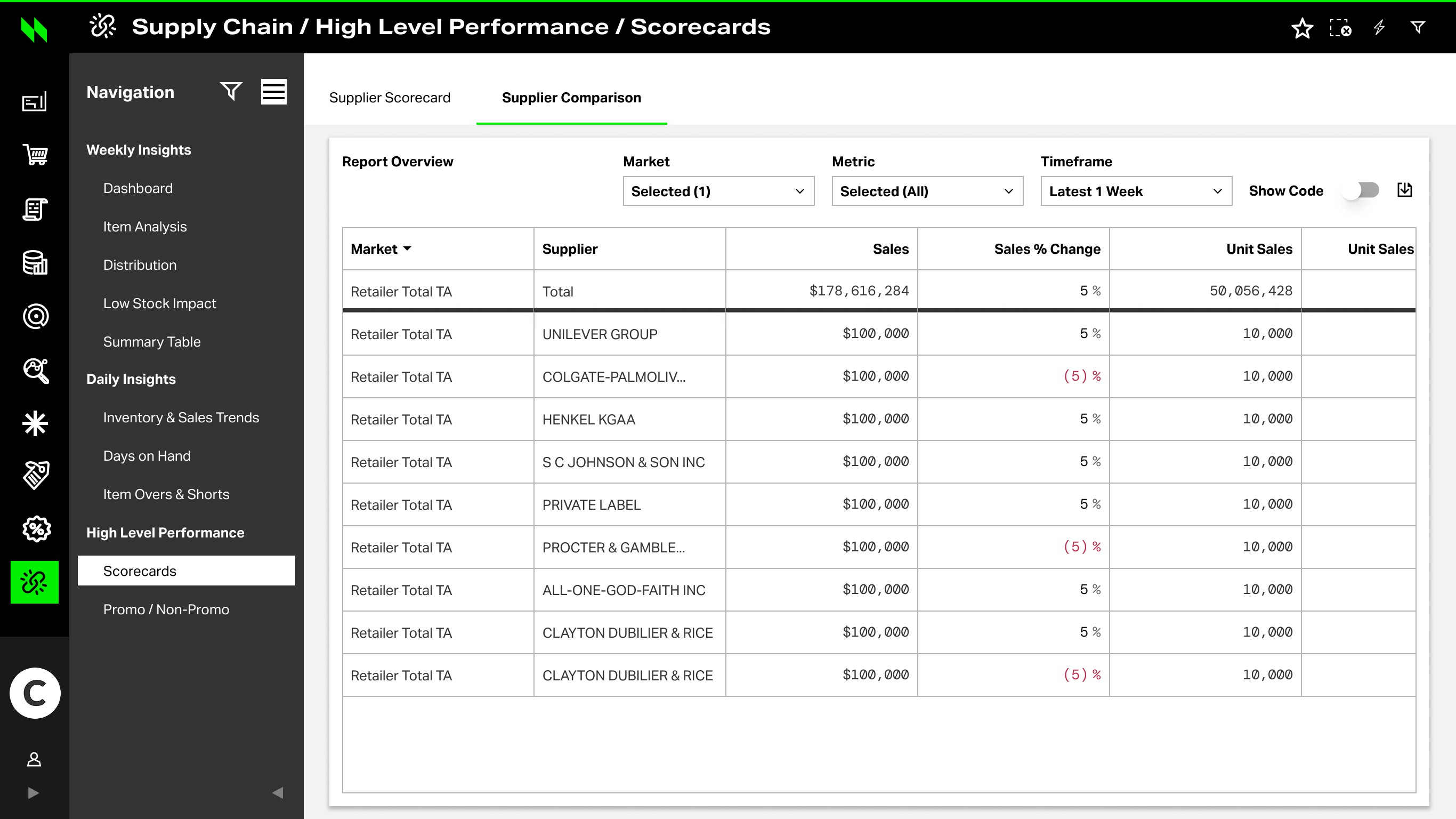
Supply Chain / Reports / Catalogue

The Challenge

Fragmented Reports, Hidden Performance

The existing Activate platform did not support a unified supply chain view after the acquisition of Precima. Each retailer used fragmented BI tools — Qlik, Sisense, Highcharts — making performance tracking inconsistent and time-consuming.

Users had to piece together inventory and sales performance across multiple disconnected reports to answer what should have been straightforward questions:

where are we underperforming, what child segments are driving the issue, and whether the problem is at product, store, or DC level.

Supply Chain / Reports / Catalogue

Business Requirements

Business Requirements

Translating analytical questions into design structure

Translating analytical questions into design structure

Business QuestionUX Response
Where are we underperforming?Surface KPI summary row first
What is the inventory impact?Unified sales + inventory view
Which child segments are driving it?Coordinated bottom-table breakdown
Is it product, store, or DC level?Flexible hierarchy selection model
What should teams investigate next?Continuation path to trend / export

Research & Discovery

From feedback to interface requirements

Discovery showed that the report was not failing because users lacked data. It was failing because different roles entered with different pressure: analysts needed faster root-cause paths, replenishment managers needed evidence for escalation, and reviewers needed confidence before a number became a QBR narrative.

01Analyst signal

The workflow was slowing them down.

Analysts knew the root-cause patterns. The bottleneck was navigation friction, dead-end filters, and repeated context rebuilding across Product, Store, and DC views.

Design response

Default to exceptions first, then preserve the full inventory path for deeper review.

02Manager signal

A red number was not enough evidence for a review conversation.

Escalation was the recurring failure: a stockout seen on Tuesday could become Friday executive pressure without a clear evidence trail.

Design response

Add alert history, affected locations, and an exportable review snapshot.

03Data trust signal

The number could be correct and still misleading.

Days on Hand and velocity looked precise even when store feeds were delayed or partial, so confidence had to sit beside the metric.

Design response

Put confidence states and calculation context directly beside key metrics.

Design Principles

Principle → interface behavior mapping

01

Exception-first hierarchy

Surface stockout risk, overstock, and velocity anomalies before the full inventory table.

Interface behavior

Exceptions panel prioritizes issues by impact score and confidence.

Top exceptions
IssueImpactStatus
Stockout risk98Investigate
Overstock86Review
Velocity drop72Monitor
See all (128) →
02

Context continuity

Carry filters and hierarchy through Product → Store → DC drill-down.

Interface behavior

Path bar preserves context and active filters across levels.

PeriodCategoryRegion
Inventory

Context preserved

View path →
03

Comparative clarity

Show prior period, YoY, benchmark, and peer-set comparisons before export.

Interface behavior

Comparison matrix is visible in-line with consistent metrics.

Product A · Store 214
MetricCurrentPriorSignal
On hand12.4K11.8K
Sales$428K$401K
Velocity2.12.4
04

Review-ready evidence

Package issue, exposure, locations, confidence, and next action into a review snapshot.

Interface behavior

One-click snapshot compiles the right evidence and recommended action.

Review packet
  • Issue
  • Exposure
  • Locations
  • Confidence
  • Next action
Share packet →

These principles map directly to decision moments in the supply chain: triage, investigate, compare, and escalate.

Report Architecture

Scan → Lens → Drill → Validate

Scan → Lens → Drill → Validate

The report architecture was organized around a repeatable investigation path: start with exceptions, choose the right lens, drill into affected locations, and validate the finding before export.

01

Scan exceptions

Exception queue
IssueImpact
Stockout risk · Dairy98
OTIF drop · Region West86
Velocity anomaly72
Overstock signal64
Full table below

DecisionSurface the highest-risk exceptions before the full inventory table.

02

Select lens

PeriodCategoryClient
Investigation lens
Product
Store
DC
Period

DecisionPreserve product, store, DC, period, and issue context.

03

Drill into affected locations

Dairy OTIF72.3%–6.8pp
Affected locations
LocationVariance
Store #1142–4.2pp
Store #0891–2.1pp
Store #2204–0.8pp

DecisionShow the operational driver behind the exception.

04

Validate and export

Prior
YoY
Benchmark
Review packet
  • Issue
  • Exposure
  • Confidence
  • Export
Export evidence

DecisionValidate the finding before it becomes review evidence.

The architecture preserved context across the path, helping users move from signal to evidence without rebuilding the investigation.

Final Reporting Experience

From investigation path to review-ready evidence

The report architecture became three production tabs — each designed to move users from signal to review-ready evidence without rebuilding context.

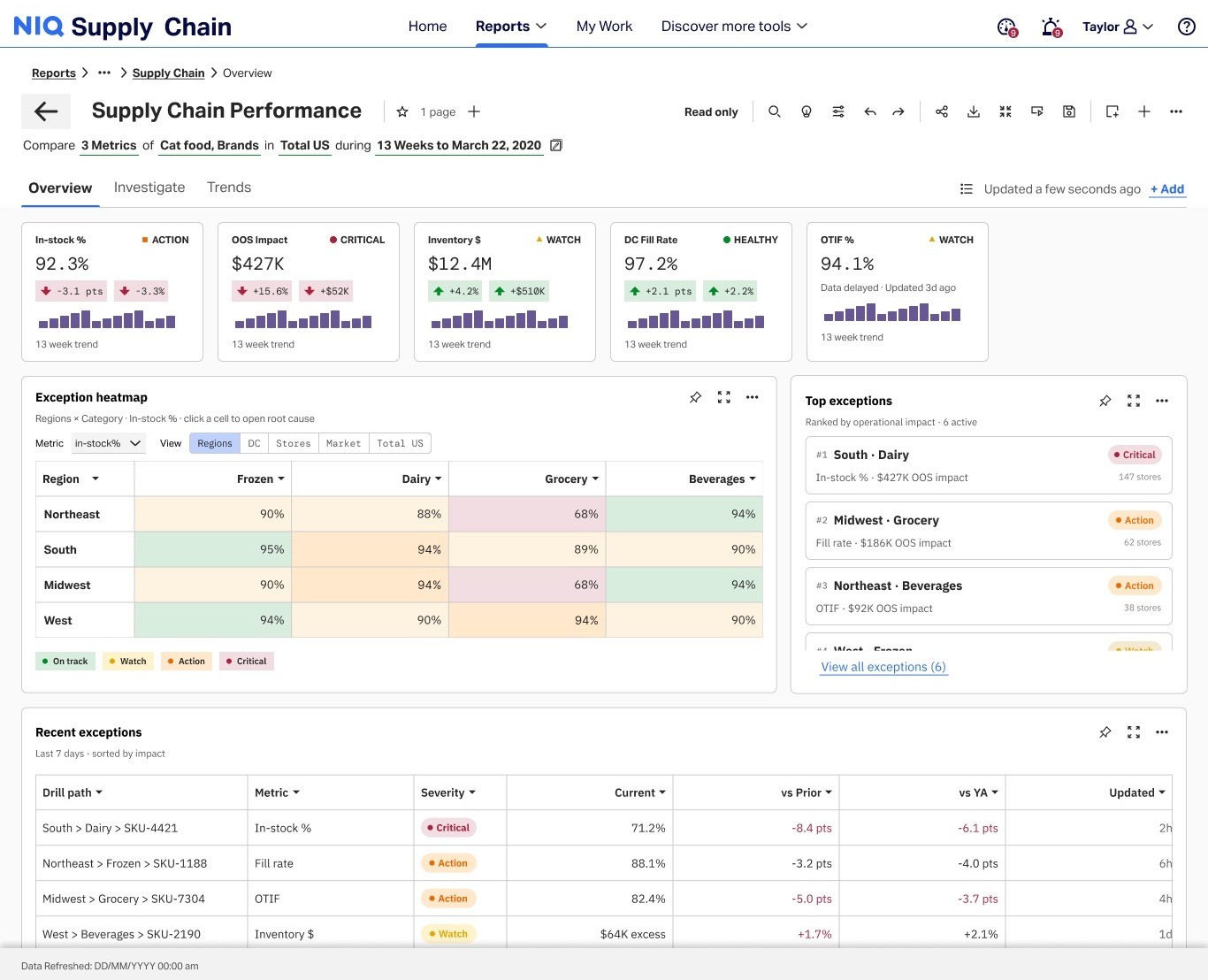
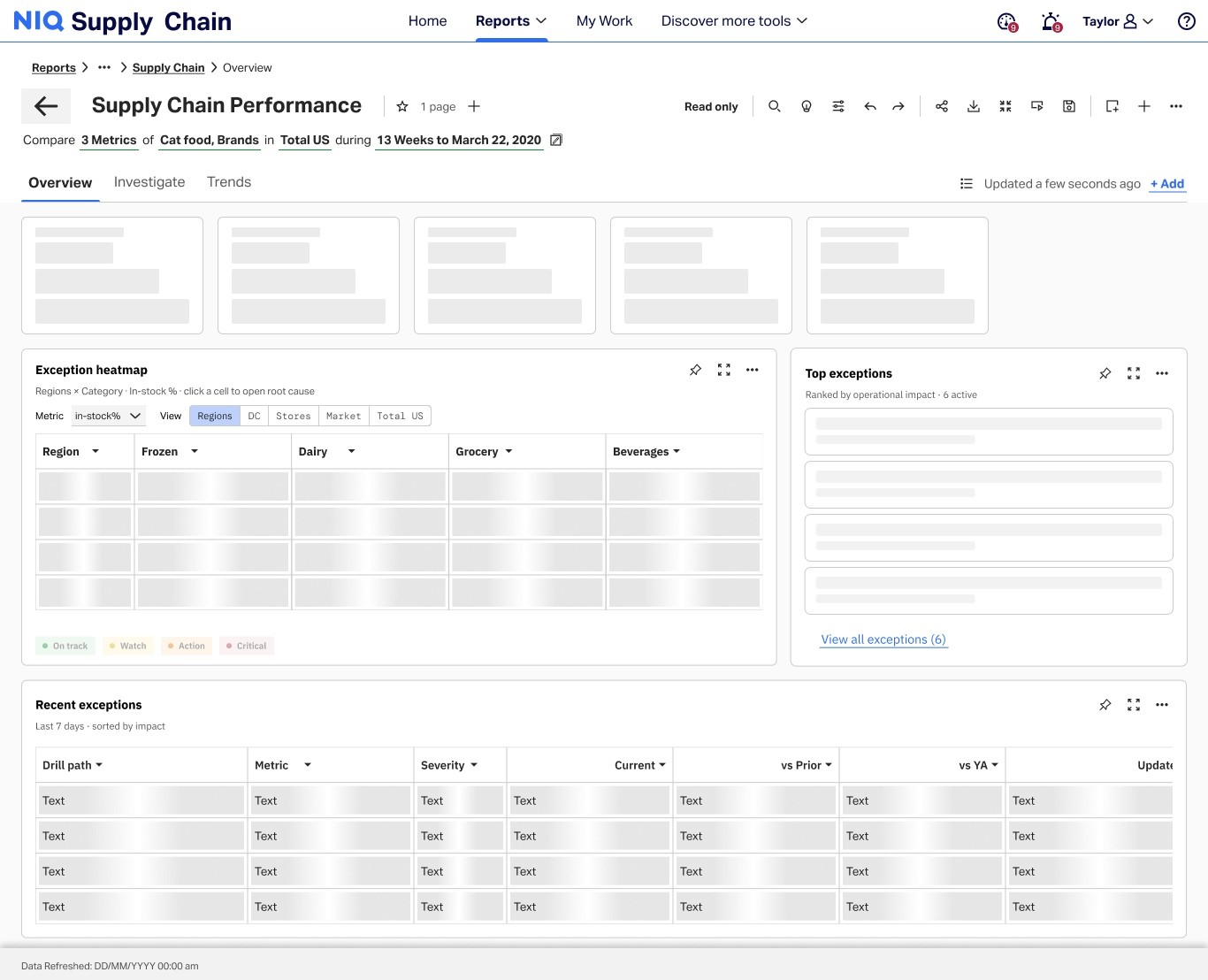
Exception Overview

The overview tab became the business entry point for supply chain performance — helping category and operations teams see where risk is concentrated, which KPIs need attention, and what to review before drill-down or escalation.
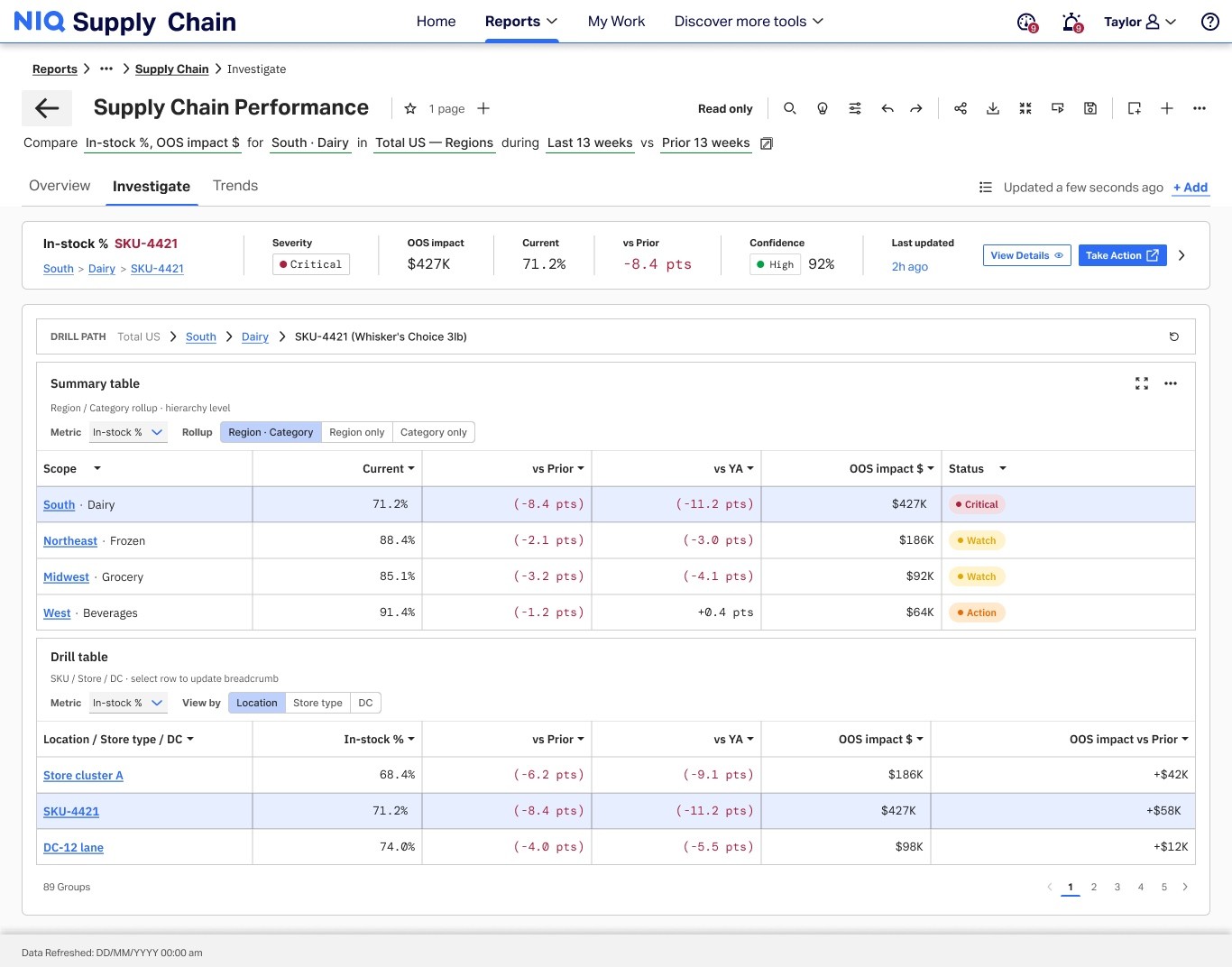
Investigate

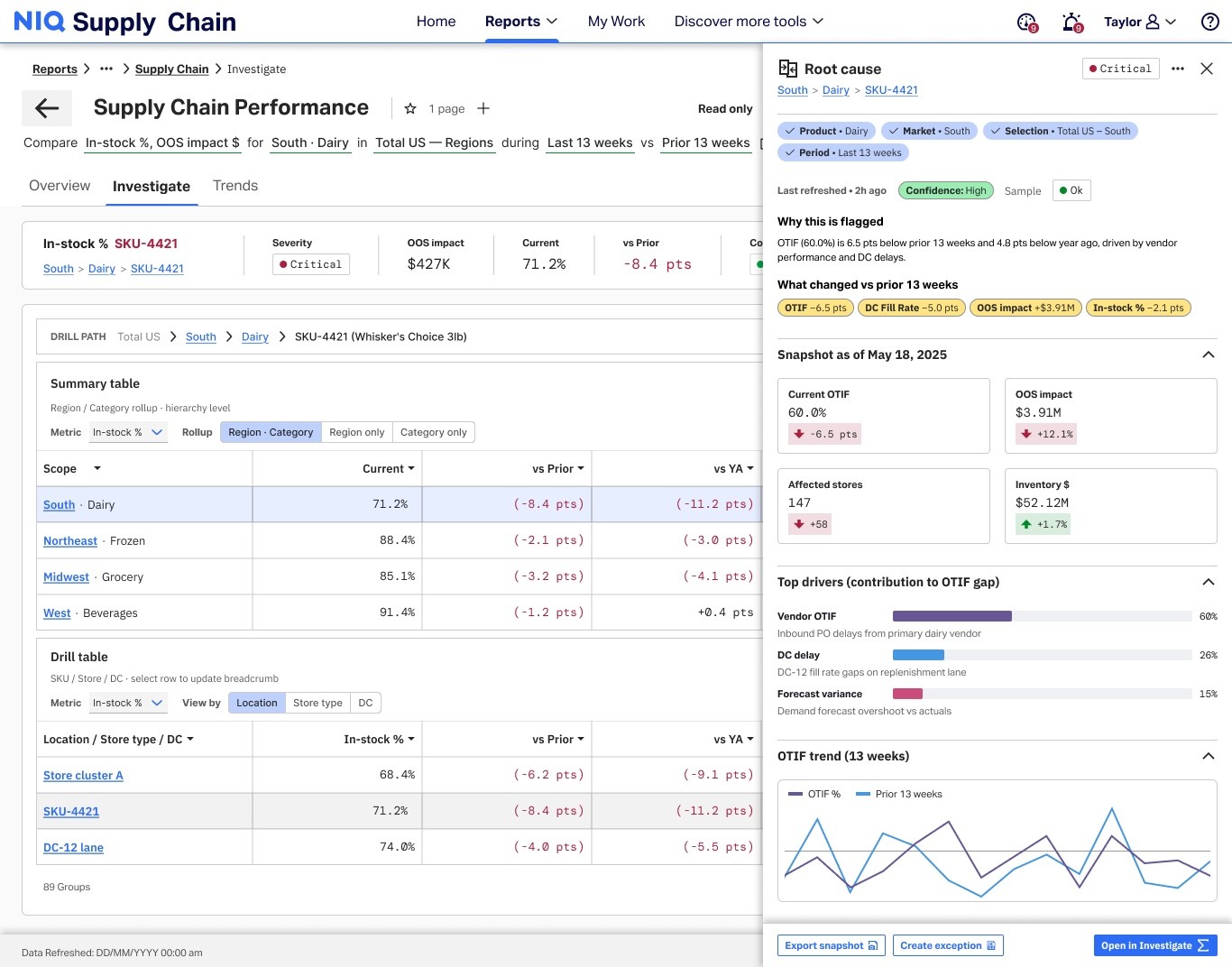
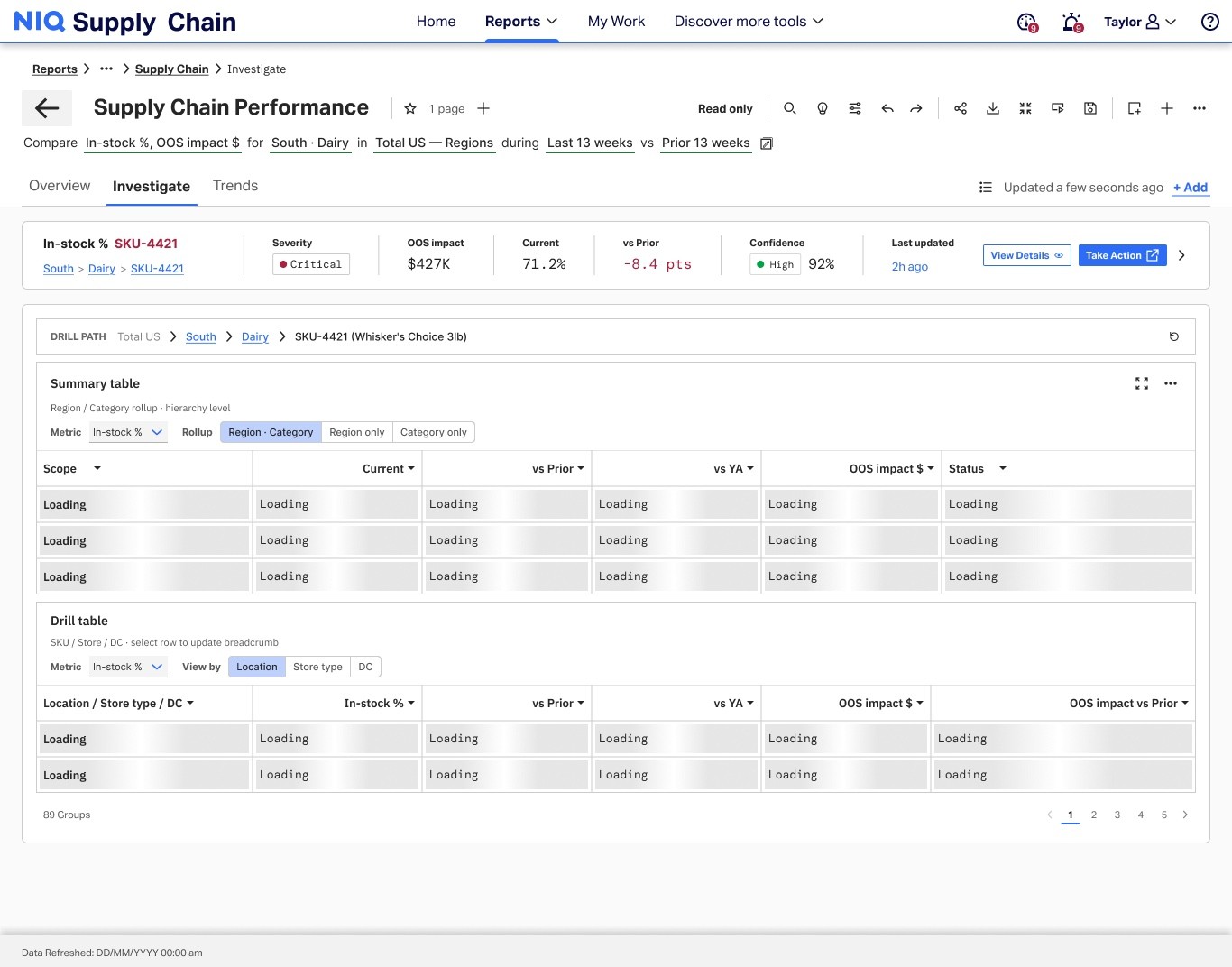
The investigate tab became the drill-down path from summary to root cause — helping analysts compare regions and categories in stacked tables, select an exception row, and open evidence in a persistent drawer without rebuilding context.
Trends

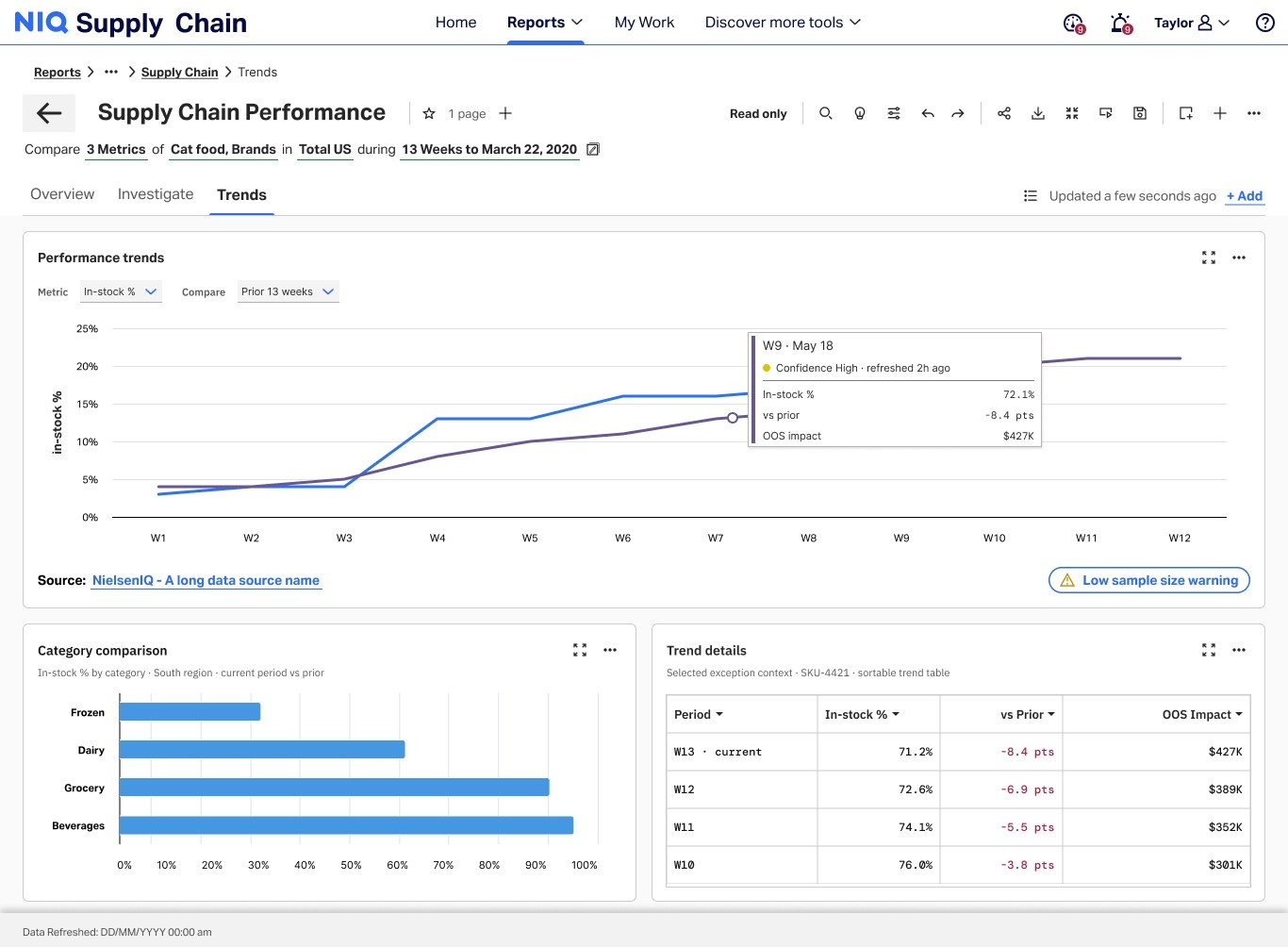
The trends tab became where teams validate signals over time — pairing multi-metric charts with hover tooltips that expose week-level in-stock and out-of-stock detail without leaving the report.
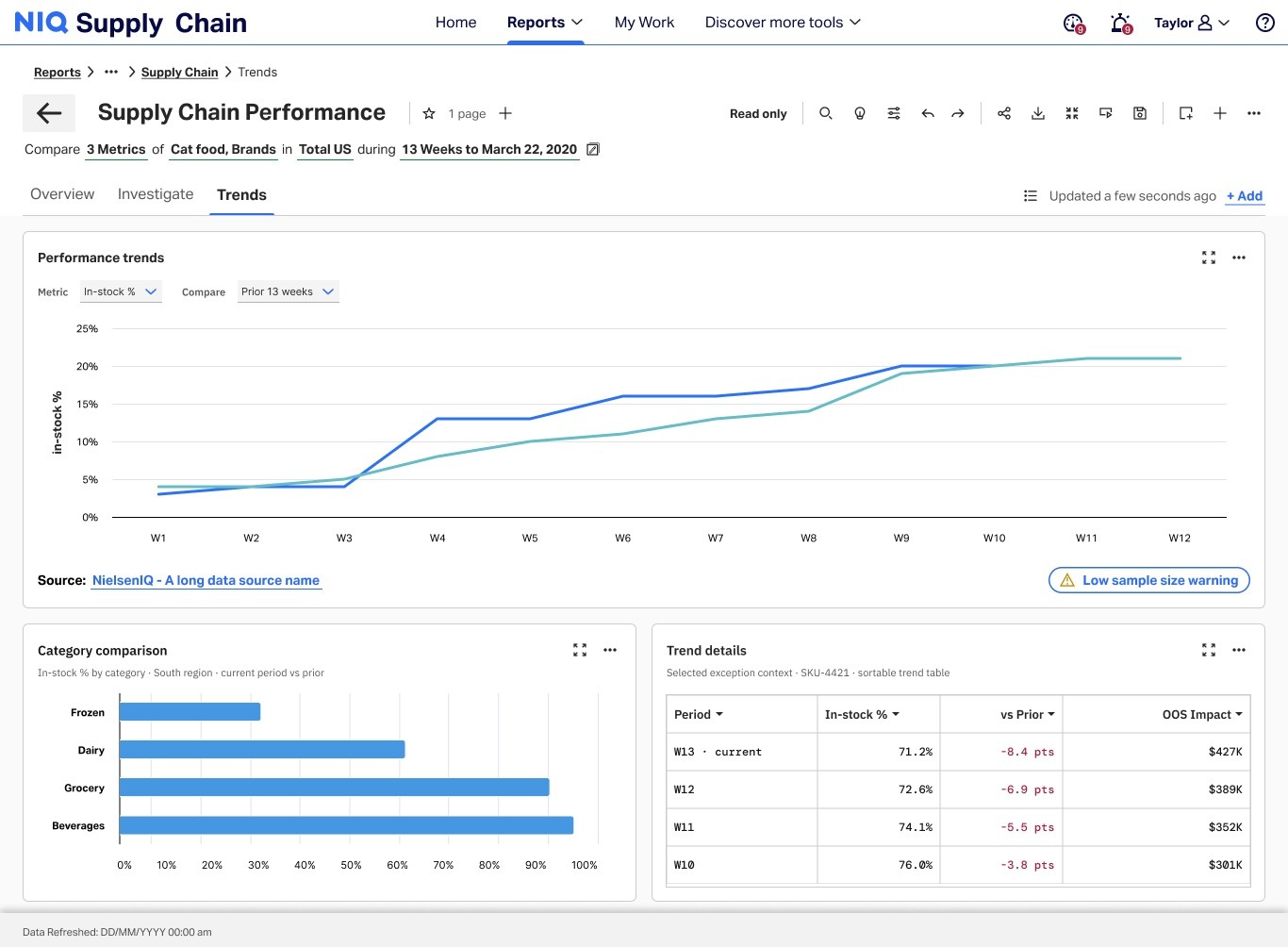
Supply Chain Performance trends tab — multi-metric trend charts

Full-width views from the NIQ Supply Chain Performance report — exception-first overview, investigate drill-down with root-cause drawer, and trends validation with hover detail.

Workflow decisions

Signal → investigate → trends → export

The production report follows one decision path — from exception signal through investigation and trend validation to export-ready evidence.

01

Scan exceptions

DecisionStart on the overview tab — surface KPI risk, heatmap concentration, and the exception queue before full-table scan.

02

Investigate root cause

DecisionDrill from summary into stacked tables, select an exception row, and open the persistent root-cause drawer without losing lens context.

03

Validate in trends

DecisionConfirm whether the signal holds over time — multi-metric charts with hover tooltips expose week-level in-stock and out-of-stock detail.

04

Export evidence

DecisionPackage the finding for QBR or escalation — snapshot the issue, exposure, confidence state, and next action in one artifact.

Building blocks that scale

Reusable patterns for enterprise supply-chain reporting

These modules handle real operational complexity — priority queues, hierarchy drill-down, and stale-data edge cases — so teams can ship consistent reporting experiences without rebuilding from scratch.

Where risk concentrates

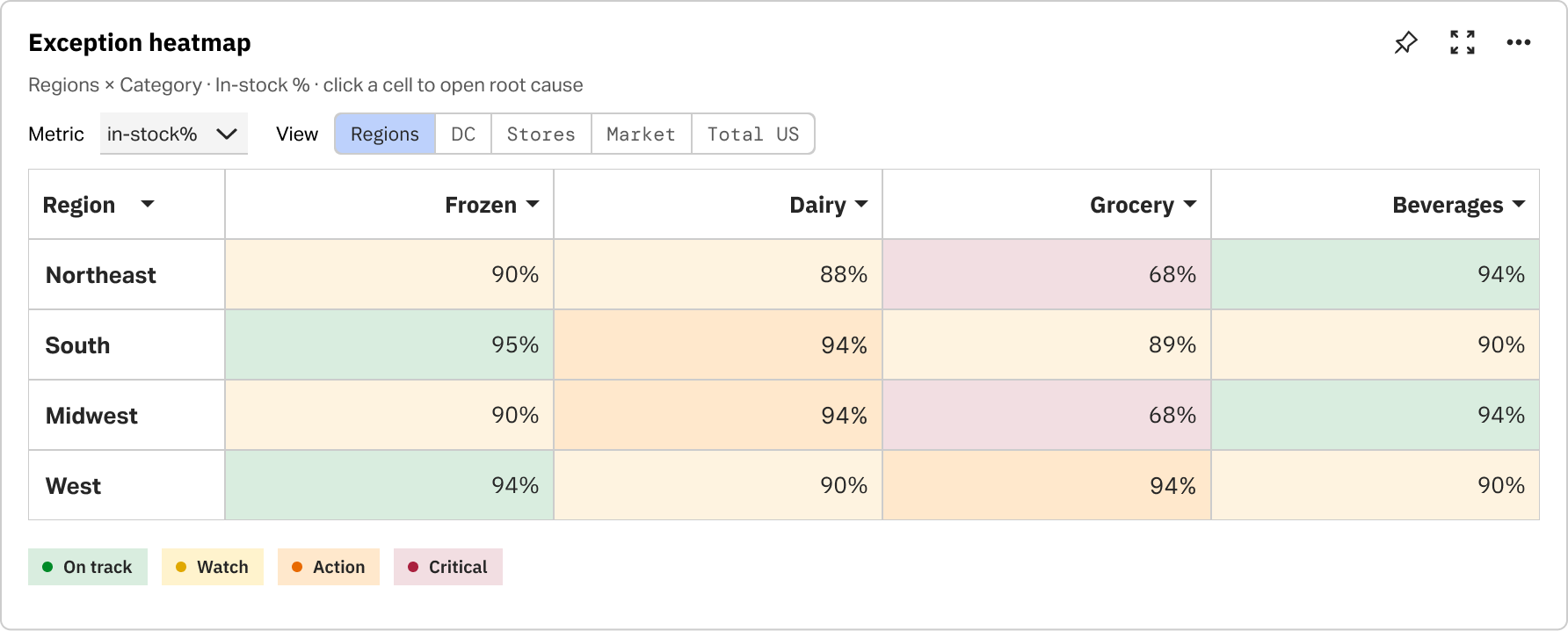
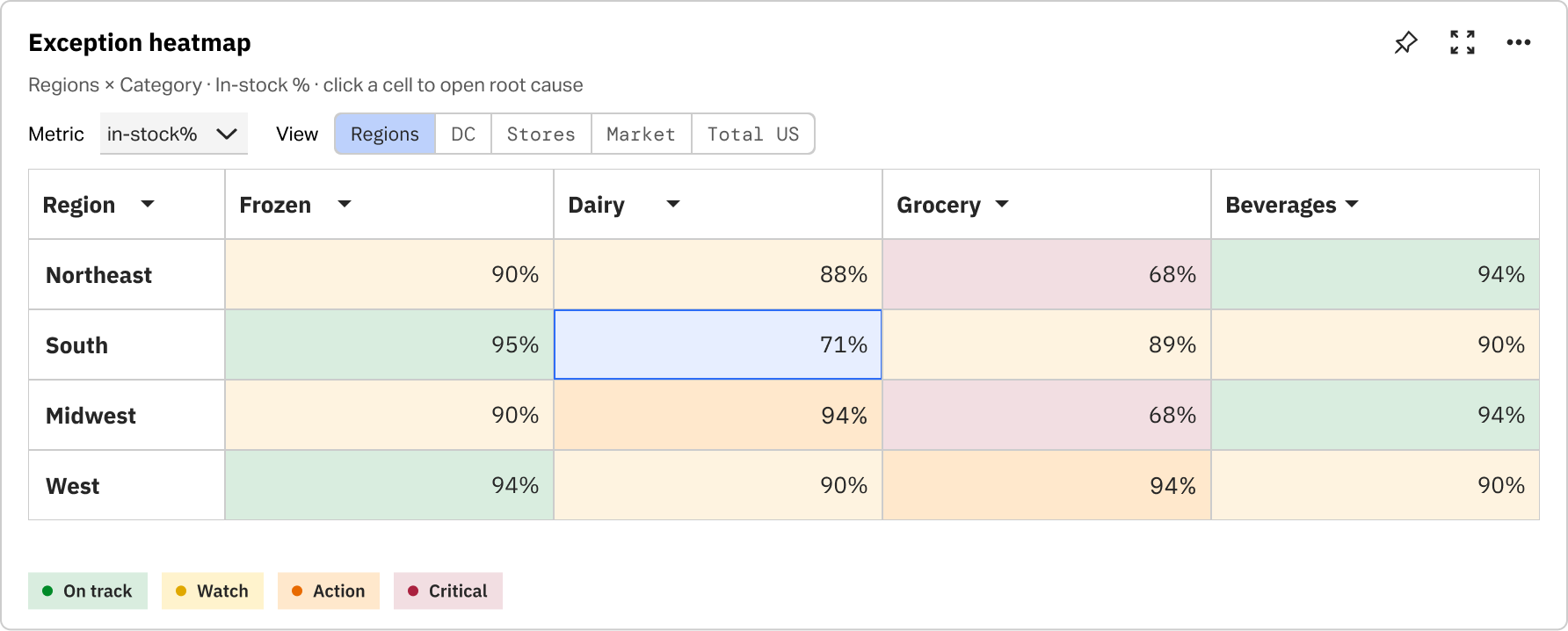
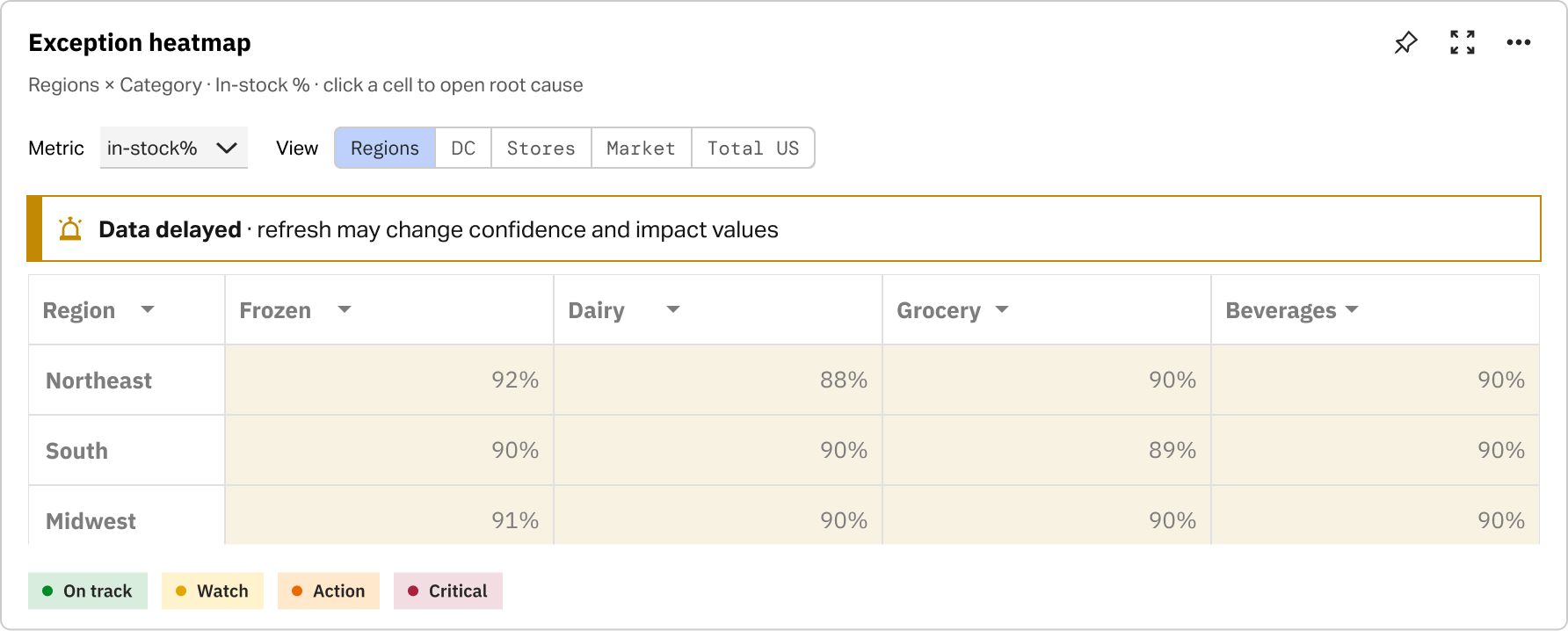
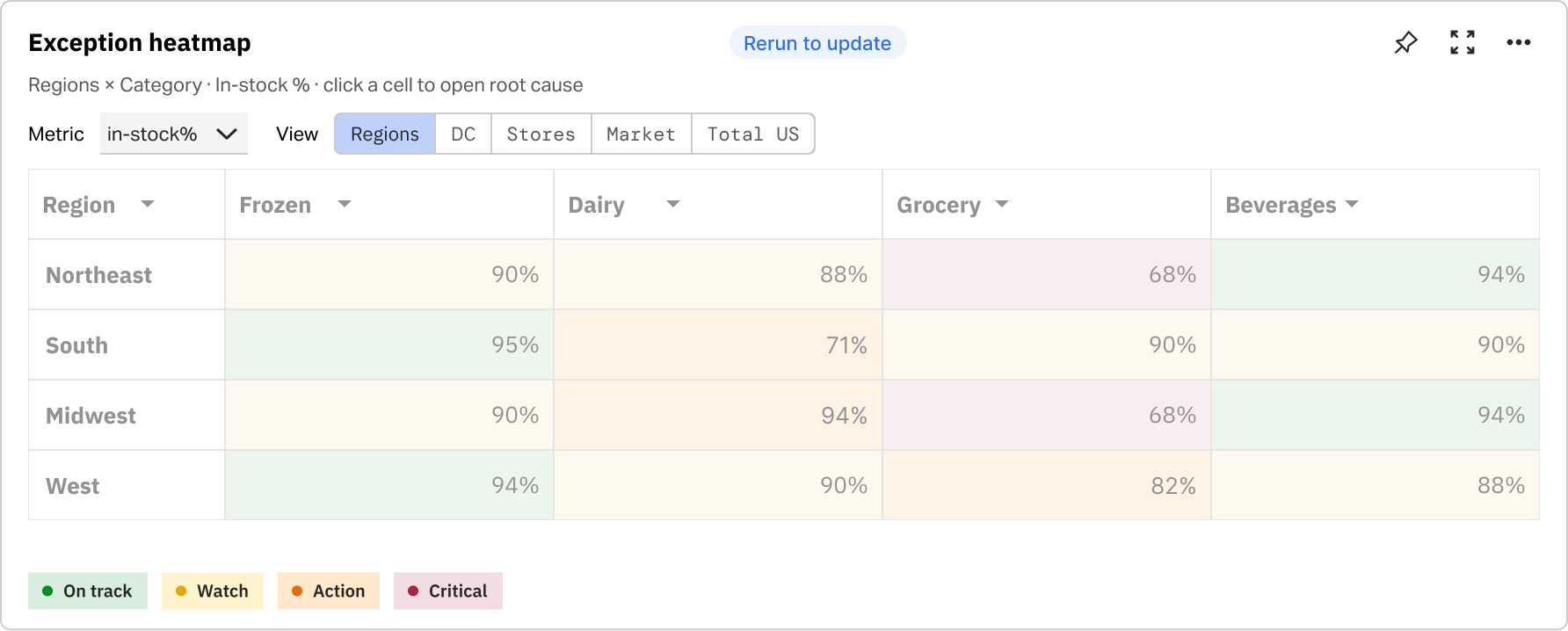
Teams scan region × category performance in one view, then focus a cell to investigate without losing surrounding context.

Heatmap showing region and category risk concentration

What needs attention now

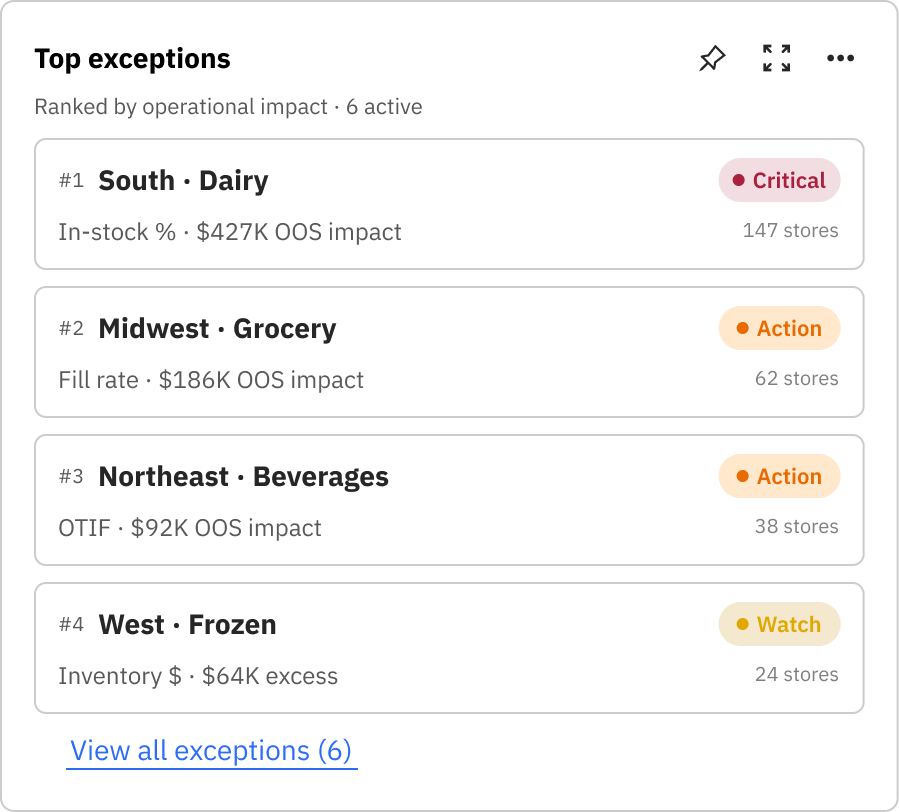
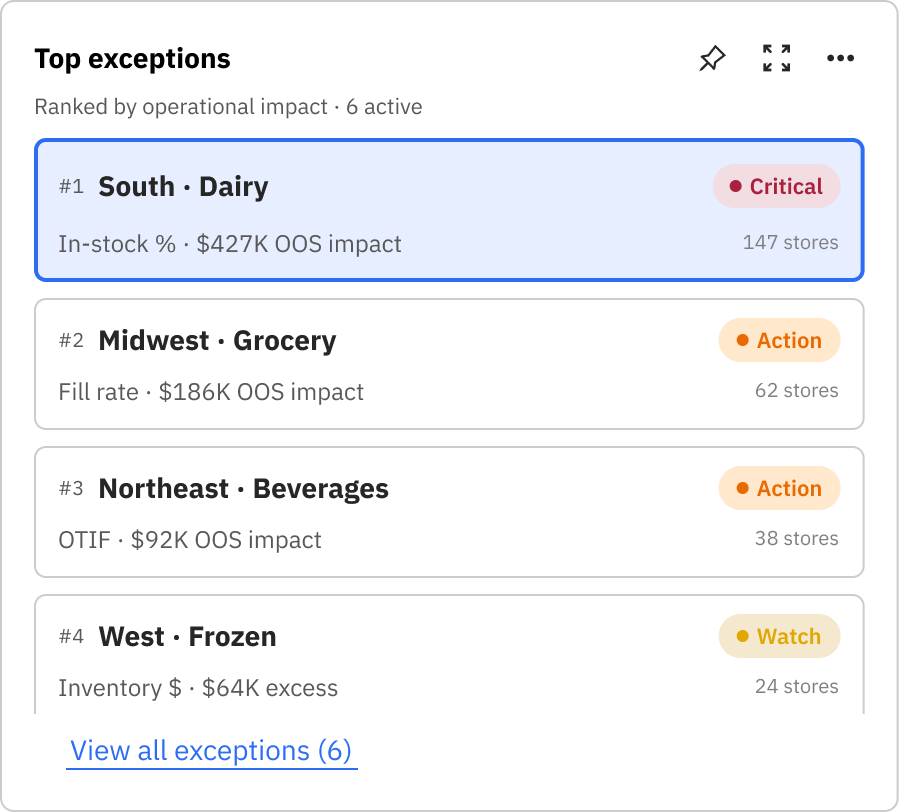
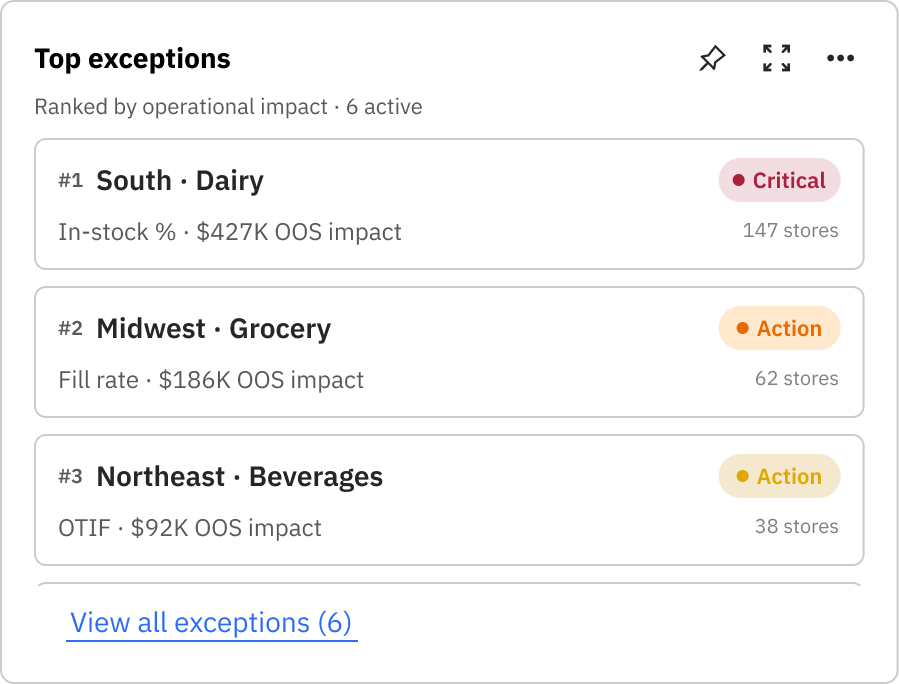
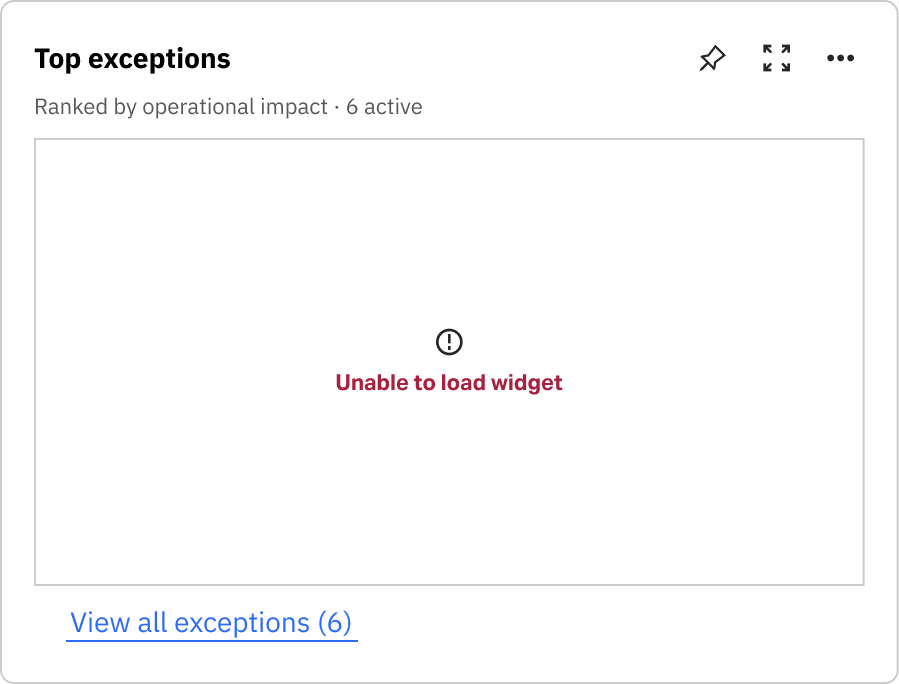
Exceptions surface by severity so analysts triage stockout and velocity risk before opening the full report.

Exception queue ordered by severity

From summary to root cause

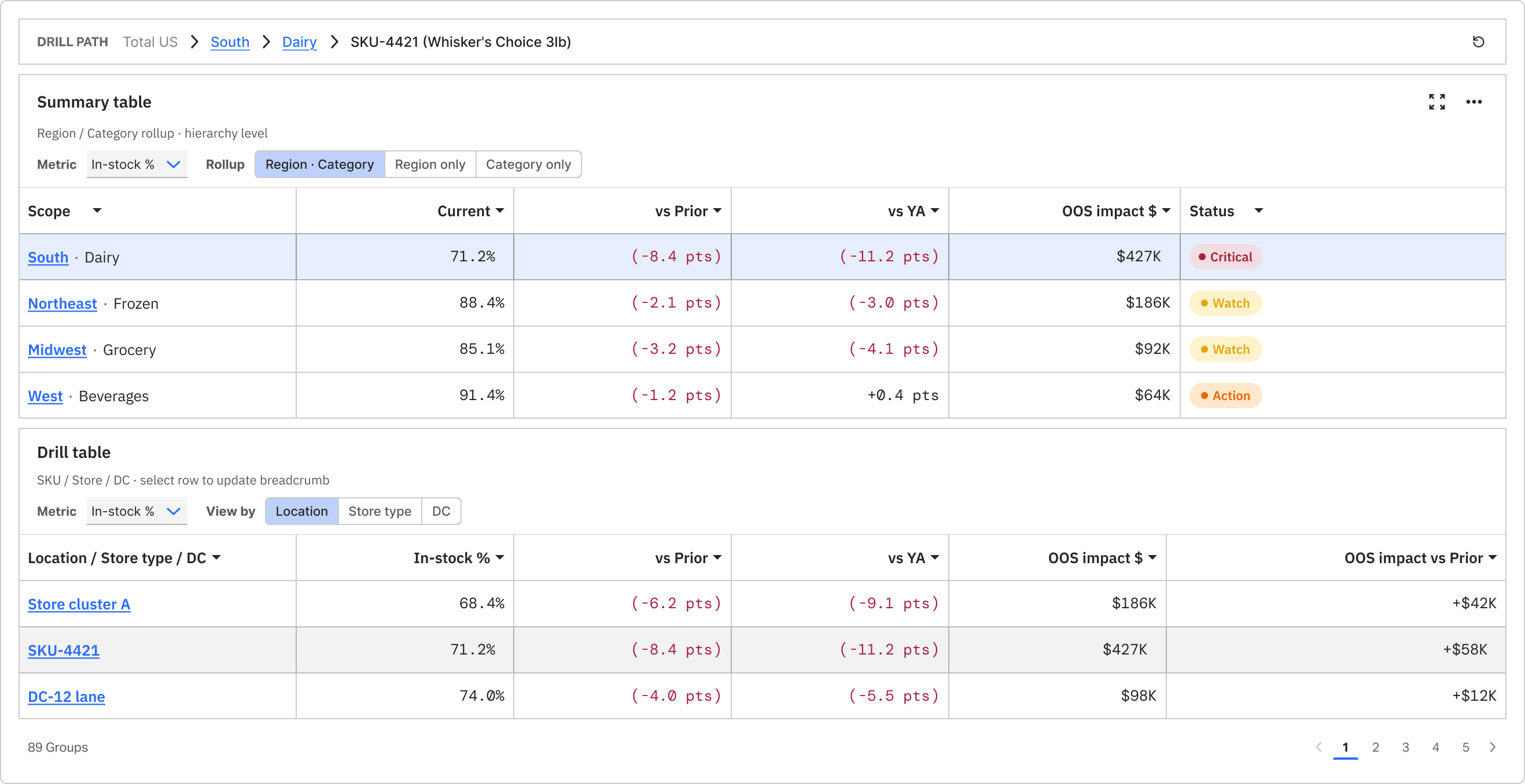
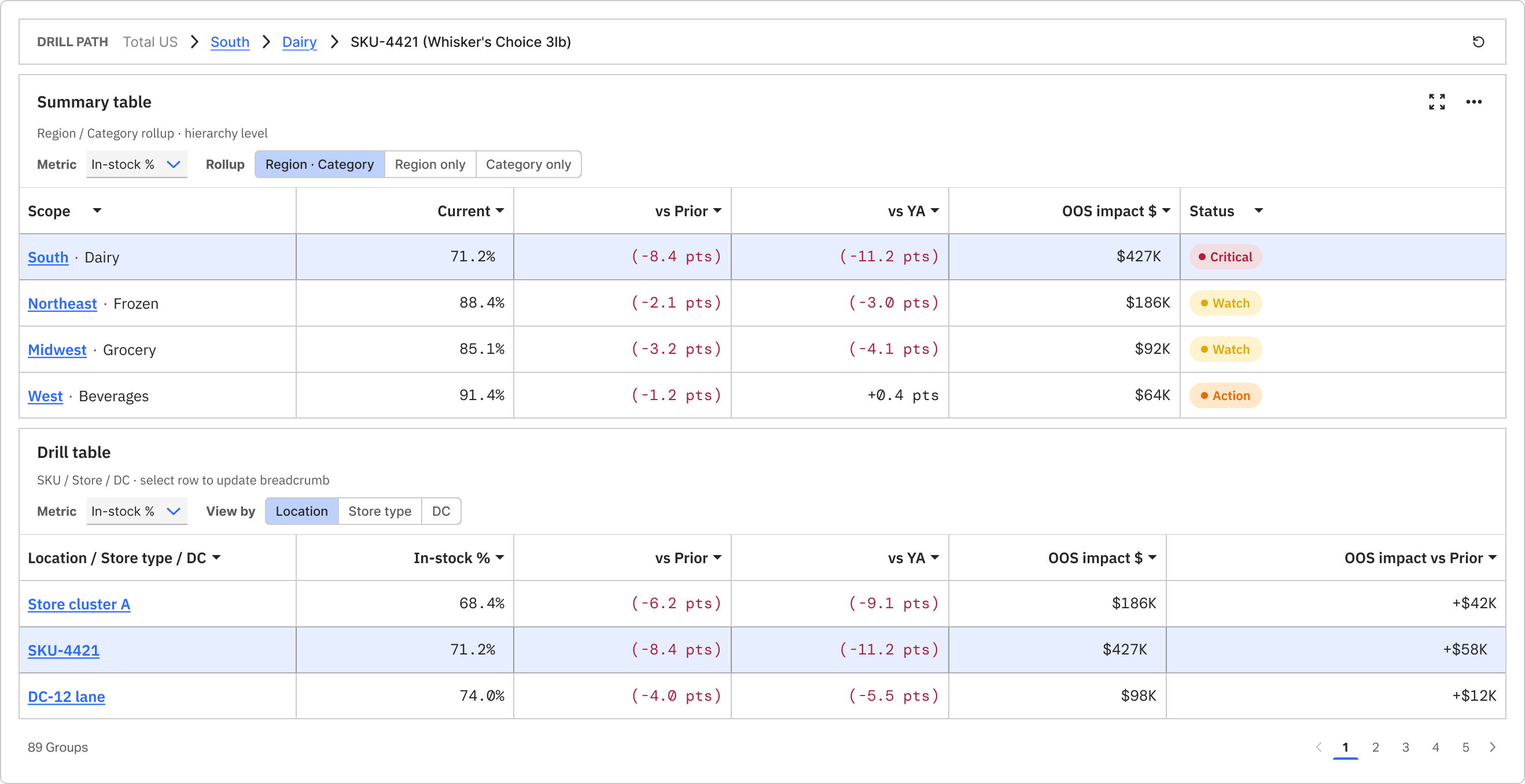
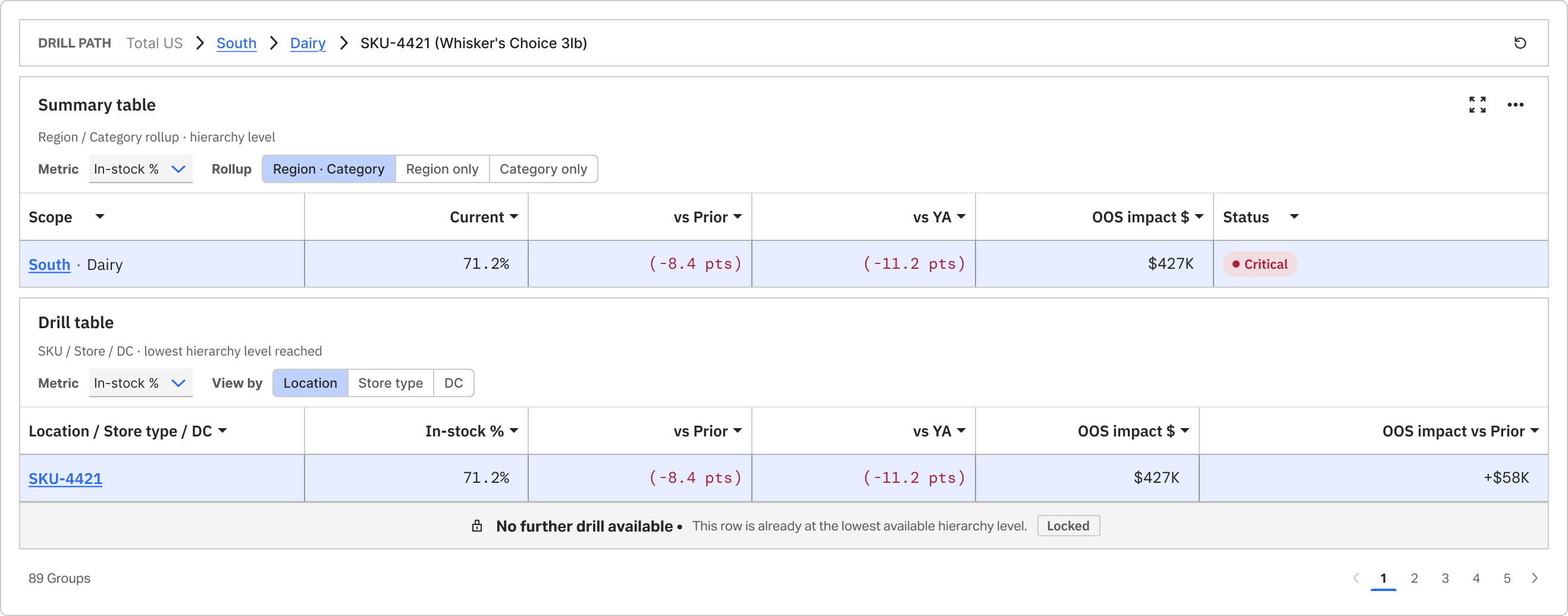
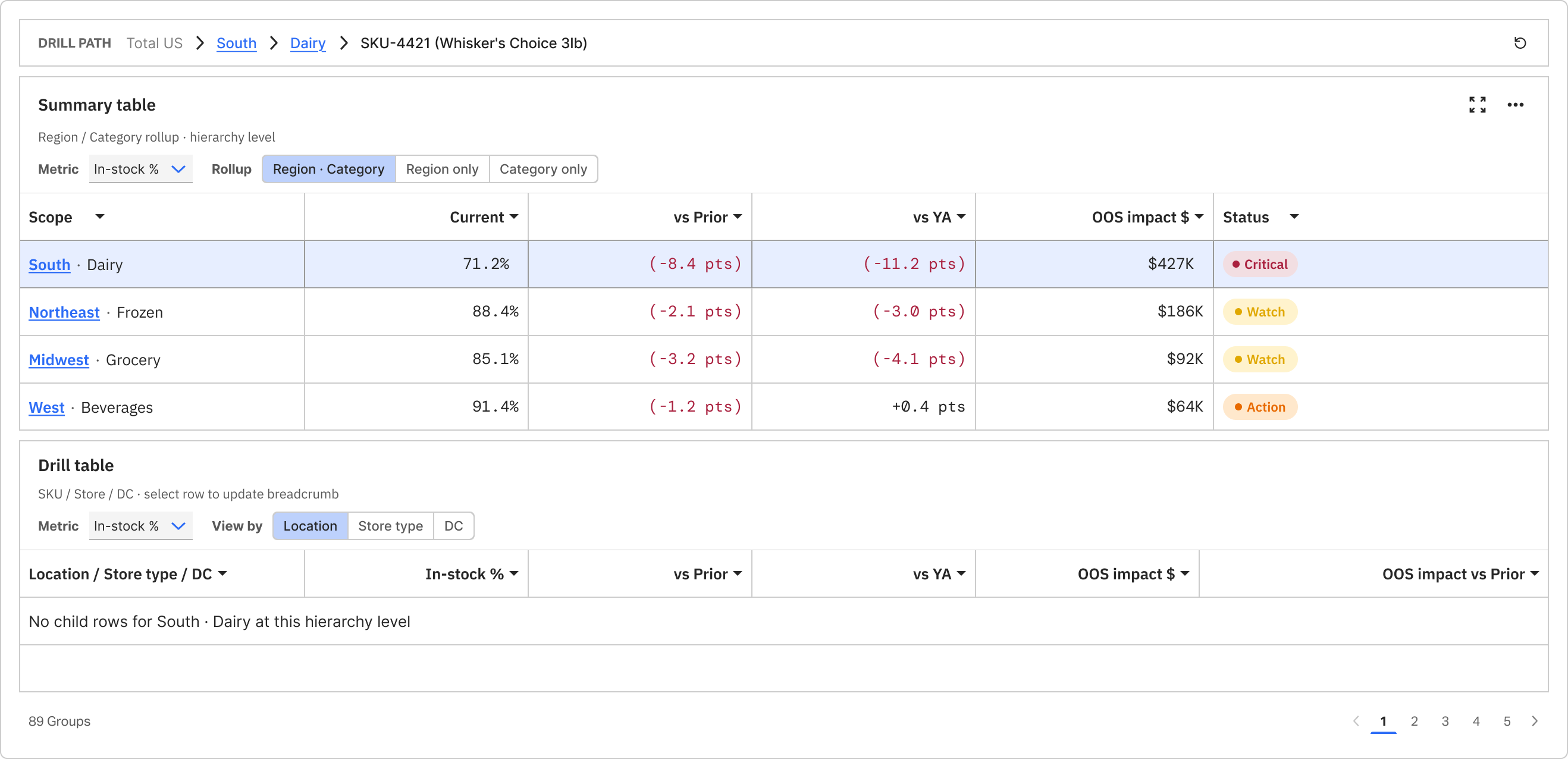
Parent and child tables stay linked as users drill — with clear end-states when the hierarchy cannot go further.

Table drill stack with summary and child tables

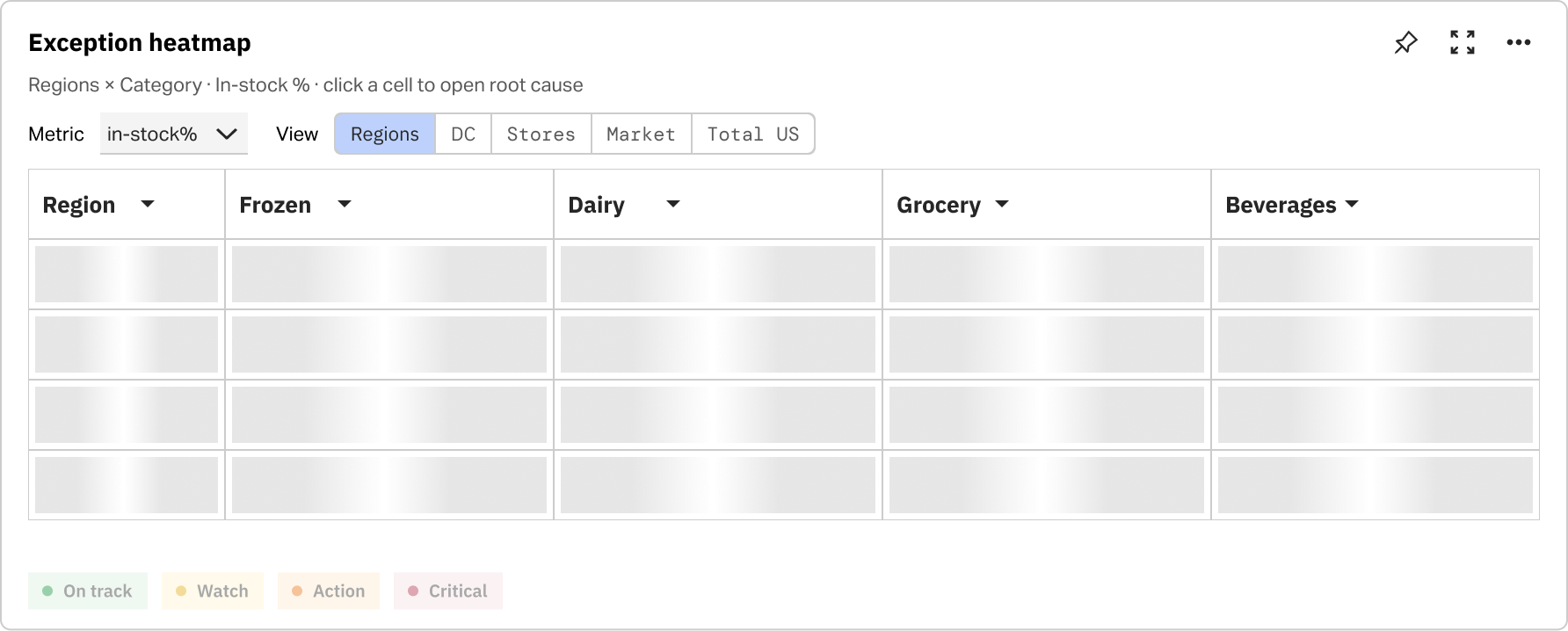
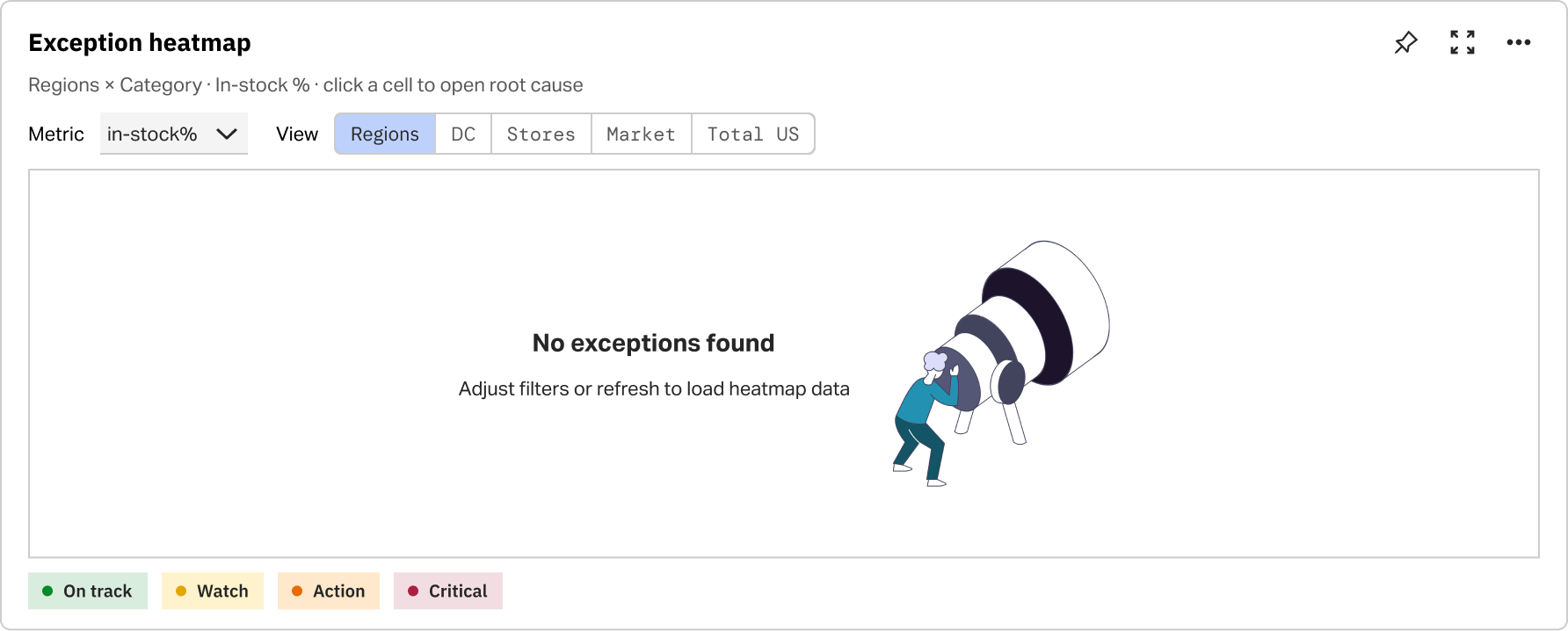
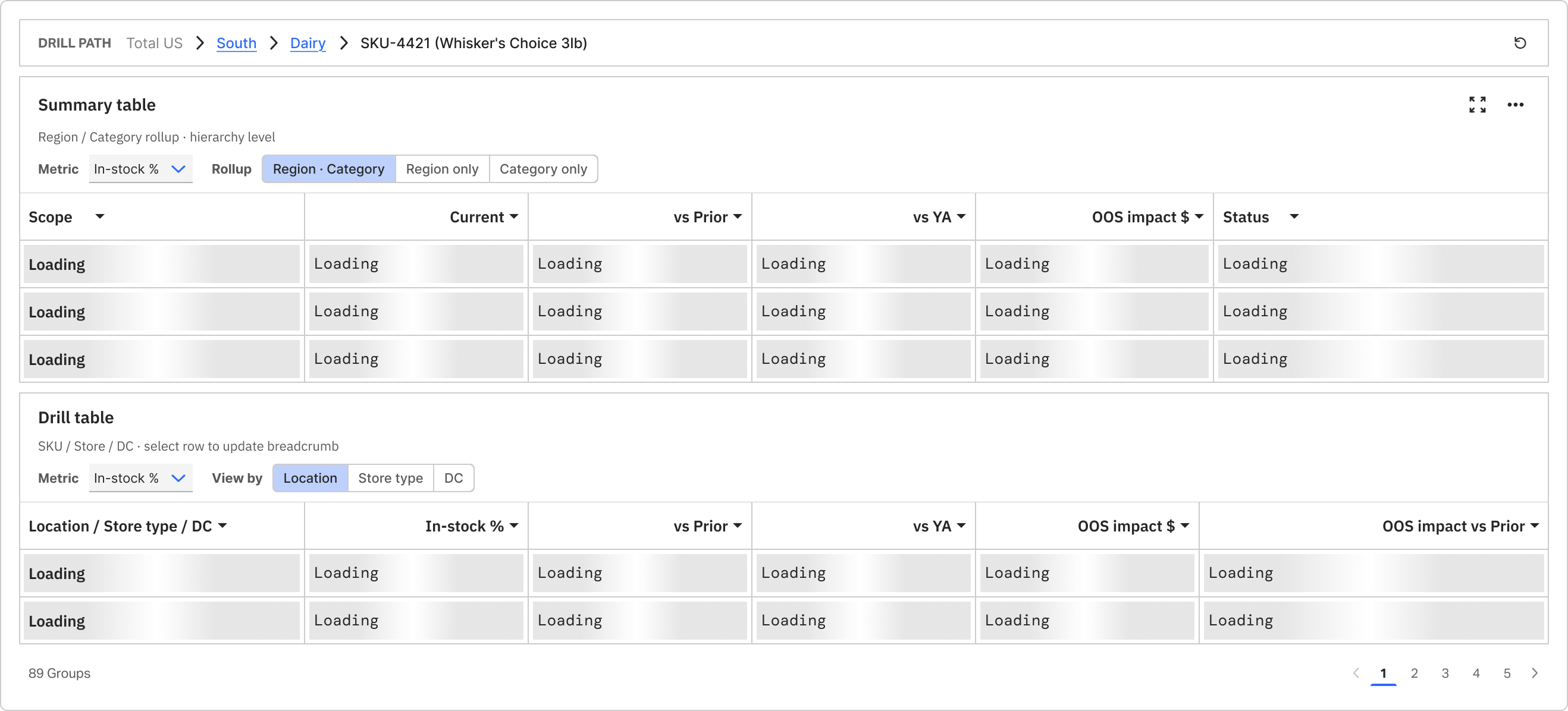
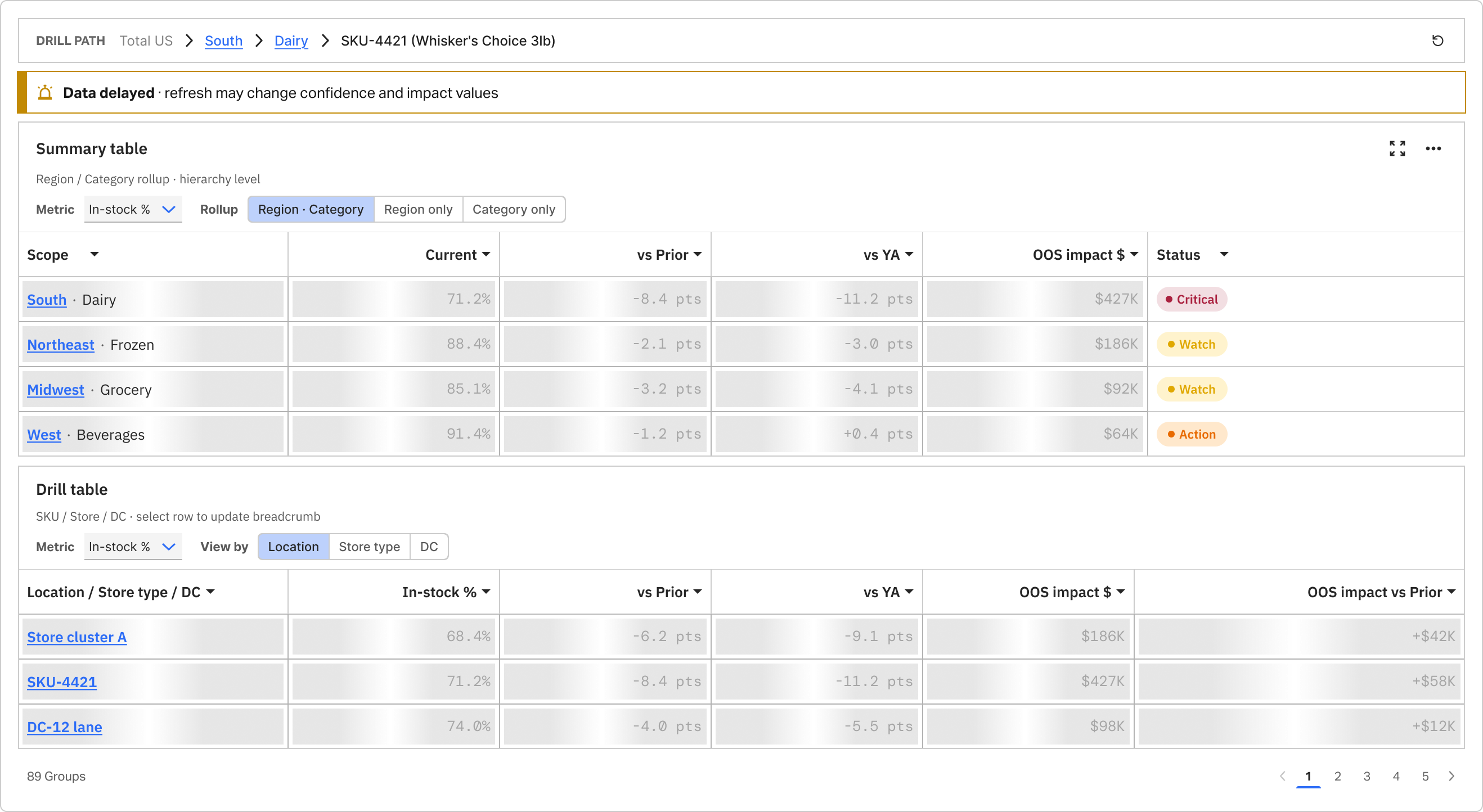
Each pattern ships with interaction and data-trust states — default, focus, loading, and stale — designed for enterprise retail workflows.

Building blocks that scale

Reusable patterns for enterprise supply-chain reporting

These modules handle real operational complexity — priority queues, hierarchy drill-down, and stale-data edge cases — so teams can ship consistent reporting experiences without rebuilding from scratch.

Where risk concentrates

Teams scan region × category performance in one view, then focus a cell to investigate without losing surrounding context.

Heatmap showing region and category risk concentration

What needs attention now

Exceptions surface by severity so analysts triage stockout and velocity risk before opening the full report.

Exception queue ordered by severity

From summary to root cause

Parent and child tables stay linked as users drill — with clear end-states when the hierarchy cannot go further.

Table drill stack with summary and child tables

Each pattern ships with interaction and data-trust states — default, focus, loading, and stale — designed for enterprise retail workflows.

Workflow decisions

Signal → investigate → trends → export

The production report follows one decision path — from exception signal through investigation and trend validation to export-ready evidence.

01

Scan exceptions

DecisionStart on the overview tab — surface KPI risk, heatmap concentration, and the exception queue before full-table scan.

02

Investigate root cause

DecisionDrill from summary into stacked tables, select an exception row, and open the persistent root-cause drawer without losing lens context.

03

Validate in trends

DecisionConfirm whether the signal holds over time — multi-metric charts with hover tooltips expose week-level in-stock and out-of-stock detail.

04

Export evidence

DecisionPackage the finding for QBR or escalation — snapshot the issue, exposure, confidence state, and next action in one artifact.

Reflection

What this work changed in my practice

This project strengthened my thinking around enterprise reporting systems: not just how to display metrics, but how to design for hierarchy logic, configurability, and analytical continuity.

Structure complexity, don't remove it

In complex B2B tools, clarity comes less from removing complexity and more from structuring hierarchy logic, permissions, and analytical continuity well.

Exception-first beats data-first

Defaulting to items needing attention now — stockout risk, velocity anomalies, DC concentration — reduced time-to-diagnosis versus legacy full-table entry.

Context must survive drill-down

Preserving product, store, DC, and period context across tabs stopped analysts from rebuilding the investigation path on every click.

Trust is a UI problem

Confidence states, escalation paths, and exportable snapshots matter as much as the charts — operational trust is designed, not assumed.

Next case study

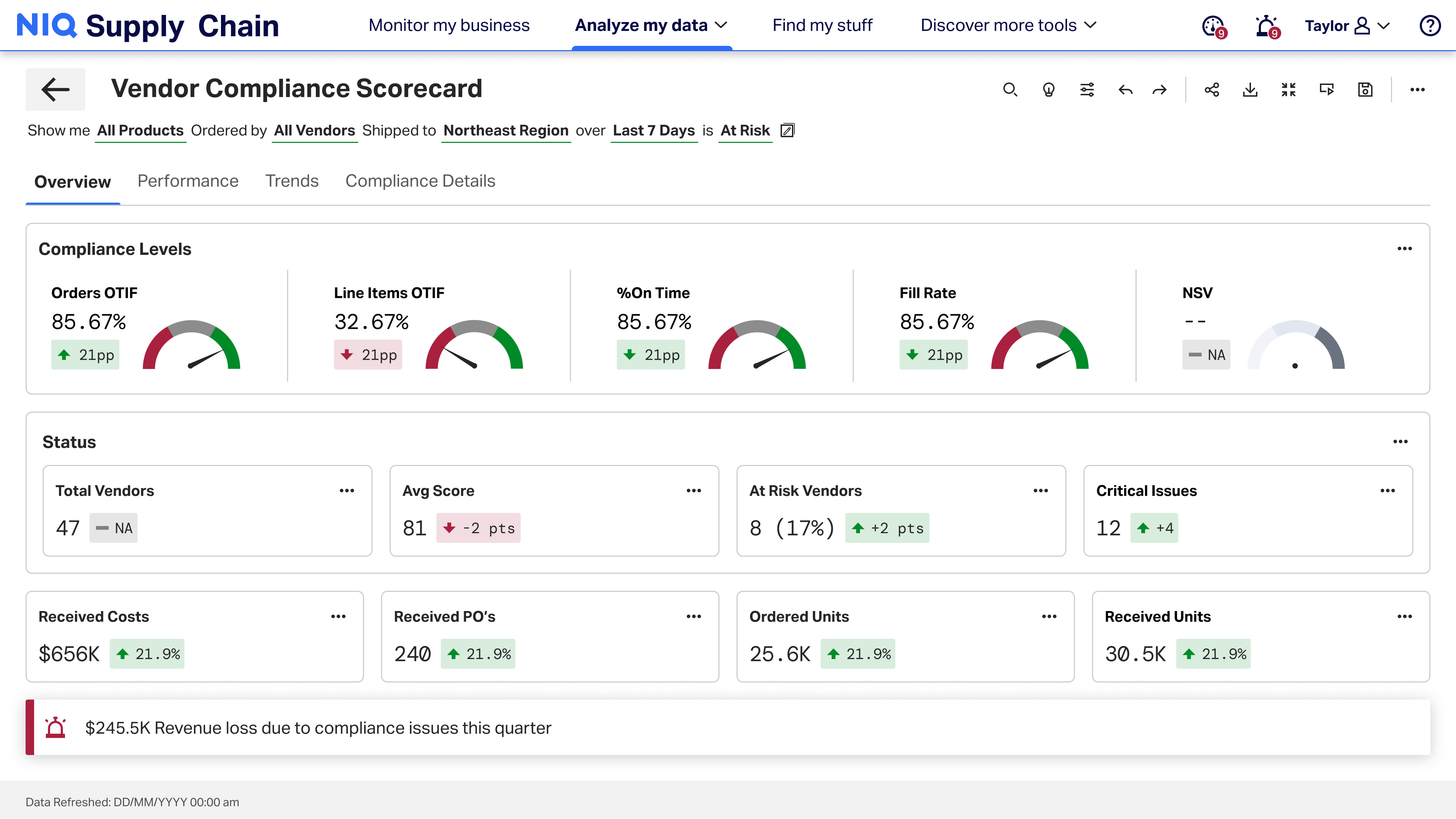
Vendor Compliance Scorecard

A performance scorecard that helps retailers and suppliers align on KPIs, track efficiency, and drive better decision-making across global supply chains.

Partner score — P&G
Vendor compliance scorecard overview
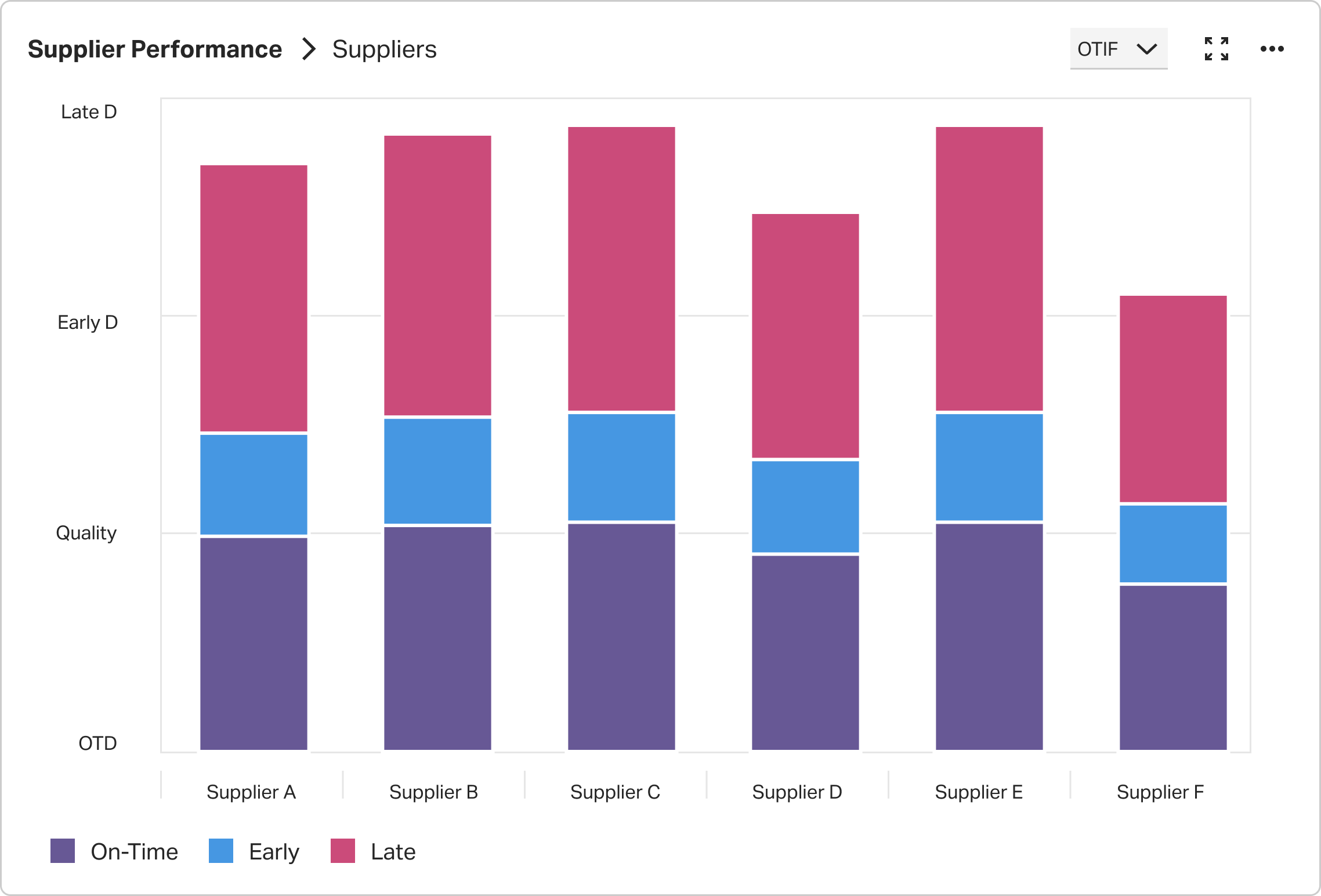
Supplier performance chart